


Product info
Copenhagen eSIM plans
| Unlimited data · 5 days | $15.99 | Buy eSIM |
| Ohayu recommendsUnlimited data · 10 days | $27.99 | Buy eSIM |
| Unlimited data · 15 days | $37.99 | Buy eSIM |
| Unlimited data · 30 days | $49.99 | Buy eSIM |
| 3GB prepaid eSIM · 14 days | $7.49$2.50 / GB | Buy eSIM |
| 5GB prepaid eSIM · 30 days | $10.49$2.10 / GB | Buy eSIM |
| 10GB prepaid eSIM · 30 days | $16.49$1.65 / GB | Buy eSIM |
| 15GB prepaid eSIM · 60 days | $21.49$1.43 / GB | Buy eSIM |
| 20GB prepaid eSIM · 90 days | $25.99$1.30 / GB | Buy eSIM |
| 50GB prepaid eSIM · 90 days | $66.79$1.34 / GB | Buy eSIM |
You can install your eSIM before the trip and activate it when you arrive in Denmark. Validity starts after eSIM activation.
Plan details


How much mobile data you need
What's the best eSIM for Copenhagen?
Long weekend – 3 GB
Cycling directions and restaurant bookings.
A week – 10 GB
Navigation, calls, a Malmö day.
Scandinavia – 20 GB
Copenhagen, Malmö, Stockholm.
Working from Nørrebro – Unlimited
Tethering a laptop.
Coverage and network
Coverage on a bike
Denmark mobile networks
Copenhagen is one of the fastest cities on our list - 260 Mbps, ranked 21st worldwide, against a Danish national average of 177 Mbps at 14th. In practice you will spend most of your data on cycling directions, because that is how the city moves. (Speedtest by Ookla, June 2026)
Speedtest Global Index · Mobile · Copenhagen · June 2026
Download
259.81 Mbps
Upload
27.71 Mbps
Latency
15 ms
Global rank
#21 of 98
Copenhagen, specifically
- Indre By, Nørrebro, Vesterbro: Very strong across the city. Cycling navigation in your ear works without gaps, which is what you actually need here.
- The Metro: Driverless, runs 24 hours, and covered throughout including the tunnels. The airport line is part of the same system.
- Over the bridge to Malmö: The Øresund crossing puts you in Sweden in about 35 minutes. That is a different country, but both are EU, so roam-like-at-home means your plan keeps working at domestic rates. No action needed.
- Christiania: Coverage is fine, but photography is restricted in parts of it and locals enforce that. A connection is not the constraint there.
Denmark, and across the EU
The plan covers all of Denmark, and EU roaming rules carry it into Sweden, Germany and the rest of the union.
How to install eSIM
Connected in 3 steps
- 01
Buy before you fly
Choose your data plan before your trip.
- 02
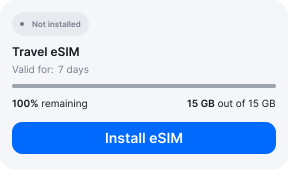
Download & install
Log in to your account, tap your eSIM, and follow the on-screen instructions.
- 03
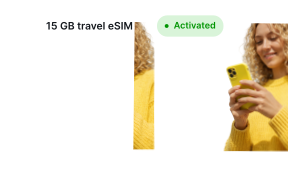
Land & activate
Activate when you arrive in Denmark. Turn on roaming for the eSIM and it connects to a local network.
Before you buy, make sure your phone supports eSIM — see Ohayu compatible devices list or dial *#06#. It's a free request to your phone's settings. If you see the EID number — your phone is eSIM-compatible.
Arriving in Copenhagen
Airport Wi-Fi at CPH
Kastrup has free Wi-Fi with no password - accept the terms and you are on. It is intended for passengers.
Side by side
Copenhagen eSIM Comparison
Indicative comparison based on publicly listed Denmark plans as of August 2026. Competitor pricing and policies change - check their sites for current terms.
Frequently asked questions
Where to buy a SIM card in Copenhagen?
This is where Denmark gets awkward. Most of the big operators sell subscriptions that need a Danish CPR number, MitID and a Danish bank account, which a visitor will not have. The tourist-viable options are the MVNOs - Lycamobile and Lebara - which work without CPR.
Do I need ID to buy a prepaid SIM in Denmark?
Expect to be asked, even though we could not confirm a Danish law requiring it. Several operators run an online registration step with a photo upload of your passport or national ID before the SIM activates, so activation can lag while it is verified.
What matters more for visitors: you do not need a Danish CPR number for prepaid, which is the wall that blocks tourists from ordinary Danish subscriptions. Ohayu plans need no registration and no CPR at all.
Will my plan work when I cross to Malmö in Sweden?
Yes. Denmark and Sweden are both EU members, so crossing the Øresund bridge or taking the train to Malmö keeps you on the same plan at the same rates - your phone just hands over to a Swedish network. Make sure data roaming is enabled before you cross, since that is what the handover depends on.
eSIM not working in Copenhagen?
Check the Ohayu eSIM is your data line and that roaming is switched on for it - roaming needs to be on for the Sweden crossing too - then cycle Airplane mode. Chat and support@ohayu.com are open 24/7.