


Product info
Johannesburg eSIM plans
| 3GB prepaid eSIM · 15 days | $9.49$3.16 / GB | Buy eSIM |
| Ohayu recommends5GB prepaid eSIM · 30 days | $13.49$2.70 / GB | Buy eSIM |
| 10GB prepaid eSIM · 30 days | $22.99$2.30 / GB | Buy eSIM |
| 20GB prepaid eSIM · 30 days | $38.49$1.92 / GB | Buy eSIM |
| 50GB prepaid eSIM · 90 days | $174.49$3.49 / GB | Buy eSIM |
You can install your eSIM before the trip and activate it when you arrive in South Africa. Validity starts after eSIM activation.
Plan details


How much mobile data you need
What's the best eSIM for Johannesburg?
A business trip – 3 GB
Maps, ride-hailing, calls.
Joburg and Kruger – 5 GB
Two weeks, offline maps for the park.
South Africa widely – 20 GB
Joburg, Cape Town, the Garden Route.
Working from Sandton – 50 GB
Tethering a laptop for weeks.
Coverage and network
Coverage the city and the bushveld
South Africa mobile networks
Johannesburg measures around 73 Mbps - slower than Cape Town but spread across a far larger metropolitan area. It is the country's business capital and the main gateway for safari trips, and those two uses pull the network in different directions.
Speedtest Global Index · Mobile · Johannesburg · June 2026
Download
73.46 Mbps
Upload
13.14 Mbps
Latency
19 ms
Global rank
#108 of 98
Johannesburg, specifically
- Sandton, Rosebank, Braamfontein: Solid 4G and 5G. Sandton is the financial district and among the best-covered parts of the country.
- The Gautrain: Covered along the route, including the tunnelled sections between Sandton and Marlboro. It is also the sensible way in from the airport.
- Soweto: Covered - it is a large, dense urban area, and the tour routes are well served.
- Driving in the city: Coverage is fine; the caution is behavioural. Phone snatching at intersections is common enough that locals keep devices out of sight while stopped. Set the route before you pull away.
- Kruger and the private reserves: Camps and lodges generally have coverage or Wi-Fi. Out on game drives it comes and goes, and the northern sections of the park are thin. Most lodges would rather you were offline anyway.
All of South Africa
The plan covers the whole country, so Johannesburg, Kruger and the coast run on one eSIM. Neighbouring countries do not - a Kruger trip that crosses into Mozambique needs its own plan.
How to install eSIM
Connected in 3 steps
- 01
Buy before you fly
Choose your data plan before your trip.
- 02
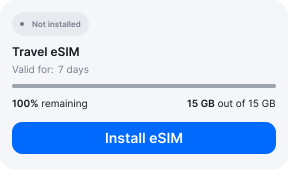
Download & install
Log in to your account, tap your eSIM, and follow the on-screen instructions.
- 03
Land & activate
Activate when you arrive in South Africa. Turn on roaming for the eSIM and it connects to a local network.
Before you buy, make sure your phone supports eSIM — see Ohayu compatible devices list or dial *#06#. It's a free request to your phone's settings. If you see the EID number — your phone is eSIM-compatible.
Arriving in Johannesburg
Airport Wi-Fi at OR Tambo
OR Tambo has free terminal Wi-Fi, generally time-limited. It is Africa's busiest airport and the arrivals area is a common place for opportunistic approaches, so having a ride booked before you walk out is the practical reason to be connected.
Side by side
Johannesburg eSIM Comparison
Indicative comparison based on publicly listed South Africa plans as of August 2026. Competitor pricing and policies change - check their sites for current terms.
Frequently asked questions
What paperwork does a local SIM need here?
Two documents: photo ID and something proving where you are staying. That is RICA, and it applies to every South African line. Bring your passport and a printed booking - the address requirement is where visitors come unstuck, and enforcement varies by outlet. None of it applies to a roaming plan, which carries no South African number to register.
Is there signal in Kruger?
In the rest camps and at the gates, generally yes, and most private lodges have Wi-Fi. On a game drive it drops in and out, and the far north of the park around Pafuri is thin. If you are self-driving, download the park map - the gate closing times are strictly enforced and being late is a fine, so knowing where you are matters.
Does the plan cover a trip into Mozambique or Eswatini?
No. Kruger borders both and the crossings are open, but each is a separate country and plan. Coverage runs up to the border posts on the South African side.
eSIM not working in Johannesburg?
Deep in Kruger or on a game drive, gaps are normal and often welcome. During a long power outage a local site may be down. In the city, confirm Ohayu is selected for mobile data with roaming allowed, then cycle Airplane mode. Chat and support@ohayu.com are open 24/7.