



Product info
Seoul eSIM plans
| Unlimited data · 5 days | $17.99 | Buy eSIM |
| Ohayu recommendsUnlimited data · 10 days | $31.99 | Buy eSIM |
| Unlimited data · 15 days | $41.99 | Buy eSIM |
| Unlimited data · 30 days | $58.99 | Buy eSIM |
| 3GB prepaid eSIM · 15 days | $8.49$2.83 / GB | Buy eSIM |
| 5GB prepaid eSIM · 30 days | $10.49$2.10 / GB | Buy eSIM |
| 10GB prepaid eSIM · 30 days | $18.49$1.85 / GB | Buy eSIM |
| 15GB prepaid eSIM · 60 days | $23.99$1.60 / GB | Buy eSIM |
| 20GB prepaid eSIM · 30 days | $29.49$1.47 / GB | Buy eSIM |
| 50GB prepaid eSIM · 30 days | $66.79$1.34 / GB | Buy eSIM |
You can install your eSIM before the trip and activate it when you arrive in South Korea. Validity starts after eSIM activation.
Plan details


How much mobile data you need
What's the best eSIM for Seoul?
Long weekend – 3 GB
Maps, translation, and a lot of photographs.
A week – 10 GB
Navigation plus heavy translation-app use.
Seoul, Busan, Jeju – 20 GB
Multi-city by KTX and short flight.
Working from Hongdae – Unlimited
Tethering a laptop from a café.
Coverage and network
Coverage, and the maps problem
South Korea mobile networks
South Korea is among the most connected countries anywhere, and Seoul is the clearest example - fast 5G nearly everywhere, including deep underground. Coverage is not the thing to plan around here. Your mapping app is. (Speedtest by Ookla, June 2026)
Speedtest Global Index · Mobile · Seoul · June 2026
Download
316.02 Mbps
Upload
30.17 Mbps
Latency
22 ms
Global rank
#10 of 98
Seoul, specifically
- The subway: Full 5G in stations and tunnels across the network. You can hold a video call from the Line 2 loop, which is not true of London, Paris or New York.
- Gangnam to Hongdae: No weak spots worth mentioning, indoors or out, including the underground shopping arcades.
- Use Naver or Kakao, not Google Maps: Korean law restricts export of detailed mapping data, so Google Maps gives poor walking and transit directions here. Download Naver Map or Kakao Map before you arrive. This trips up almost every first-time visitor and has nothing to do with your data plan.
- Bukhansan and the edges: The city-limits mountains keep signal on the main trails. Deeper valleys have brief gaps.
Mainland and Jeju
One plan for the whole country - Busan, Jeju, Gyeongju - so a KTX itinerary doesn't need a second purchase.
How to install eSIM
Connected in 3 steps
- 01
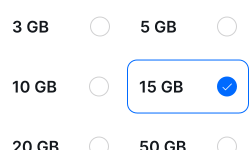
Buy before you fly
Choose your data plan before your trip.
- 02
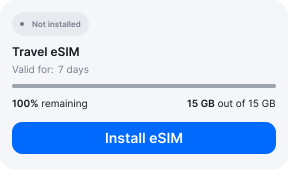
Download & install
Log in to your account, tap your eSIM, and follow the on-screen instructions.
- 03
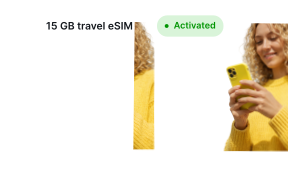
Land & activate
Activate when you arrive in South Korea. Turn on roaming for the eSIM and it connects to a local network.
Before you buy, make sure your phone supports eSIM — see Ohayu compatible devices list or dial *#06#. It's a free request to your phone's settings. If you see the EID number — your phone is eSIM-compatible.
Arriving in Seoul
Airport Wi-Fi at ICN
Incheon has free unlimited Wi-Fi throughout, and it is genuinely fast. Fine for installing on arrival if you forgot.
Side by side
Seoul eSIM Comparison
Indicative comparison based on publicly listed South Korea plans as of July 2026. Competitor pricing and policies change - check their sites for current terms.
Frequently asked questions
Where to buy a SIM card in Seoul?
SK Telecom, KT and LG U+ all have counters in Incheon arrivals. Prices are reasonable, but they take your passport and longer plans can ask for an alien registration number. An eSIM avoids both.
Do I need to show ID to buy a SIM card in South Korea?
Yes, passport registration is required for tourist SIMs. Ohayu plans are data-only and issue no Korean number, so there is nothing to register.
Why is Google Maps bad in Seoul, and does an eSIM fix it?
No eSIM fixes it, because it is not a connectivity problem. South Korean law restricts the export of detailed map data, so Google Maps has limited walking and transit routing nationwide. Install Naver Map or Kakao Map instead - both work fine on any data plan.
eSIM not working in Seoul?
Given how strong coverage is here, a failure is almost always a settings issue rather than signal. Check the Ohayu eSIM is your active data line and that roaming is on for it, then cycle Airplane mode. Chat and support@ohayu.com are available 24/7.