


Product info
Zanzibar eSIM plans
| 3GB prepaid eSIM · 14 days | $10.49$3.50 / GB | Buy eSIM |
| Ohayu recommends5GB prepaid eSIM · 30 days | $14.79$2.96 / GB | Buy eSIM |
| 10GB prepaid eSIM · 30 days | $26.79$2.68 / GB | Buy eSIM |
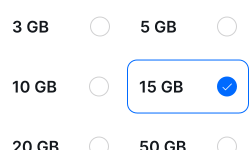
| 15GB prepaid eSIM · 60 days | $39.79$2.65 / GB | Buy eSIM |
| 20GB prepaid eSIM · 90 days | $52.79$2.64 / GB | Buy eSIM |
| 50GB prepaid eSIM · 90 days | $131.49$2.63 / GB | Buy eSIM |
You can install your eSIM before the trip and activate it when you arrive in Tanzania. Validity starts after eSIM activation.
Plan details


How much mobile data you need
What's the best eSIM for Zanzibar?
A week on the beach – 3 GB
Maps, messaging, photographs.
Island and safari – 10 GB
Both legs, with gaps in between.
Longer Tanzania trip – 20 GB
Zanzibar, Dar, and the northern circuit.
Working from the coast – 50 GB
Tethering from a guesthouse in the north.
Coverage and network
Realistic coverage notes
Tanzania mobile networks
Set expectations here. Zanzibar runs on 4G rather than 5G, and speeds sit well below what you get in Europe - fine for maps, WhatsApp and uploading photographs, slower for anything heavier. Stone Town and the northern beaches are the reliable parts of the island. (Speedtest by Ookla, June 2026)
Around the island
- Stone Town: Dependable along the waterfront and in most of the old town. The lanes are tight and the buildings old, so it drops indoors more than you would like.
- Nungwi and Kendwa: The northern resort beaches are the strongest part of the island. Video calls work from a sun lounger.
- The east coast and Jozani: Paje, Jambiani and the forest are noticeably weaker. Usable for messages, frustrating for anything else.
- Mainland and the ferry: The Dar es Salaam crossing loses signal in open water. On safari, expect coverage at lodges and little between them.
Island and mainland
Zanzibar is part of Tanzania, so the plan also works on the mainland - Dar es Salaam, Arusha, the Serengeti gateway towns.
How to install eSIM
Connected in 3 steps
- 01
Buy before you fly
Choose your data plan before your trip.
- 02
Download & install
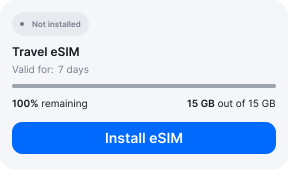
Log in to your account, tap your eSIM, and follow the on-screen instructions.
- 03
Land & activate
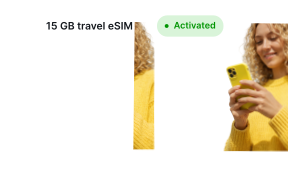
Activate when you arrive in Tanzania. Turn on roaming for the eSIM and it connects to a local network.
Before you buy, make sure your phone supports eSIM — see Ohayu compatible devices list or dial *#06#. It's a free request to your phone's settings. If you see the EID number — your phone is eSIM-compatible.
Arriving in Zanzibar
Airport Wi-Fi at ZNZ
Abeid Amani Karume has free terminal Wi-Fi, though it is slow enough that installing before you leave home is the better plan.
Side by side
Zanzibar eSIM Comparison
Indicative comparison based on publicly listed Tanzania plans as of July 2026. Competitor pricing and policies change - check their sites for current terms.
Frequently asked questions
Where to buy a SIM card in Zanzibar?
Zanzibar Airport has small Vodacom and Tigo counters, though selection and stock can be inconsistent. Registration on the spot can take time. A travel eSIM like Ohayu skips the counter entirely - install before you fly and after landing it can connect you to supported networks like Vodacom, Tigo, or Airtel.
Do I need to show ID to buy a SIM card in Zanzibar?
Yes - Tanzania requires biometric registration (passport and often a photo) for prepaid SIM cards, which can be a slow process at the airport. Travel eSIMs like Ohayu are data-only and skip this process entirely.
Will it work on safari in mainland Tanzania?
Coverage exists in towns and many lodges, but remote areas of the Serengeti and other parks can have weak or no signal - this is normal and most camps have their own Wi-Fi or satellite backup.
eSIM not working in Zanzibar?
Speeds here are modest by European standards, so slow is not necessarily broken. If there is no connection at all, check the Ohayu eSIM is your data line and roaming is enabled, then toggle Airplane mode. Chat and support@ohayu.com are open 24/7.