
Although many people consider traveling a period of relaxation from work, social media, and the news, travel internet is still necessary for a smooth trip. Staying connected is important for many reasons, from basic itinerary planning to working online on long trips. Most convenient and affordable digital nomad internet options are travel eSIM, Wi-Fi hotspot, and satellite internet.
This article will be a good guide if you are also preparing for your journey and considering the connectivity issue. We’ll learn how to get Internet on the way to your destination, and how to choose the most relevant connection solution for your trip.
Why is it important to have travel internet?
Internet access is essential nowadays, and it is essential when traveling to unfamiliar places. Lack of connection leads to difficulty navigating and communication with family, and even safety concerns. On the other hand, having a reliable Internet connection on the road and while abroad can help you solve problems quickly and hassle-free. Here are a few reasons why the connection is critical.
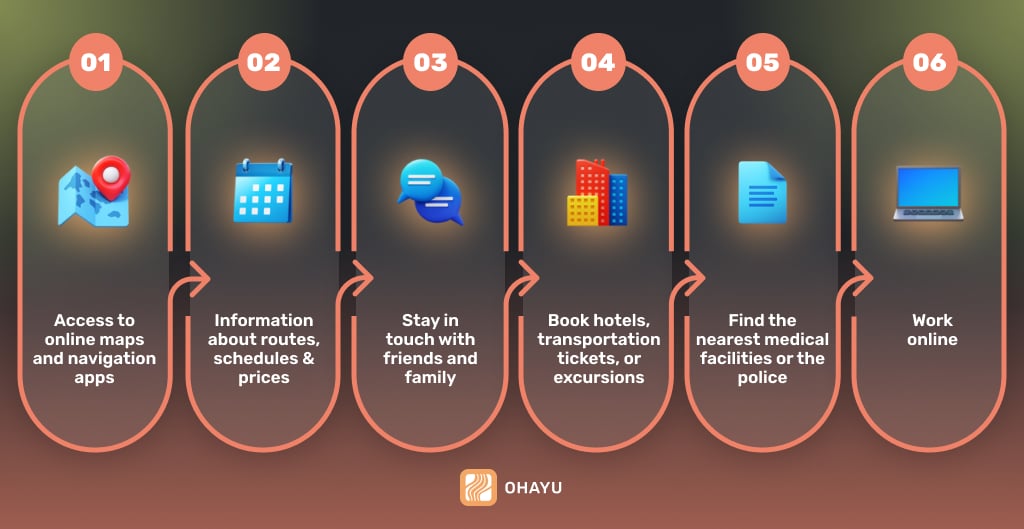
- You will always have access to online maps and navigation apps. It helps you orient yourself in an unfamiliar city and quickly find the nearest shops, restaurants, or attractions.
- The web allows you to instantly find information about routes, transportation schedules, prices, and recommendations for places to visit.
- You stay in touch with friends and family via social networks and instant messengers.
- Booking hotels, transportation tickets, or excursions becomes much more convenient and faster when you have access to the web.
- In the event of an emergency, the network helps you find the nearest medical facilities or the police.
- You will be able to work online if you come on a digital nomad visa or if your trip is long.
Top 3 digital nomad internet options
There are several ways to stay connected while traveling. We have collected the most convenient and affordable digital nomad internet options to help you get fast and reliable web on your devices (smartphone or laptop). Those are: travel eSIM, Wi-Fi hotspot, and satellite internet. Let’s take a closer look at each of them.
Travel eSIM
One of the most modern connection methods is eSIM for international travel. It is a technology that allows you to connect to the mobile network without using a physical SIM card. eSIM is built directly into many modern phones, so you do not need to buy a physical card and insert it into your device to activate it. It is especially convenient when traveling, as you can purchase a package in advance and activate it when you arrive in the country.
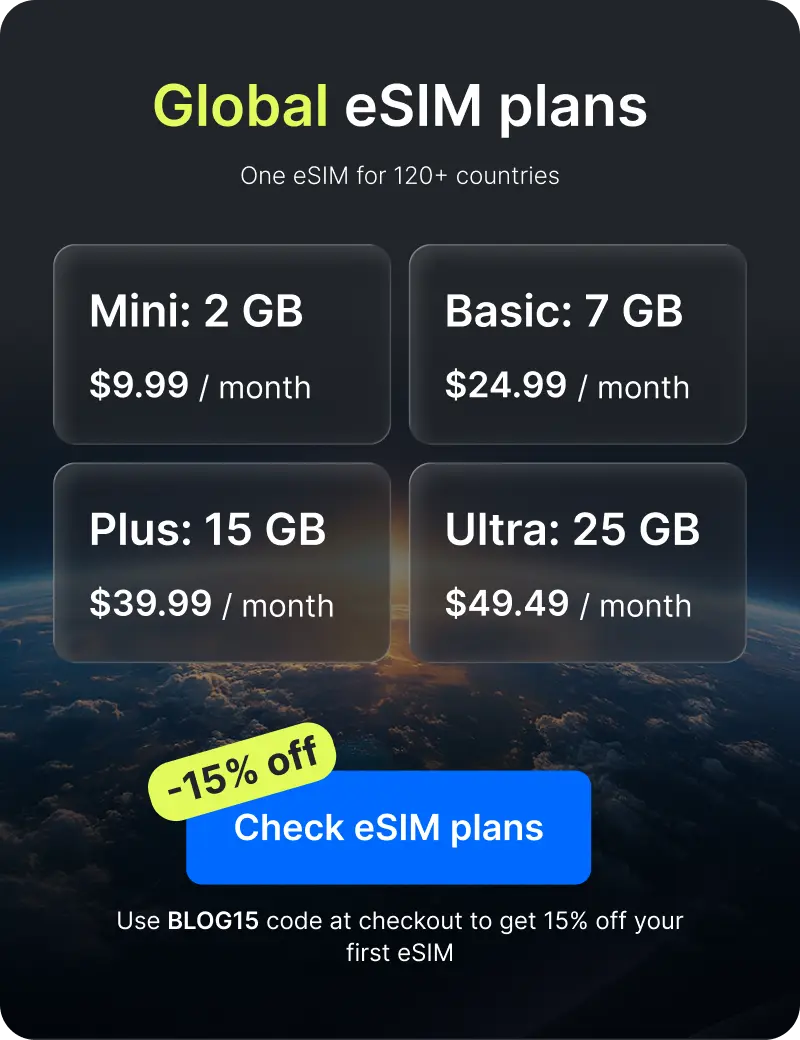
eSIM for smartphones
If you’re planning a vacation from work, the Internet on your smartphone will be enough. It will be convenient to browse online maps, communicate in messengers, scroll through social networks, and find information in a search engine. It takes just a few steps to activate it:
- Make sure your phone supports eSIM. Many modern smartphones from Apple, Samsung, and Google already have built-in eSIM.
- Choose a provider and buy a plan. The operator will provide a QR code or other activation instructions.
- Scan the QR code or enter the activation code manually.
- Complete the settings and activate the eSIM when you arrive in your destination country.
eSIM for laptops
eSIM is supported by laptops and tablets. This option is relevant if you have to solve work issues. By purchasing a package, you avoid the need to search for Wi-Fi hotspots and have a stable connection for holding meetings or completing work tasks. Here’s what you need to activate:
- Make sure your laptop supports eSIM. These may be models with built-in LTE or 5G modules.
- As with your phone, choose your operator and service package.
- In the laptop settings, go to the mobile networks menu and enter the activation code.
- Once set up, your laptop will connect to the Internet wherever you are.
eSIM advantages for travelling
Overall, eSIM technology has many advantages:
- You can purchase a plan in advance and activate it with a QR code without visiting local stores.
- You no longer need to carry multiple SIM cards with you, because all you need is a virtual card that may be customized on your device.
- The eSIM is built into your device, so it is less vulnerable to physical damage or theft.
- You get connected to supported local networks.
However, keep in mind that providers often offer a limited amount of gigabytes. It may not be enough for business trips if you plan to make video calls and work in cloud-based software. Therefore, we recommend choosing an eSIM for vacations or calculating the approximate amount of Internet you may need in advance.
Portable Wi-Fi hotspots
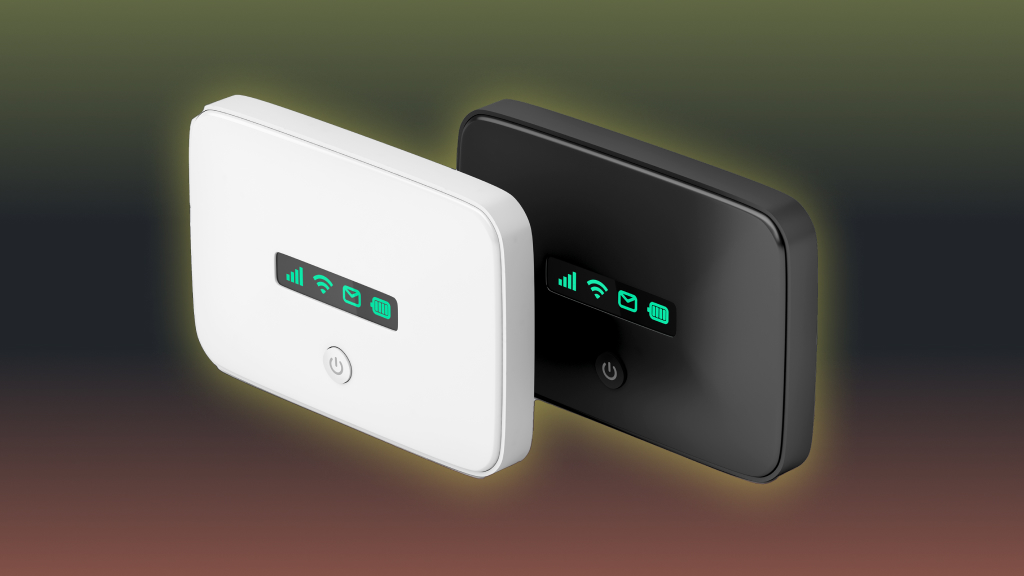
The next option for digital nomad Internet is a portable Wi-Fi hotspot. It is a device that provides Internet access via 3G, 4G, or 5G mobile networks. It works like this: you connect to it via Wi-Fi, and it distributes the Internet to your device (smartphone, tablet, laptop, or other gadgets). This option is relevant for business trips or traveling with a large company, as it allows you to get stable Internet for several devices at once.
Compared to an eSIM, you need more accessories to use the Internet:
- A portable Wi-Fi hotspot device itself. It runs on battery power or via a USB cable.
- A SIM card from a local operator to access the Internet.
How to use the portable Wi-Fi hotspot?
When you have all the equipment, you need to activate the device. Here are some steps to follow:
- First, insert a SIM card with mobile Internet into a special slot on the router. Note that it must be pre-activated and have enough data to connect to the Internet.
- Next, press the power button on the device.
- If the router supports 3G/4G/5G, it will automatically connect to the nearest available network after powering on. Check to see if there is an indicator light that shows the strength of the network signal to make sure you have Internet access.
- If everything is working, turn on the Wi-Fi on the device you want to connect to.
- Find the network your router is creating on your gadget. It will have a name (SSID), which is usually indicated on the router itself or in the instructions for it.
- Enter the password, which is also indicated on the device (usually on the label or in the router settings).
- Once you are connected to Wi-Fi, check to see if you have access to the network. You can do it by opening a web page or any other online application.
Using a portable Wi-Fi hotspot for travel internet – pros & cons
Overall, the portable hotspot has many advantages for travelers. It’s compact and doesn’t take up much space, so it’s perfect even if you’re traveling with a small suitcase. At the same time, you get a stable connection and complete independence from local Wi-Fi networks and connect several devices.
On the downside, before choosing this connection method, pay attention to the following disadvantages:
- The router runs on battery power, so you need to monitor its level and charge the device.
- Renting or purchasing such a device along with a SIM card and tariff may be more expensive than other options for connecting. For example, the price of equipment varies by about $50. If you want to save money, we recommend buying a router in your area in advance, as the cost can be much higher at airports.
- Also, consider some operators limit the amount of data you use through a portable device. To solve this problem, check the terms and conditions carefully and choose the operator with the most convenient ones for you.
Satellite internet
If you’re traveling to the mountains, on a boat cruise, or other places where there are network problems, satellite Internet is your option. It is a type of wireless internet connection that uses satellites in orbit to transmit data between the user and the network. It allows you to get the Internet in remote areas without traditional wired or mobile infrastructure. In simple terms, it works like this.
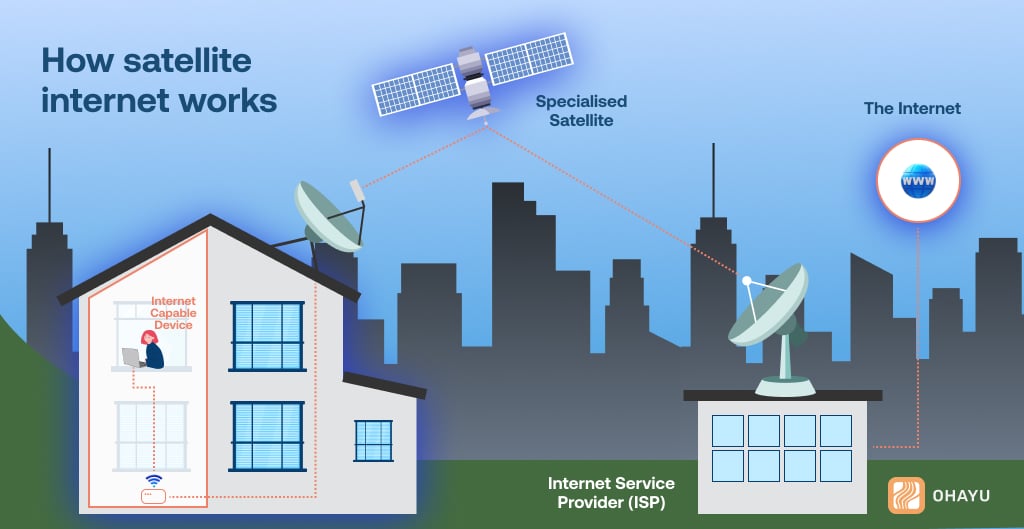
- Your device sends a signal to a satellite dish (antenna).
- The antenna transmits a signal to a satellite in geostationary or low Earth orbit.
- The satellite relays the signal to the provider’s ground station.
- The Internet request is processed, and the response is returned via the same path to the user.
How to connect to satellite internet?
- First of all, choose a provider to receive satellite Internet (Starlink, HughesNet, Viasat). For traveling, we recommend choosing Starlink. It has high speed (up to 250 Mbps) and low latency. However, the biggest advantage is that you set up the equipment yourself without calling the technicians.
- The next step is to purchase the equipment. So, to connect, you will need:
- satellite dish;
- a modem to provide communication between the antenna and devices (computer, smartphone);
- power supply;
- mounts to install the antenna on the roof, the ground, or the car.
The cost of the equipment depends on the provider. For example, a Starlink Kit (antenna, modem, cables) will cost about $600 + from $50 to $165/month for a traveling package.
- When you arrive at your destination, install the antenna. It should be positioned so that it has a clear view of the sky without obstacles (trees, buildings, mountains). You install the antenna on your house or tent, as well as on your car or yacht. In the latter case, you need special mobile mounts and an inverter or generator for autonomous power supply during the trip.
- Connect the modem to the antenna and to the power supply.
- Make sure that the antenna receives a satellite signal on the indicator or in the app. Test the internet speed and adjust the antenna position if the signal is weak.
Satellite travel internet advantages & drawbacks
A satellite connection has undeniable advantages over other types of communication. It works anywhere in the world, even in places without mobile coverage. At the same time, modern providers offer high Internet speeds of up to 100-200 Mbps, which allows you to serve online, hold meetings, and work without restrictions.
As for the disadvantages, they are primarily related to the need to purchase and transport equipment for connection. Here are a few drawbacks that you should pay attention to:
- Initial installation costs $500-$1500, and monthly subscriptions range from $50 to $150.
- There is a need for an open space to receive the signal.
- It is sensitive to external factors, such as rain, snow, or strong winds, which affect the quality of the connection.
How to choose a digital nomad internet?
There are several factors to consider when choosing the most appropriate way to connect when traveling. Whether you’re traveling by plane or car, on vacation, or on a business trip, all of these factors influence your choice of travel Internet. We have prepared a short guide to help you find the most suitable method.
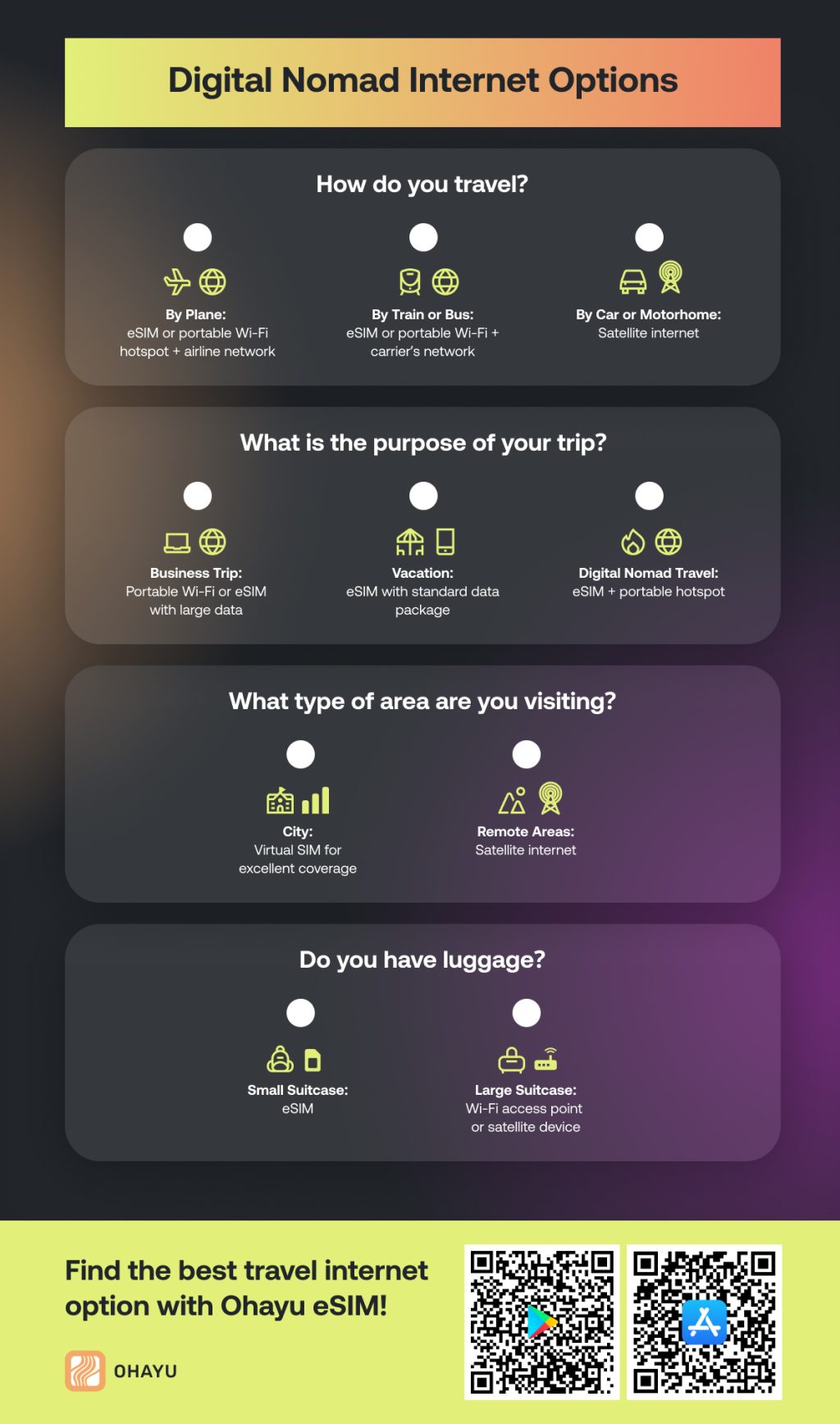
How do you travel?
- By plane: Choose an eSIM or a portable Wi-Fi hotspot with a SIM card. Upon arrival, you can use the airport Wi-Fi to activate the plan.
- By train or bus: We advise you to use an eSIM or portable Wi-Fi upon arrival at your destination and use the carrier’s network on the road.
- By car or motorhome: The best solution is satellite internet. You install an antenna directly on the roof of your vehicle and use the Internet, even in areas without coverage.
What is the purpose of your trip?
- Business trip: You need a portable Wi-Fi hotspot or a virtual SIM with a large data package for your laptop.
- Vacation: An eSIM with a standard GB package will be enough for social networks, maps, and communication.
- Digital Nomad travel: For long trips, choose a combination of an eSIM and a portable hotspot. This allows you to get the right amount of GB and fast Internet from a local operator.
What type of area are you visiting?
- City: You can choose a virtual SIM because it offers excellent coverage.
- Remote areas, such as the hills or the coast: If you are traveling away from civilization, satellite internet may be the solution.
Do you have luggage?
- Yes, a small suitcase: Consider an eSIM because it does not require additional space in your luggage.
- Yes, a large suitcase: If you can take additional equipment, you may buy devices for connecting Wi-Fi access points or satellite Internet.
Final words
To sum up, the Internet allows you to stay connected and comfortable during your travels. There are several options to get a reliable and fast connection. Each of them has its pros and cons depending on the conditions and external factors. For example, with eSIM, you get convenience and mobility without additional equipment, while a satellite connection requires several devices to connect. After analyzing all the factors, we created perfect compatibility for different trips:
- Solo traveler on vacation to a city → eSIM
- Business trip → Portable Wi-Fi hotspot + eSIM backup
- Group trip to a coastal region → Wi-Fi hotspot
- Camping trip in the mountains → Satellite internet
- Digital nomad working remotely from different locations → Combination of portable Wi-Fi hotspot + eSIM.
If you are considering an eSIM for travel Internet, try Ohayu. We provide unlimited and fixed-data plans for 170+ countries. So, you can select a package with the desired amount of GB, purchase the plan, and quickly activate it upon arrival using a QR code. As a result, you can get a reliable connection and a great experience on your trip.