

A VPN creates a secure tunnel between your device and the server, encrypting all traffic and hiding your IP address. This protects against password sniffing, evil-twin hotspot spoofing, and man-in-the-middle attacks where your data is intercepted. You’ll get secure access to banks, protection of sensitive data, and a way around geo-blocking for work. But not all VPNs are equally useful, because some slow down the connection, others log, and others leak data. In this article, we will discuss how to choose a reliable digital nomad VPN service for travel, what to pay attention to when setting up, and why basic protection saves you from most threats.
Security threats while using public Wi-Fi
When you work from cafes, airports, or hostels, public Wi-Fi is convenient, but there’s always the risk of picking up something unnecessary and getting into big trouble.
Don’t rely on networks with a password, because they don’t guarantee security.
For example, hackers can:
- Intercept traffic through sniffing – imagine someone seeing what sites you visit or reading data you send without encryption.
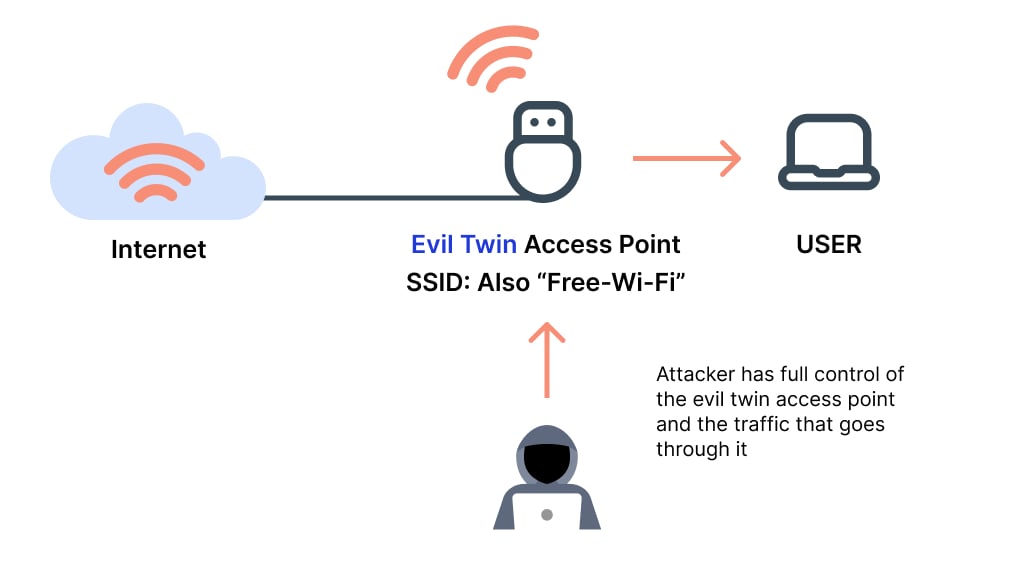
- Create fake hotspots (Evil Twin) – a fake “Starbucks_Free_WiFi” at the airport where you enter important data.
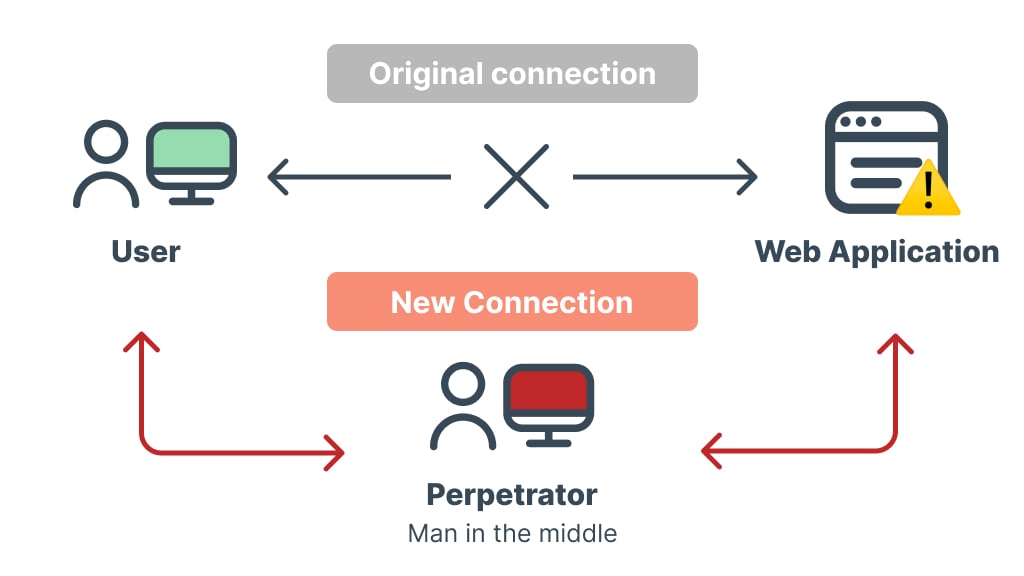
- Conduct MITM attacks – spoof the content of pages (e.g., insert phishing forms).
An eSIM solves part of the problem. With an eSIM like Ohayu, you get mobile internet abroad without relying on roaming from your home operator. Your data travels as encrypted traffic through the carrier’s network, and there are no fake hotspots to fall for.
But the catch is that the eSIM only protects mobile traffic. As soon as you connect to Wi-Fi, even at the same airport, it no longer helps – and co-working spaces, coffee shops, and libraries usually mean Wi-Fi.
Also, the eSIM doesn’t help with the following.
- Bypass geoblocks – you cannot choose which country websites see you connecting from.
- Hide IP address – for example, when you need to log into a corporate system that only allows access from certain countries.
That’s why an eSIM and a virtual private network work well in tandem. The first gives you mobile internet without roaming, and the second protects you on Wi-Fi and gives access to the resources you need. Together they cover most everyday risks.
Criteria for choosing a digital nomad VPN
Not all VPNs are equally useful: some crash when switching between networks, others leak IP addresses, and others simply don’t work in countries with strict censorship. Here’s what to pay attention to.
Safety
When it comes to a Virtual Private Network, security has to come first. Let’s take a look at what we get in this case and see what kind of protection these platforms offer us.
Encryption protocols
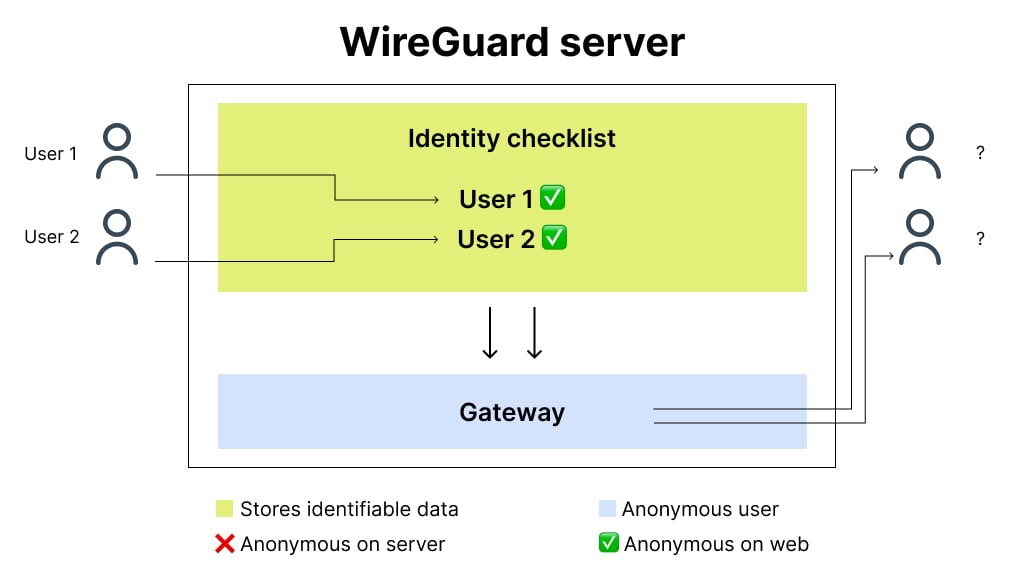
Modern protocols like WireGuard and OpenVPN (usually with AES-256 encryption) provide a balance of speed and protection. Both are considered secure, and WireGuard is usually the faster of the two, which helps with video calls.
Avoid outdated protocols (PPTP, L2TP) – they are easy to hack.
No-log policy
The service should not store logs of your activity. Check whether the virtual private network has been independently audited. For example:
- NordVPN has had its no-logs policy independently audited several times – most recently by Deloitte, in December 2025.
- Mullvad doesn’t require registration at all – you can connect via a random account number.
Additional features
- Kill Switch – blocks the Internet when the session is interrupted, so that your real IP address is not exposed.
- Double VPN – traffic passes through two servers. Useful when you want an extra layer of privacy.
Speed and stability
A VPN that lags in video calls or fails where you need it is of little use for remote work. Test the speed with Speedtest on several servers before you rely on a service. The number of servers also matters – the more servers, the lower the load on each one.
Bypassing blocking
Even top-of-the-line solutions may not work in China or the UAE, and some countries restrict VPN use by law, so check the local rules before you travel. Here are some important considerations.
- Specialized servers to bypass censorship (NordVPN has “Obfuscated Servers”).
- Stealth-mode support – masks traffic as regular HTTPS (works in Surfshark).
3 VPN services to consider
NordVPN
It’s a great option if you want it all at once. NordVPN’s obfuscated servers can help in countries with restrictions, but nothing is guaranteed – check local laws first. Depending on the plan, it also includes the following features:
- Anti-malware & browsing protection
- Ad & tracker blocker
- Password manager & breach scanner
Surfshark
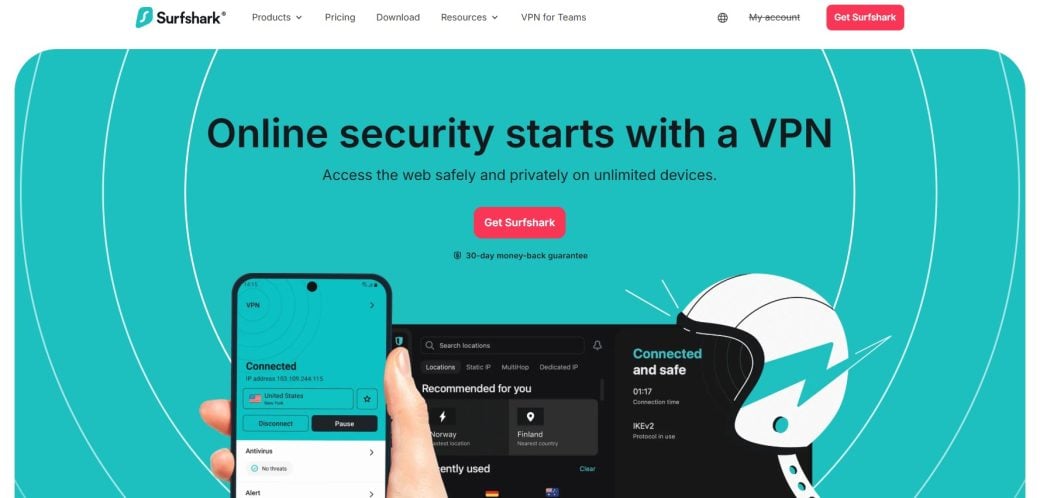
If you own a lot of devices, then this service is great for you. It allows you to connect an unlimited number of devices. Note that Surfshark and NordVPN are owned by the same company, Nord Security. You also benefit from the following.
- NoBorders mode: designed to help you connect where VPNs are restricted (relevant for countries with censorship).
- CleanWeb protection: blocks ads, trackers, phishing, and malicious sites.
- Camouflage Mode: disguises VPN traffic as normal traffic, bypassing DPI analysis (Deep Packet Inspection).
Mullvad
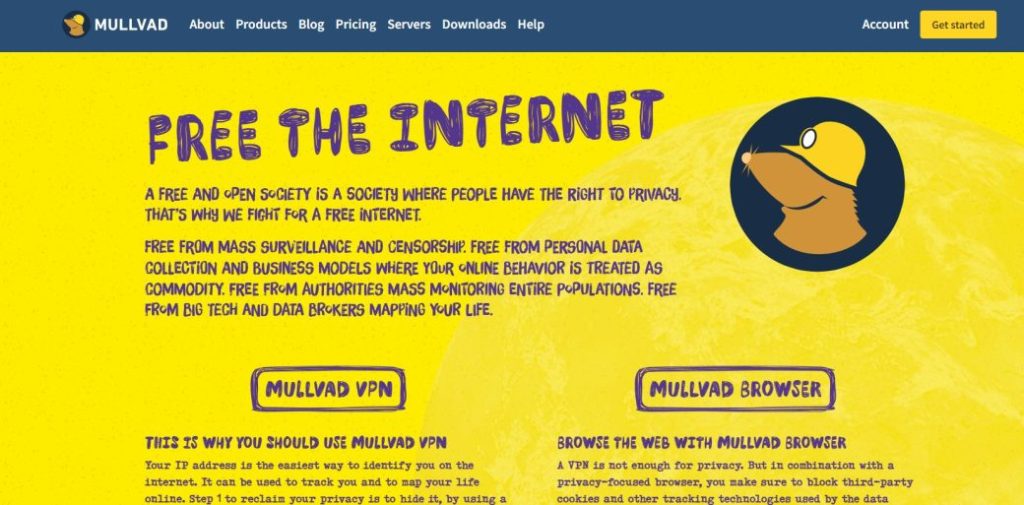
If privacy is your top priority, this service is worth a look. An account is created via a random 16-digit number – no email, name, or phone needed. All the client applications are also open source. The distinguishing feature of this service is the fixed price for any subscription period, which is €5 per month (source: Mullvad website, checked October 2026).
According to the Mullvad website (checked October 2026), payment is possible via cryptocurrency (Bitcoin, Bitcoin Cash, and Monero), bank transfer, card, PayPal, and several local payment methods. The trick of this service is that you can make a cash payment! Just put the money in an envelope and mail it in. Cash is accepted in the following currencies: EUR, USD, GBP, SEK, NOK, CHF, CAD, AUD, NZD.
Configuring your own VPN server
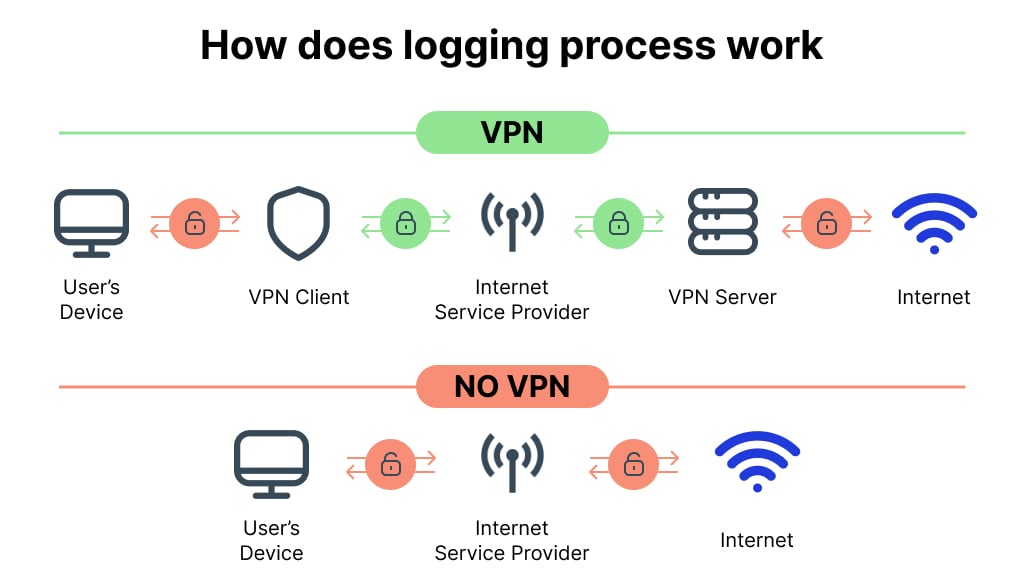
Sometimes, even the top services are not up to the task. For example, when you need a server in a specific country that is not on your provider’s list, or when you don’t want to depend on someone else’s infrastructure. If you like experimentation, you can try to run your own server. It’s a bit hard, but it gives you full control.
Selecting a VPS
For the server, any VPS with WireGuard or OpenVPN support will do. Providers include DigitalOcean, Hetzner, and Oracle Cloud.
The main thing is to choose a server location. If you need a US IP address for a work system that only allows access from the US, rent a VPS in the US.
Digital nomad VPN server installation and setup
Connect to the server via terminal (SSH) and install WireGuard – it is simpler than OpenVPN. Tools like wg-easy automate most of the work and give you a QR code to connect from your phone.
Important:
- Set up a firewall (UFW or iptables).
- Update the server regularly (unattended-upgrades package).
Pros
- Data control: you decide what is logged, and no VPN company sits between you and the internet.
- Flexibility: no limit on the number of devices you connect.
Cons
- Complexity: Unless you’re familiar with Linux, it will take hours (or days) to set up.
- Risks: If a hacker breaks into your VPS, they can see the traffic that passes through it.
eSIM and digital nomad VPN are the perfect duo
Combining an eSIM with a reliable VPN covers two major needs: international mobile internet access and online privacy.
With a service like Ohayu, you can get mobile internet on local networks abroad, and one Global eSIM covers 120+ countries – without physical SIM cards or queues at telecom shops.
Why is eSIM a must-have?
- Fast setup – install the eSIM before you leave (scan a QR code or use the app over Wi-Fi) and turn it on when you arrive in the destination country. No queues, language barriers, or trying to explain to the salesperson that you need internet only.
- Flexibility: you can use several lines at the same time (e.g., your home SIM card for calls + mobile internet from the eSIM).
- The virtual profile uses the operator’s built-in encryption, which reduces the risks of data interception through cell towers. Unlike public Wi-Fi, where attackers can introduce fake access points, the mobile network provides a more secure communication channel.
- Losing your phone while traveling is a disaster. But with an eSIM, a thief can’t just take out the card and use it in another phone, because the chip is embedded in the device.
Tips for maximum efficiency
- Install your eSIM in advance
Don’t wait to board the plane – install the eSIM at home over Wi-Fi. Keep the eSIM line off until you land, then turn it on to connect to the local network.
- Add a secondary profile
Set up an eSIM on a second device. If the main gadget gets lost or broken, the backup profile will save you from a loss of connection.
- Check device compatibility in advance
Not all smartphones and tablets support eSIM. For example, iPhones older than the XS and XR (iPhone X and earlier) and many budget Android devices do not have this feature. Before buying a plan, go to the service website and make sure your device is included in the list.
To sum up
A digital nomad VPN is a powerful tool for data protection and getting around blocks, and an eSIM complements it well. With an eSIM, you no longer need to look for local carriers or overpay for roaming, and you get mobile internet with the carrier’s built-in encryption. As soon as you switch to Wi-Fi in a coffee shop or co-working space, a VPN is what keeps your traffic encrypted – together they cover most everyday risks.