How do I cancel my subscription?
You can cancel your Global subscription whenever you like, in the app or on the web. Your eSIM stays active until the end of the current billing period, and you can keep using any remaining data until then.
Cancel in the app
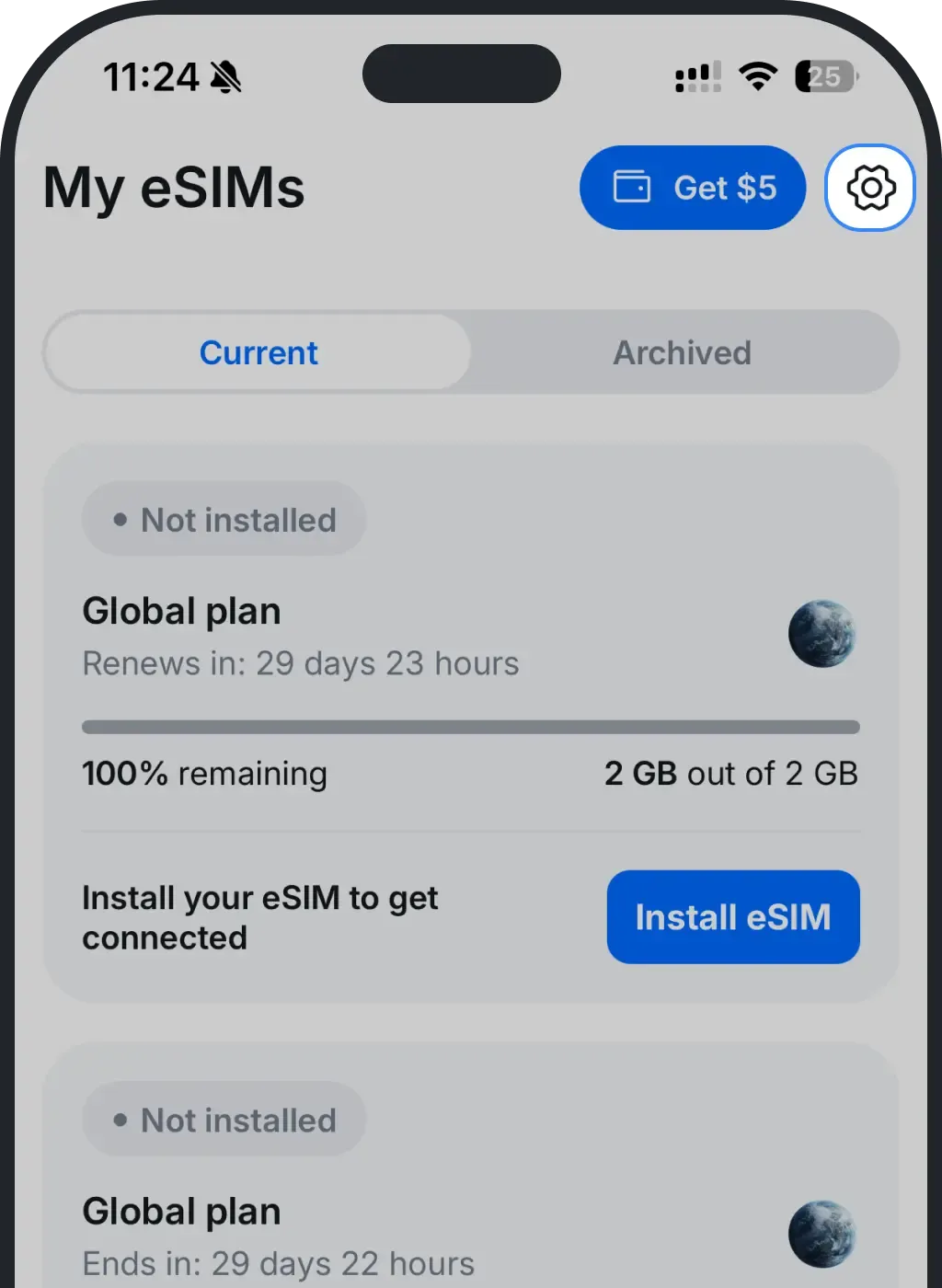
Tap the Settings gear in the top-right corner.
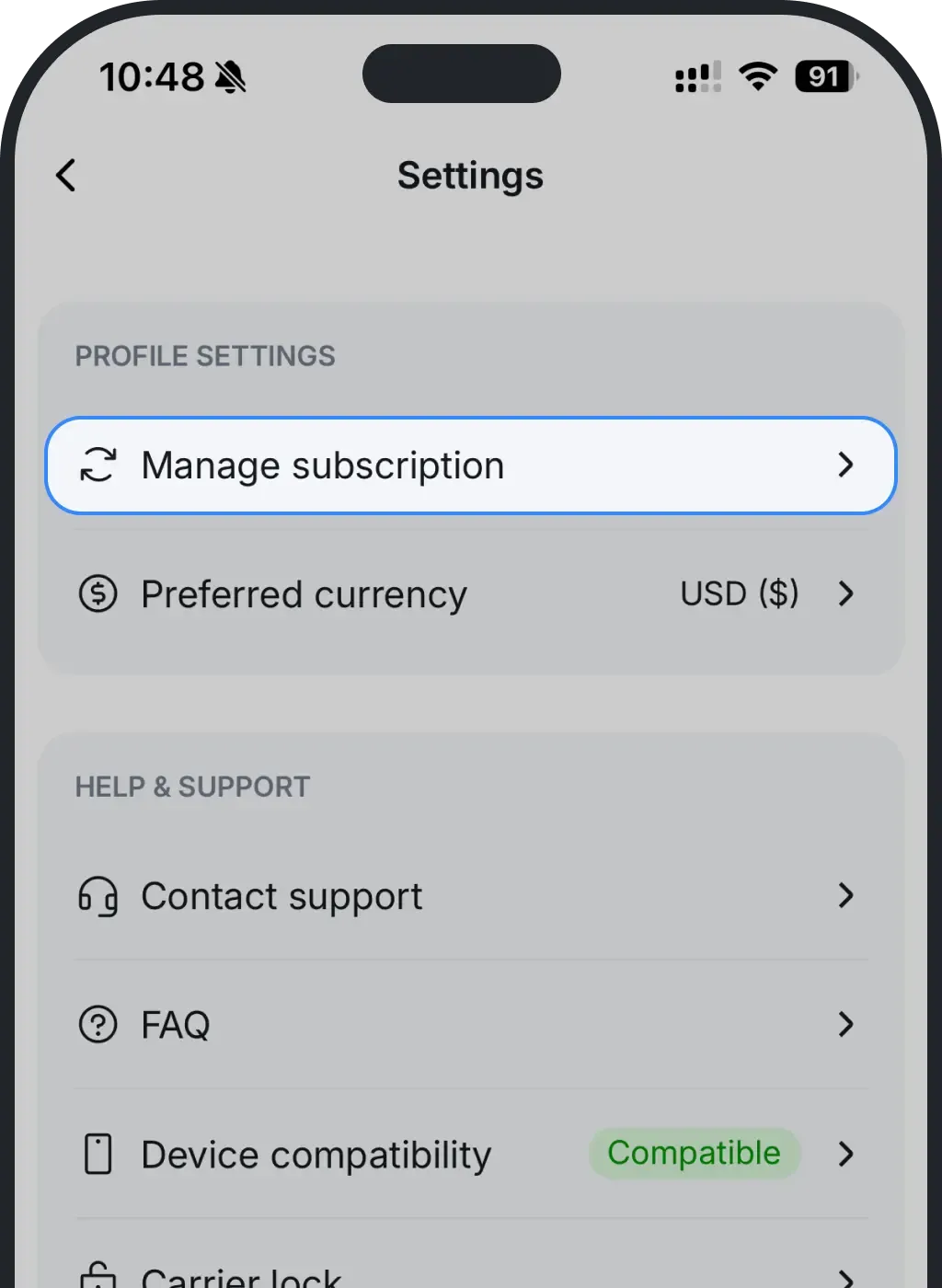
Tap Manage subscription.
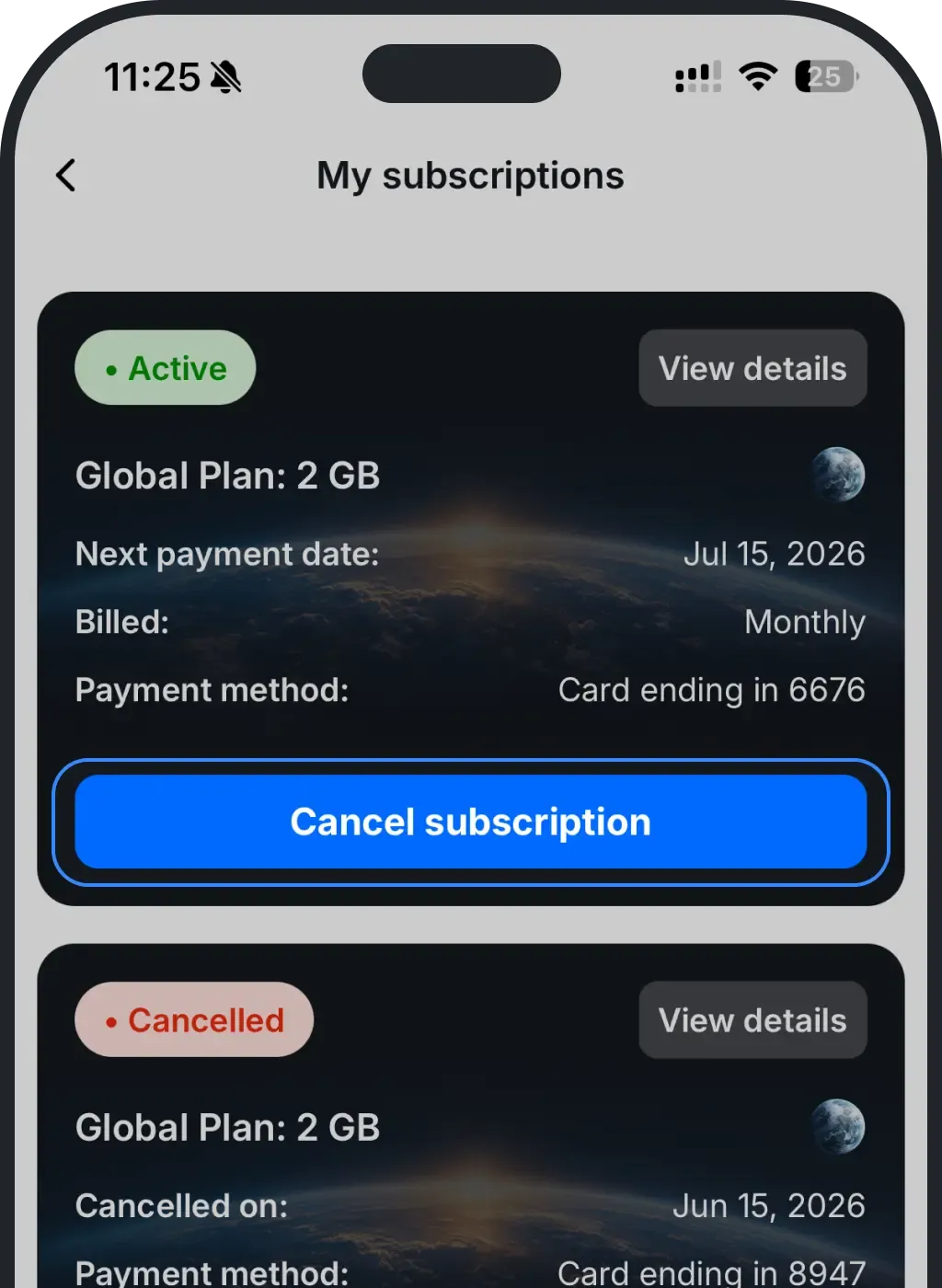
On your active plan, tap Cancel subscription.
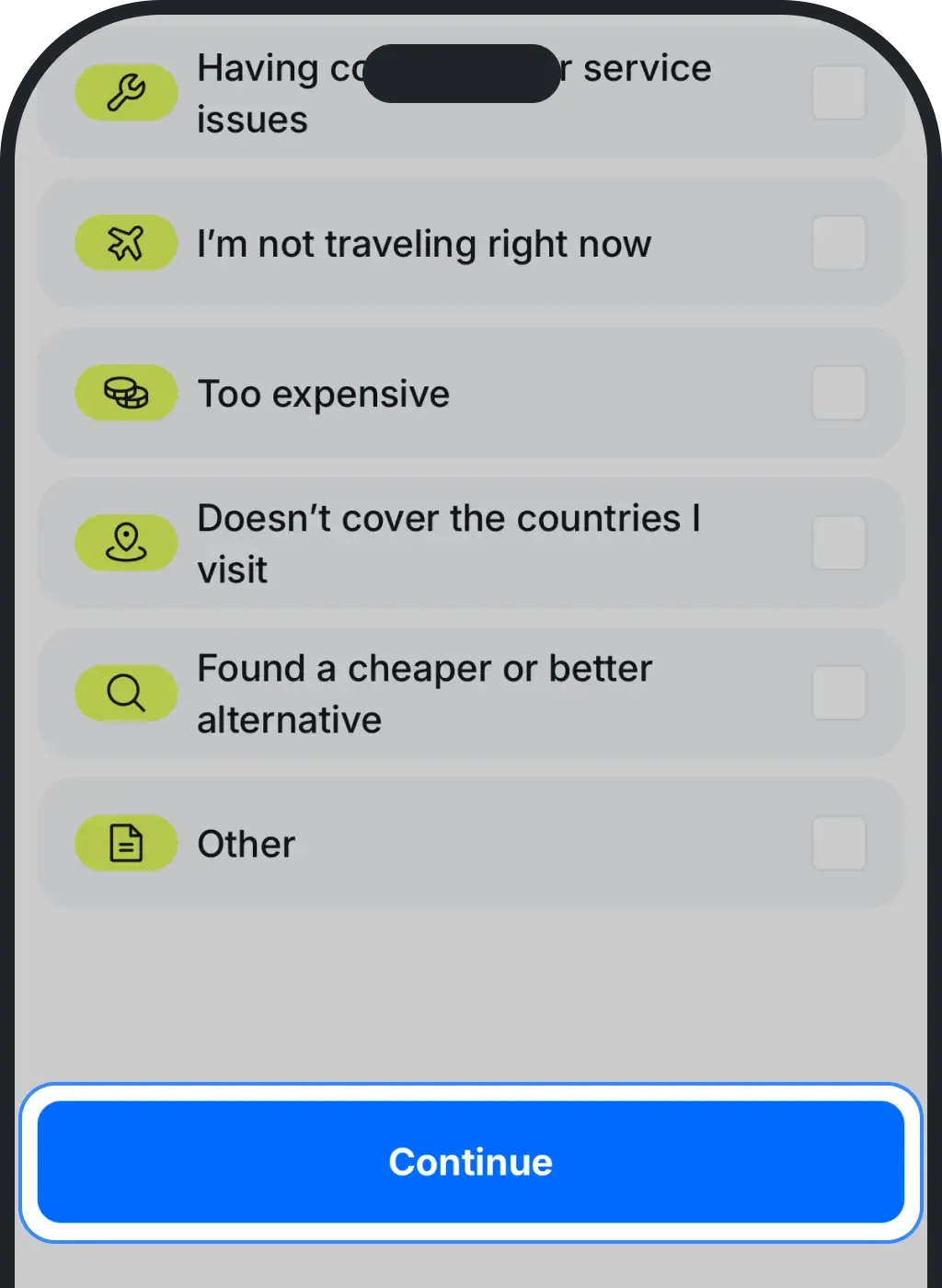
Optionally tell us why you're canceling - this is optional, so you can leave it blank - then tap Continue.
That's it. Your eSIM stays active until your next payment date, and you can use any remaining data until then.
Cancel on the web
It's the same flow on ohayu.com: go to Profile → Manage subscription → Cancel subscription, then confirm (you can add a reason or skip it).
Was this article helpful?
Your feedback helps us improve our FAQ