


Product info
Makkah eSIM plans
| Unlimited data · 5 days | $17.99 | Buy eSIM |
| Ohayu recommendsUnlimited data · 10 days | $33.99 | Buy eSIM |
| Unlimited data · 15 days | $47.99 | Buy eSIM |
| 3GB prepaid eSIM · 14 days | $9.49$3.16 / GB | Buy eSIM |
| 5GB prepaid eSIM · 30 days | $15.49$3.10 / GB | Buy eSIM |
| 10GB prepaid eSIM · 30 days | $24.99$2.50 / GB | Buy eSIM |
| 15GB prepaid eSIM · 60 days | $32.49$2.17 / GB | Buy eSIM |
| 20GB prepaid eSIM · 30 days | $39.99$2.00 / GB | Buy eSIM |
| 50GB prepaid eSIM · 90 days | $145.99$2.92 / GB | Buy eSIM |
You can install your eSIM before the trip and activate it when you arrive in Saudi Arabia. Validity starts after eSIM activation.
Plan details


How much mobile data you need
What's the best eSIM for Makkah?
Umrah, a few days – 3 GB
Maps, group coordination, calls home.
Hajj – 10 GB
Two to three weeks, video calls, photos.
Makkah and Madinah – 20 GB
Both cities plus the transfers.
A longer stay – Unlimited
Tethering and heavy video calling.
Coverage and network
Coverage at the Haram and the pilgrimage sites
Saudi Arabia mobile networks
Saudi Arabia ranks 8th in the world at around 228 Mbps, and the operators have invested heavily in the holy sites specifically. Coverage at the Masjid al-Haram and along the pilgrimage routes is dense. Whether it feels fast depends entirely on when you are there.
Speedtest Global Index · Mobile · Saudi Arabia · June 2026
Download
227.9 Mbps
Upload
17.13 Mbps
Latency
23 ms
Global rank
#8 of 98
Makkah, specifically
- The Masjid al-Haram and the Clock Tower area: Very well covered - the operators build for the peak here rather than the average, and there are temporary masts for the seasons.
- During Hajj: Around two million people occupy a small area over a few days. Even with the extra capacity installed each year, the network slows at the peak hours, and this is the one time it genuinely does. Agree meeting points with your group in advance rather than relying on finding each other by phone.
- Mina, Muzdalifah and Arafat: Covered, and the same caveat applies with more force - Muzdalifah in particular concentrates enormous numbers in the open overnight.
- The tunnels: Makkah's pedestrian and road tunnels are extensive and coverage inside them is variable. Expect drops moving between areas.
- Battery, not signal: The practical failure during Hajj and Umrah is a flat phone after long days outdoors in heat, not a lost network. Carry a power bank; the heat also throttles phones.
All of Saudi Arabia
One plan covers the whole Kingdom - Makkah, Madinah, Jeddah, Riyadh - so the whole journey runs on the same eSIM.
How to install eSIM
Connected in 3 steps
- 01
Buy before you fly
Choose your data plan before your trip.
- 02
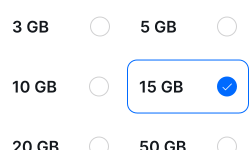
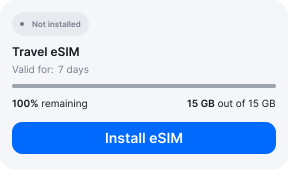
Download & install
Log in to your account, tap your eSIM, and follow the on-screen instructions.
- 03
Land & activate
Activate when you arrive in Saudi Arabia. Turn on roaming for the eSIM and it connects to a local network.
Before you buy, make sure your phone supports eSIM — see Ohayu compatible devices list or dial *#06#. It's a free request to your phone's settings. If you see the EID number — your phone is eSIM-compatible.
Arriving for Makkah
Jeddah, and the Haramain train
Pilgrims almost always arrive at Jeddah's King Abdulaziz airport, which has a dedicated Hajj terminal and free Wi-Fi. The Haramain high-speed line then runs to Makkah in about half an hour. Being connected on arrival matters here: the transfer arrangements, group coordination and permits all live on your phone.
Side by side
Makkah eSIM Comparison
Indicative comparison based on publicly listed Saudi Arabia plans as of August 2026. Competitor pricing and policies change - check their sites for current terms.
Frequently asked questions
Who can enter Makkah?
Makkah is open to Muslims only. Entry requires a Hajj or Umrah visa or an appropriate permit, and there are checkpoints on the approach roads where documents are checked. Non-Muslims are not permitted to enter the city, and the rule is enforced. Saudi Arabia has also moved Makkah entry permits onto its Absher and Muqeem platforms, so the paperwork is increasingly digital - another reason to arrive with working data.
Do I need to register a SIM in Saudi Arabia?
For a local line, yes - and it involves biometrics. Saudi operators require fingerprint registration alongside a passport copy for a local SIM, so it is an in-person enrolment rather than a counter transaction. An Ohayu plan issues no Saudi number and needs no biometric enrolment, which removes a step at a point in the trip where time is short.
Will data work during Hajj with so many people?
It will work; it will be slow at the peaks. The operators install temporary capacity for the season and coverage at the Haram is dense, but two million people in a confined area is beyond what any network handles gracefully. Messages get through when calls and uploads struggle. Plan meeting points, and carry a power bank - a dead battery is the more common problem.
eSIM not working in Makkah?
In the pedestrian tunnels coverage is variable. During the pilgrimage seasons, slow means congestion rather than a fault. If nothing works at all, check Ohayu is selected for mobile data with roaming on, then toggle Airplane mode. Chat and support@ohayu.com are open 24/7.