


Product info
Manila eSIM plans
| Unlimited data · 5 days | $17.99 | Buy eSIM |
| Ohayu recommendsUnlimited data · 10 days | $33.99 | Buy eSIM |
| Unlimited data · 15 days | $39.99 | Buy eSIM |
| 3GB prepaid eSIM · 15 days | $8.49$2.83 / GB | Buy eSIM |
| 5GB prepaid eSIM · 30 days | $11.49$2.30 / GB | Buy eSIM |
| 10GB prepaid eSIM · 30 days | $18.49$1.85 / GB | Buy eSIM |
| 20GB prepaid eSIM · 30 days | $28.79$1.44 / GB | Buy eSIM |
| 50GB prepaid eSIM · 180 days | $62.49$1.25 / GB | Buy eSIM |
You can install your eSIM before the trip and activate it when you arrive in Philippines. Validity starts after eSIM activation.
Plan details


How much mobile data you need
What's the best eSIM for Manila?
A few days – 3 GB
Maps, ride-hailing, restaurants.
Island-hopping – 5 GB
Two weeks, Palawan and the Visayas.
The archipelago – 20 GB
Several islands on one plan.
Working from BGC – Unlimited
Tethering, calls, heavy use.
Coverage and network
Coverage across Metro Manila
Philippines mobile networks
The Philippines averages about 61 Mbps and Manila around 86. Coverage in the metro is broad and the 5G build-out is real, though it has a reputation for inconsistency that is not entirely undeserved - quality varies street to street more than in most capitals.
Speedtest Global Index · Mobile · Manila · June 2026
Download
85.91 Mbps
Upload
10.3 Mbps
Latency
15 ms
Global rank
#98 of 98
Manila, specifically
- Makati, BGC, Ortigas: The business districts are the best-covered parts of the country. BGC in particular is comprehensively served.
- Traffic: Manila's congestion is severe enough to shape every plan you make, and it is where a connection earns its keep - ride-hailing, live traffic and telling someone you are an hour out.
- Intramuros and Binondo: Covered. The old walled city's stone and the dense Chinatown lanes cause occasional dips.
- Typhoon season: Roughly June to November. Storms take power out and individual cells with it, and flooding closes roads for days. This is the single most disruptive thing here, and offline maps plus a charged power bank matter more than usual.
- Out to Tagaytay and Batangas: Covered along the expressways and in the towns. The volcano viewpoints are fine; the smaller provincial roads thin out.
All of the Philippines
One plan covers the whole archipelago - Luzon, the Visayas, Palawan, Mindanao - though quality varies a great deal between islands.
How to install eSIM
Connected in 3 steps
- 01
Buy before you fly
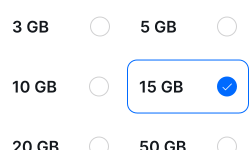
Choose your data plan before your trip.
- 02
Download & install
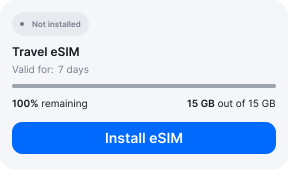
Log in to your account, tap your eSIM, and follow the on-screen instructions.
- 03
Land & activate
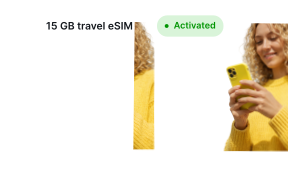
Activate when you arrive in Philippines. Turn on roaming for the eSIM and it connects to a local network.
Before you buy, make sure your phone supports eSIM — see Ohayu compatible devices list or dial *#06#. It's a free request to your phone's settings. If you see the EID number — your phone is eSIM-compatible.
Arriving in Manila
Airport Wi-Fi at NAIA
Ninoy Aquino has free terminal Wi-Fi across its four terminals - which are separate enough that transferring between them means leaving and re-entering, a well-known trap worth checking before you land.
Side by side
Manila eSIM Comparison
Indicative comparison based on publicly listed the Philippines plans as of August 2026. Competitor pricing and policies change - check their sites for current terms.
Frequently asked questions
What does the SIM Registration Act mean for visitors?
The Philippines made SIM registration mandatory under Republic Act 11934 in 2022, and for tourists it works differently from residents: a visitor SIM is registered against a passport and visa details and is valid for only thirty days, after which it deactivates automatically. If your trip is longer than a month, or you return later, a local SIM will have expired. A roaming plan is not a Philippine line and is not subject to the act.
Where to buy a SIM card in Manila?
Globe and Smart have counters at NAIA and shops in every mall. Registration is required at the point of sale under the act above, so bring your passport - and note the thirty-day clock starts then.
Is coverage the same across the islands?
No. Metro Manila, Cebu and the main tourist islands are well covered; smaller islands and the interior of Mindanao and Palawan are considerably thinner. El Nido and Coron have coverage in the towns and very little on the boat trips between the lagoons.
eSIM not working in Manila?
In typhoon season a local cell may be without power after a storm. Otherwise the usual cause is the data-line setting: Ohayu selected for mobile data, roaming allowed, then an Airplane mode toggle. Chat and support@ohayu.com are open 24/7.