



Product info
Shanghai eSIM plans
| Unlimited data · 5 days | $17.99 | Buy eSIM |
| Ohayu recommendsUnlimited data · 10 days | $33.99 | Buy eSIM |
| Unlimited data · 15 days | $41.99 | Buy eSIM |
| 3GB prepaid eSIM · 15 days | $10.49$3.50 / GB | Buy eSIM |
| 5GB prepaid eSIM · 30 days | $14.79$2.96 / GB | Buy eSIM |
| 10GB prepaid eSIM · 30 days | $24.99$2.50 / GB | Buy eSIM |
| 20GB prepaid eSIM · 30 days | $38.99$1.95 / GB | Buy eSIM |
| 50GB prepaid eSIM · 30 days | $83.99$1.68 / GB | Buy eSIM |
You can install your eSIM before the trip and activate it when you arrive in China. Validity starts after eSIM activation.
Plan details


How much mobile data you need
What's the best eSIM for Shanghai?
Shanghai weekend – 3 GB
Maps, translation apps, and messaging over 3-4 days.
A week in Shanghai – 5 GB
Maps, translation, social media, and some video calls.
Shanghai + Beijing – 20 GB
Multi-city China trip. One eSIM covers the mainland.
Remote work – Unlimited
Hotspot for your laptop from a hotel or coworking space.
Coverage and network
Honest about coverage
China mobile networks
China has one of the largest 5G networks in the world, with extensive coverage across major cities. Shanghai's dense 5G rollout across Pudong, the Bund, and the metro system delivers fast, reliable speeds in almost every part of the city. (Speedtest by Ookla, June 2026)
Speedtest Global Index · Mobile · Shanghai · June 2026
Download
261.24 Mbps
Upload
31.58 Mbps
Latency
17 ms
Global rank
#20 of 98
Real Shanghai conditions
- Downtown & Pudong: Excellent 5G coverage across the Bund, Pudong, and People's Square - some of the densest network infrastructure anywhere.
- Metro: Shanghai Metro has coverage throughout stations and most tunnel sections, one of the best-connected systems in the world.
- Apps & access: A travel eSIM can connect you to local networks, but note that Google, WhatsApp, and many Western apps and sites are blocked in mainland China regardless of SIM - plan on a VPN or local alternatives (WeChat, Baidu Maps, Alipay) if you need those services.
One eSIM, the whole country
Shanghai is just the start - this eSIM covers mainland China. Keep the same plan for Beijing, Chengdu, or wherever your trip takes you.
How to install eSIM
Connected in 3 steps
- 01
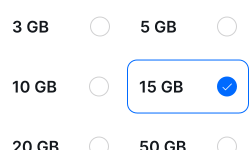
Buy before you fly
Choose your data plan before your trip.
- 02
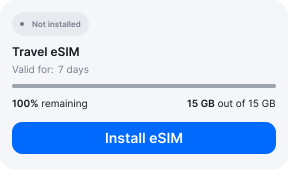
Download & install
Log in to your account, tap your eSIM, and follow the on-screen instructions.
- 03
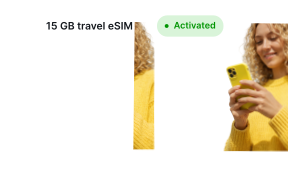
Land & activate
Activate when you arrive in China. Turn on roaming for the eSIM and it connects to a local network.
Before you buy, make sure your phone supports eSIM — see Ohayu compatible devices list or dial *#06#. It's a free request to your phone's settings. If you see the EID number — your phone is eSIM-compatible.
Arriving in Shanghai
Free Wi-Fi in Shanghai
No eSIM on the phone yet? Both Pudong and Hongqiao airports offer free Wi-Fi - connect and set up before heading through customs.
Side by side
Shanghai eSIM Comparison
Indicative comparison based on publicly listed China plans as of July 2026. Competitor pricing and policies change - check their sites for current terms.
Frequently asked questions
Where to buy a SIM card in Shanghai?
China Mobile and China Unicom have counters in the Pudong and Hongqiao arrivals areas. Prices run higher than local retail and require a passport for registration. A travel eSIM like Ohayu skips the counter entirely - install before you fly and after landing it can connect you to supported networks.
Do I need to show ID to buy a SIM card in Shanghai?
Yes. China requires real-name registration with a passport for all SIM cards, including tourist SIMs. Travel eSIMs like Ohayu are data-only and do not require this registration.
Will Google, WhatsApp, and Instagram work with this eSIM?
No - this is unrelated to the SIM or eSIM you use. Mainland China blocks these services at the national network level for all connections, local or foreign. Bring a VPN if you need them, and consider local alternatives like WeChat and Baidu Maps.
Why isn't my eSIM working in Shanghai?
If apps hang but you appear online, that is the firewall rather than the eSIM - test baidu.com. Where that is not the issue, one pass through the settings usually does it: Ohayu selected for data, roaming permitted, Airplane mode off and on. If not, chat and support@ohayu.com are open 24/7.