
Standard cable is not the only way to access the Internet. With quickly advancing mobile networks, there are plenty of alternatives. In this article, we will learn how to get internet without cable and go online using mobile internet, eSIM, satellite, fiber, and Wi-Fi hotspots.
Mobile internet – 4G LTE & 5G
Mobile internet has revolutionized how we stay online, offering cable-free access through cellular networks. Two technologies lead the pack: 4G LTE and 5G. Though 4G established the foundation for quick, dependable wireless internet, 5G brings speed as well as responsiveness to a whole new level.
4G LTE forms the foundation of contemporary mobile connectivity. It provides 20–100 Mbps speeds, which are ideal for streaming HD video, video calling, or social media browsing. Coverage is extensive, even in rural locations, so it’s a safe choice for those outside urban hubs. Speeds slow down during peak hours in crowded locations, such as concerts or sporting events.
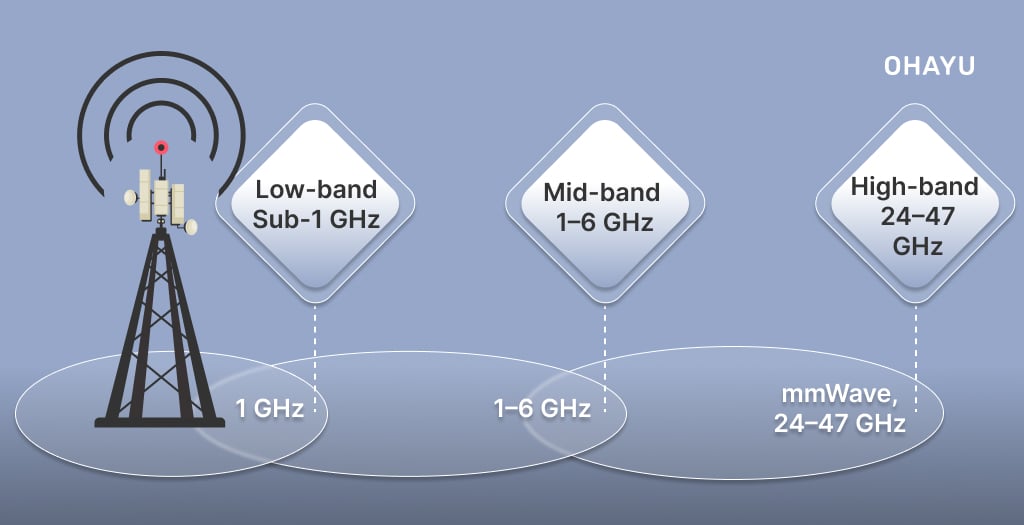
5G, the newer generation, comes in three flavors:
- Low-band (Sub-1 GHz): Provides broad coverage, appropriate to rural but limits speeds to 50–100 Mbps.
- Mid-band (1–6 GHz): Strikes a balance between range and speed (200–900 Mbps) and is used extensively in urban cities (e.g., T-Mobile’s 2.5 GHz C-band).
- High-band (mmWave, 24–47 GHz): Provides scorching speeds up to 4 Gbps but provides poor penetration and is used for high-density cities such as New York or Tokyo.
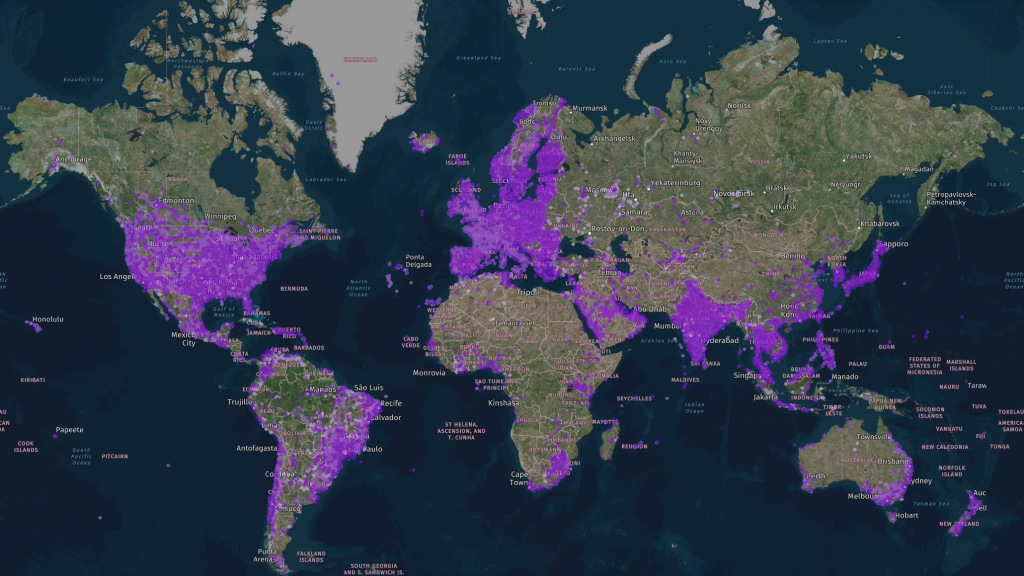
Major providers to consider
- T-Mobile: Known for affordable 5G home internet ($50 – $70/month) with unlimited data.
- Verizon: Offers ultra-fast 5G in cities like New York and L.A., plus hybrid plans combining 5G and fiber.
- AT&T: This service has a great plan that offers 60GB for a month.
Limitations to keep in mind
- Data limits: Throttling of speeds after a specific volume (e.g., 100GB/month) in most plans.
- Coverage gaps: 5G’s high-band signals do not work well indoors or in rural places.
- Weather impact: Inclement rain or storms can briefly weaken signals.
Why is it worth trying?
Mobile internet does away with cable installation and contract commitments. It begins at only $20/month, and 5G phones are getting cheaper every day, so it’s a great solution for light users and tech hobbyists alike. Combining 4G LTE with a signal booster can provide surprisingly reliable speeds to rural homes.
eSIM technology
Embedded SIM technology is revolutionizing the way we link to mobile networks. Rather than a standard plastic SIM card, an eSIM is a small chip integrated directly into your device. It’s programmable, so you can change carriers or plans digitally – no physical exchanges required. For both globe-trotting travelers and anyone who simply loathes dealing with small cards, eSIMs provide unparalleled convenience.
Major benefits of eSIM
- No physical swapping. Bid farewell to lost SIMs. Get a plan by scanning a QR code or downloading an app.
- Multi-carrier compatibility. Support several profiles (e.g., work, travel) and instantly switch between them.
- Environmentally friendly. Does away with plastic waste from throwaway SIMs.
- Space-saving design. Makes space in devices for larger batteries or more advanced components.
eSIM plans by Ohayu
eSIMs are convenient for staying online, especially abroad. Ohayu eSIM has offers specifically for international travel. Here are just some of its benefits.
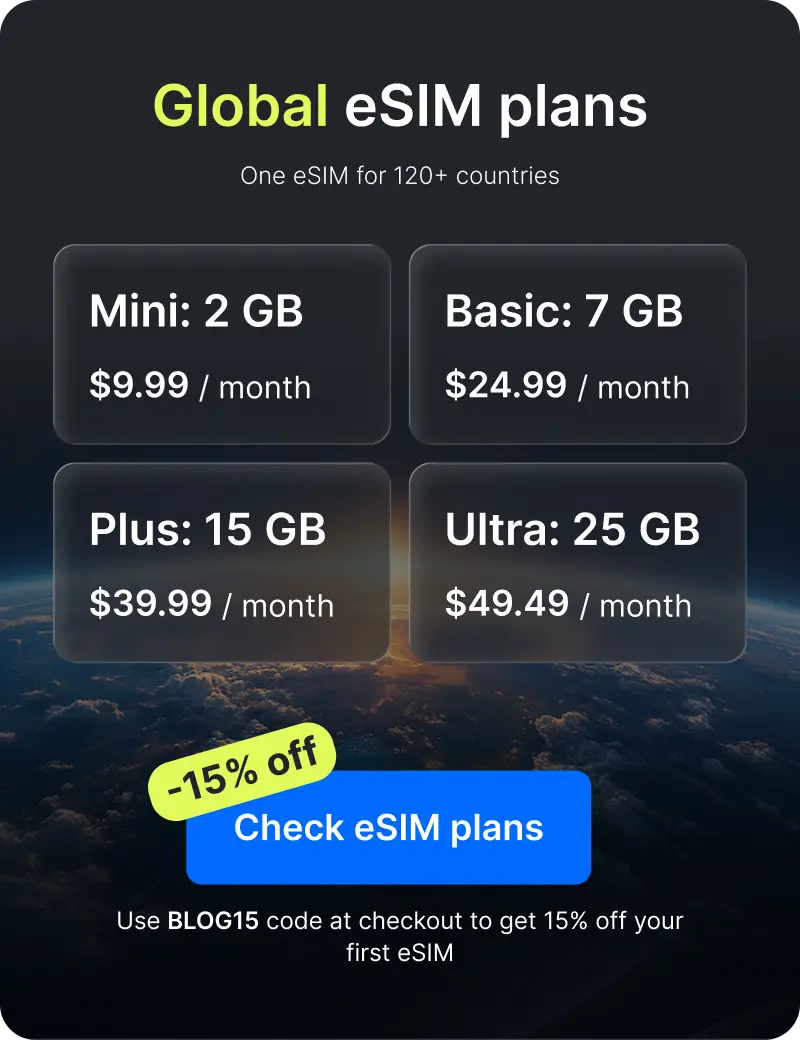
- Global coverage: Provides coverage in 170+ countries, from fixed-data plans to 50GB monthly plans and unlimited options.
- Easy-to-use site, iOS and Android apps.
- 24/7 support: Uncommon among smaller providers, with live chat for assistance.
It’s an eco-friendly and convenient way to get mobile internet without Wi-Fi or physical SIM cards.
Satellite internet
Satellite internet is the quiet champion for those who live far, far beyond cable or cellular range. Imagine living in a mountain cabin in the Rockies, a farm on the outskirts of rural Australia, or a sea village without cell towers – this tech sends the internet directly from the heavens to a dish on your roof. It’s not perfect, but it’s often the only lifeline for work, school, or staying in touch.
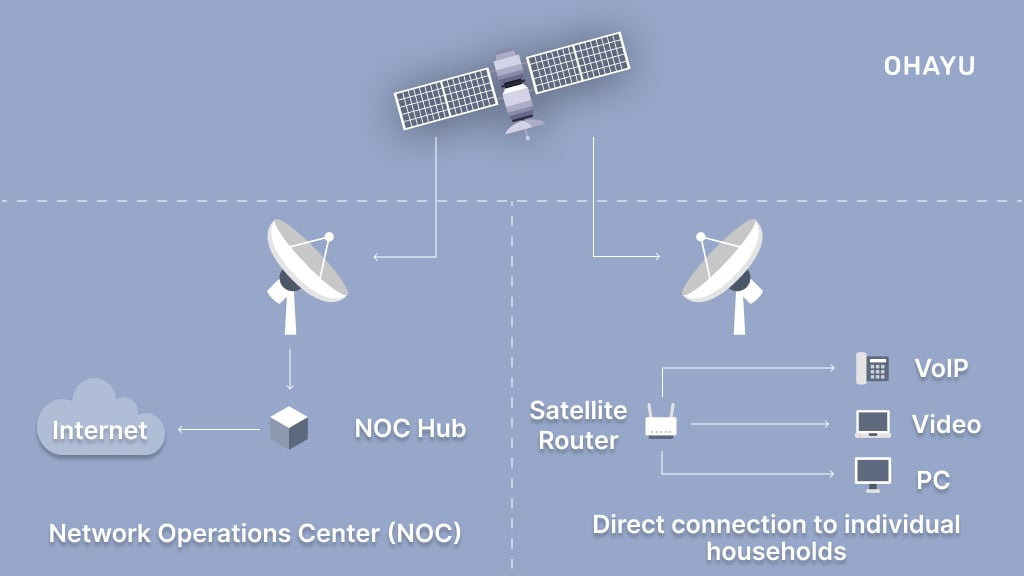
How it works
Satellites orbiting Earth act as middlemen between you and the internet. Older systems like HughesNet use satellites parked 22,000 miles above the equator (geostationary orbit), which can mean slower speeds and noticeable lag – like waiting a few seconds for a video to buffer. Newer players like Starlink, however, use low-Earth orbit (LEO) satellites flying just 340 miles up. This cuts latency dramatically, making video calls and gaming possible even in the wilderness.
Major satellite internet providers
Starlink
The rockstar of satellite internet, Starlink’s LEO network delivers speeds up to 200 Mbps – enough for streaming, gaming, or remote work. The setup is DIY: unbox the sleek dish, point it skyward, and let it auto-adjust. Ideal for those who need reliability in places like rural Montana or Alaska.
HughesNet
A satellite veteran, HughesNet has introductory plans that start at $50/month. Speed maxes out at 100 Mbps, though, and data limits will throttle you when you reach one. A good bet for light users who just want to read their mail or browse on Facebook, but maddening for heavy streamers.
Viasat
Like HughesNet but with faster plans (up to 150 Mbps in limited markets), Viasat targets rural homes that will pay a premium. Data caps and rainy-day signal loss continue to be issue areas, though.
Fiber internet
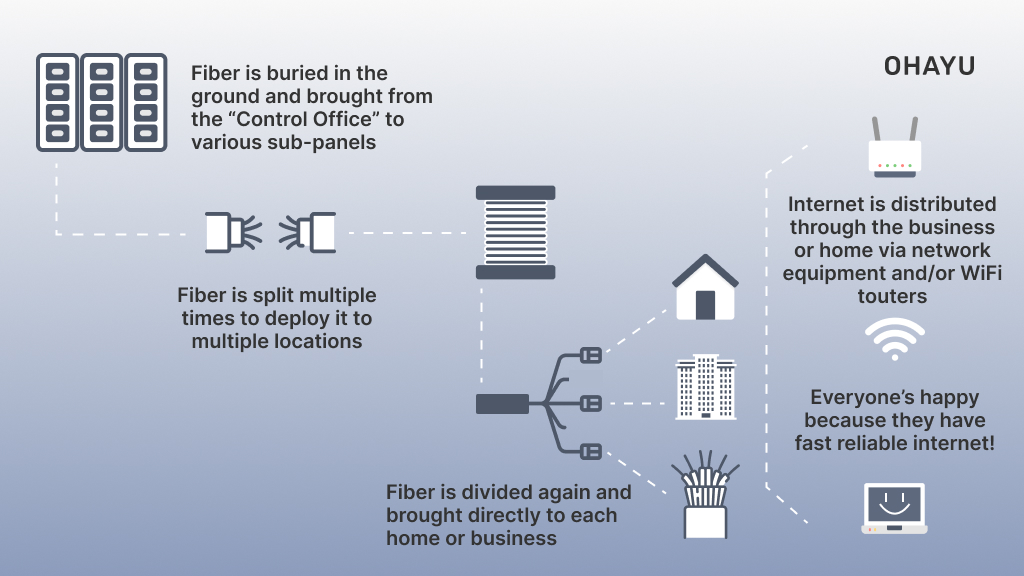
Fiber internet is the ultimate combination of speed and dependability. Picture a 4K movie download in seconds, lag-free gaming, or 10 devices streaming simultaneously without sweating. That’s fiber. Rather than copper wires or wireless radio waves, it transmits data as pulses of light through hair-thin strands of glass. But the catch is that it’s not ubiquitous. It is a luxury now, only found in large cities, but Google Fiber, AT&T, and Frontier are all competing to bring it.
Big players
Google Fiber
Google Fiber was launched in 2010, and it shook up the industry with plans like 2 Gbps for $100/month – double the speed of most competitors. Sadly, it’s still limited to 15 cities (e.g., Austin, Nashville). If you’re lucky enough to live in one, it’s a no-brainer.
AT&T Fiber
At&T Fiber has a wider reach, with service to more than 100 cities. Their 1 Gbps package ($80/month) comes with free HBO Max, a nice bonus if binge-watching is your sin. Speed is good and consistent, but customer service. AT&T – been there, done that.
Frontier Fiber
Frontier is a dark horse. They’ve been quietly upgrading centuries-old DSL lines to fiber in California and Texas, among other locations. $50/month for 500 Mbps is a great value, but availability is a crapshoot.
Who should bother?
If you’re a heavy internet user (think: 4K streaming, competitive gaming, or working from home with video calls), fiber is worth lobbying your local provider for. Check Google Fiber’s expansion map, pester AT&T about their rollout plans, or see if Frontier has upgraded your area. For now, though, fiber’s biggest perk – its speed – is also its curse. You’ll love it if you can get it… But that’s a big if.
Public Wi-Fi & hotspots
Public Wi-Fi is ubiquitous – coffee houses, airports, hotels – but it’s two-edged. It lets you check your email or social media without spending a dime, but while you’re doing it, you’re in hacker paradise. So here’s what you need to know to stay safe, but use it with caution.
The risks, plain and simple
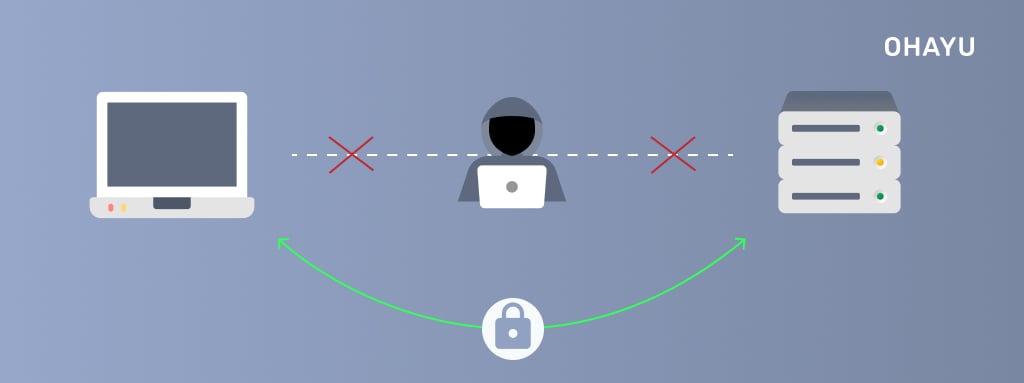
Public networks are never encrypted, and your information is exposed to anyone who cares to tap it. For instance:
- Man-in-the-middle (MitM) attacks: The attacker gets in between you and the router and steals login details, credit card numbers, or messages.
- Packet sniffing: The attacker uses programs like Wireshark to monitor unencrypted data that is streaming across the network (e.g., HTTP web traffic).
- Rogue hotspots: Impersonator networks such as “Starbucks_Free” or “Airport_WiFi” lure users into joining, granting hackers immediate access to their devices.
How to protect yourself
- Implement layer 3 encryption
Deploy VPNs utilizing AES-256 or WireGuard protocols to obfuscate traffic from deep packet inspection (DPI).
- Enforce TLS 1.3 adoption
Restrict browser sessions to HTTPS with HSTS preloading, bypassing SSL stripping exploits targeting legacy ciphers.
- Disable 802.11 probe requests
Suppress SSID broadcast auto-join and randomize MAC addresses to evade network fingerprinting.
- Activate stateful firewalls
Configure application-aware rules (e.g., Windows Defender Advanced Threat Protection) to drop unsolicited SYN/ACK payloads.
Superior substitution protocols
LTE-A/5G NR personal hotspots: Leverage carrier aggregation and MIMO antenna configurations for low-latency, encrypted backhaul.
IPSec tunnel endpoints: Deploy OpenWRT-compatible routers with hardware-accelerated AES-NI for secure site-to-device tunneling.
Zero-knowledge mesh networks: Utilize decentralized protocols like Althea or NYM mixnets to anonymize traffic through multi-hop architectures.
If public Wi-Fi is unavoidable:
- Isolate sensitive sessions via sandboxed containers (Qubes OS, Firejail).
- Enforce FIDO2/WebAuthn for 2FA to mitigate credential replay attacks.
- Route DNS through DNSCrypt or DNS-over-QUIC to bypass spoofing vectors.
To sum up
There is an emerging technology to offer multiple other solutions to uncabled access to the net, either from cell networks, eSIM, satellite tech, or public Wi-Fi. Each of them has advantages: mobile internet and eSIM offer mobility and freedom, satellite tech is ideal for remote locations, and public networks are ideal for temporary use. But constraining factors such as speed, coverage, and security need to be considered. The most suitable for you will be based on your needs, be it speed, availability, or mobility.