

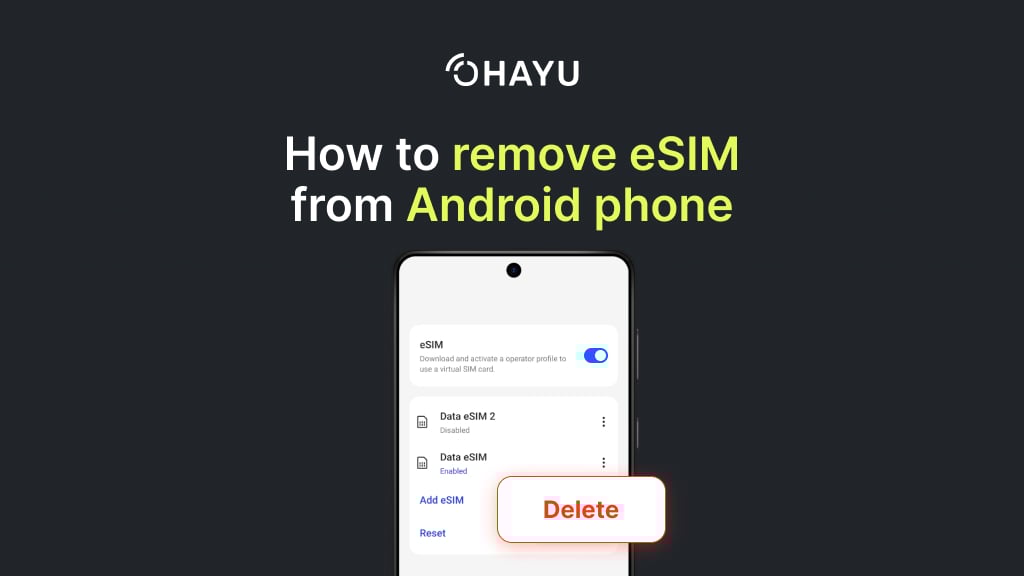
Android-based devices offer extensive configuration options. One of these is the ability to completely remove an eSIM from an Android phone in a matter of minutes. Go to Settings, open the Network & Internet section, then to SIM cards, select the one you want to remove, and click Delete.
Some Android devices have a different naming, e.g., on Samsung, it’s Connections > SIM manager > select the SIM.
However, several operational nuances are important to understand. For example, what the consequences might be and how to do it correctly. In this article, we will explain how to remove an eSIM from an Android phone step by step and avoid any unwanted incidents.
Before we get started, let’s take a moment to review some basic terms.
What is eSIM
An embedded SIM is an alternative to a physical card that you insert into a slot. It is a microchip that is soldered onto the circuit board of your smartphone or other device during the manufacturing process. It uses a silicon-based chip rather than a removable plastic card.
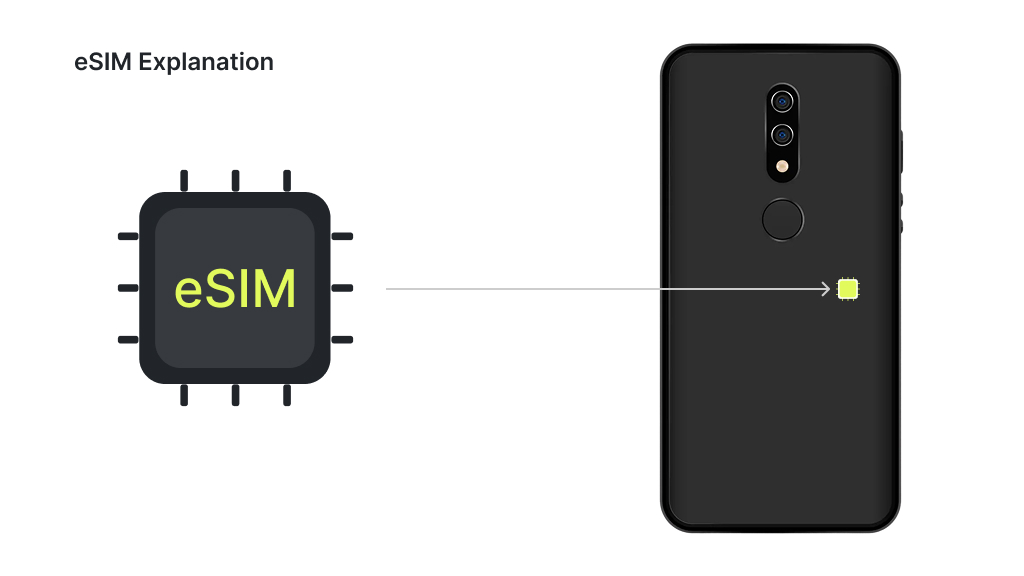
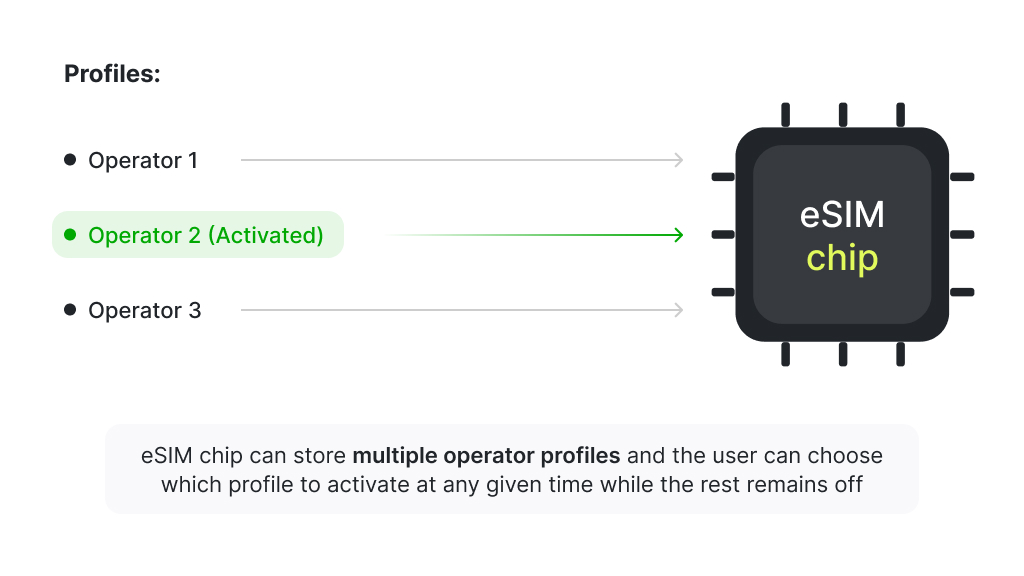
This chip is capable of storing the digital profiles of your mobile carriers. Essentially, the operator can remotely program your number and tariff data directly into the phone, without any removable SIM cards. To activate it, you usually need:
- QR code (you scan it with your phone camera).
- Or a special app that transmits the necessary data itself. E.g., Ohayu has a one-click in-app installation for some phone models.
- Sometimes, manual entry of the activation code (SM-DP+ address and activation code) is required.
Key advantages of eSIM
Compared to traditional SIM cards, eSIM has multiple advantages.
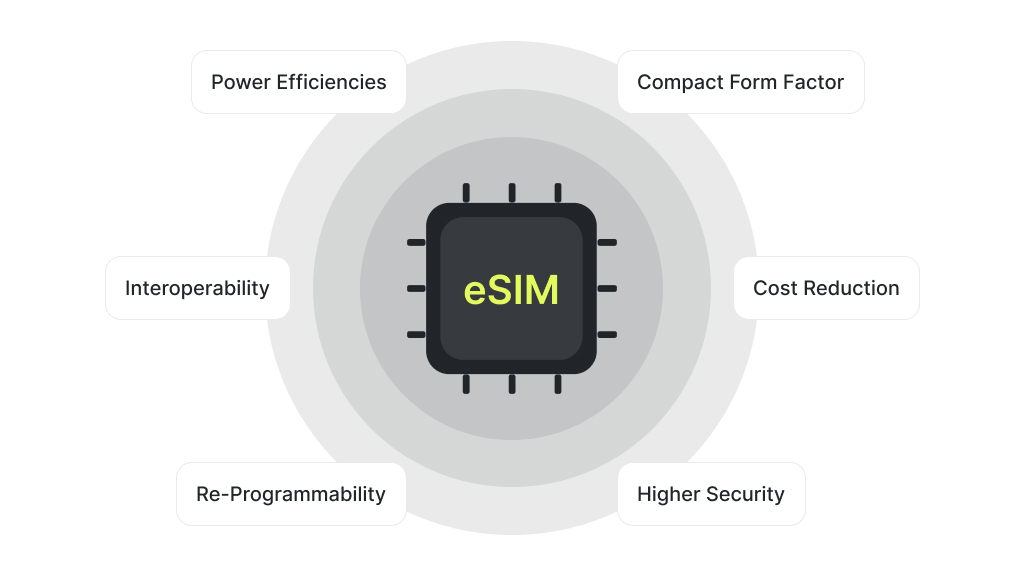
- eSIM doesn’t need a slot. It frees up space in compact devices.
- Supports multiple numbers and data profiles. Users can easily switch between work and personal numbers right in the device’s settings.
- More reliable than a physical SIM card. The chip is soldered in, so you won’t lose or break it when removing it. However, the profile can still be deleted or corrupted by software issues, and the chip itself can theoretically fail.
- Instant operator change. If you want to connect to a local operator while traveling or use international providers like Ohayu, all you need to do is download a new eSIM profile. Thus, you don’t need to look for a physical store while abroad.
Causes for eSIM removal
People delete digital communication modules only in case of clear necessity. Below, we have described the main situations when users might need to actually delete an eSIM on Android.
Changing your mobile operator
Want to try another provider’s tariff or find a better deal? A new eSIM can be added without deleting the old one unless the device has reached its profile limit. However, if it does, the system requests space (a free slot) to activate a new card. In this case, you will have to delete your old profile; otherwise, activation will not work.
This scenario is relatively uncommon today, as most recent Android devices store 5-8 eSIM profiles, depending on the brand and model. Most devices support one active eSIM at a time. Some recent high-end models, such as the Samsung Galaxy S25 and Google Pixel 10 series, support two active eSIMs.
Selling or transferring the phone
This is a matter of your digital security. If you sold your smartphone and your old number is still active on it, the new owner can receive your SMS messages, including confirmation codes from banks and social networks. Deleting the eSIM completely erases your operator profile from the gadget, closing this security loophole. Additionally, you should factory reset your phone before selling it to remove personal data.
Newer Samsung and Pixel devices support eSIM transfer (Samsung Smart Switch, Pixel Transfer). It means that when you purchase a new phone and still have your old one, you can move it instead of deleting it. This option varies by carrier and device.
Sending your gadget for repair
Technicians should not have access to your number, incoming calls, or, again, SMS messages. Deleting your digital profile, along with backing up and logging out of your account, is a basic step to protect your privacy before repair. For supported Pixel and Samsung devices, you can also use Repair or Maintenance mode.
Activation error
Did activation fail, and your connection not work? Deleting an incorrect or unnecessary eSIM account is one of the steps to retry correctly. Sometimes it’s easier to start from scratch.
Cleaning up unnecessary profiles
If you have tried several operators or tariffs, old accounts may be taking up space. Deleting unnecessary ones frees up space for additional profiles.
Preparing to remove eSIM from the Android phone
Before deleting your account, it is important to take additional preparation steps. It would be unpleasant if you got rid of your eSIM, but the fee for the tariff would still be charged. It turns out that this is because you did not read the agreement with the operator thoroughly. This is not bureaucracy, but insurance against small but unpleasant surprises some carriers might have.
Keep on Wi-Fi
This is not 100% necessary, but it is recommended to keep your phone connected to Wi-Fi or mobile internet via another SIM card. Deletion works offline, but some operators update their system only after the device reconnects to the network. Keeping Wi-Fi on reduces the chance of sync errors. In some cases, deletion may fail if the system cannot sync with the operator.
Deleting the current profile
If the eSIM you are trying to delete is currently being used as an active connection for mobile internet, the system may not allow you to delete it immediately. In this case, you will need to go to settings and choose another profile for your main line.
Backup
The eSIM module itself does not contain your personal information, like contacts or photos. So when you remove it, only the operator’s data is erased. However, if your phone number is linked to two-factor authentication (2FA) in banks, email, and social networks, then editing your default profile may temporarily disrupt access to these services.
Before making such changes, ensure that you remember all important accounts associated with this number. It is also better to switch 2FA to a backup number or an authenticator app before deleting. This is a common point users overlook.
Save identifier
It is advisable to record your device’s EID number. Operators use it to verify profile status or complete deactivation if something goes wrong. It is unique for each device (it is a permanent identifier for the hardware eSIM chip in a device, like a digital fingerprint).
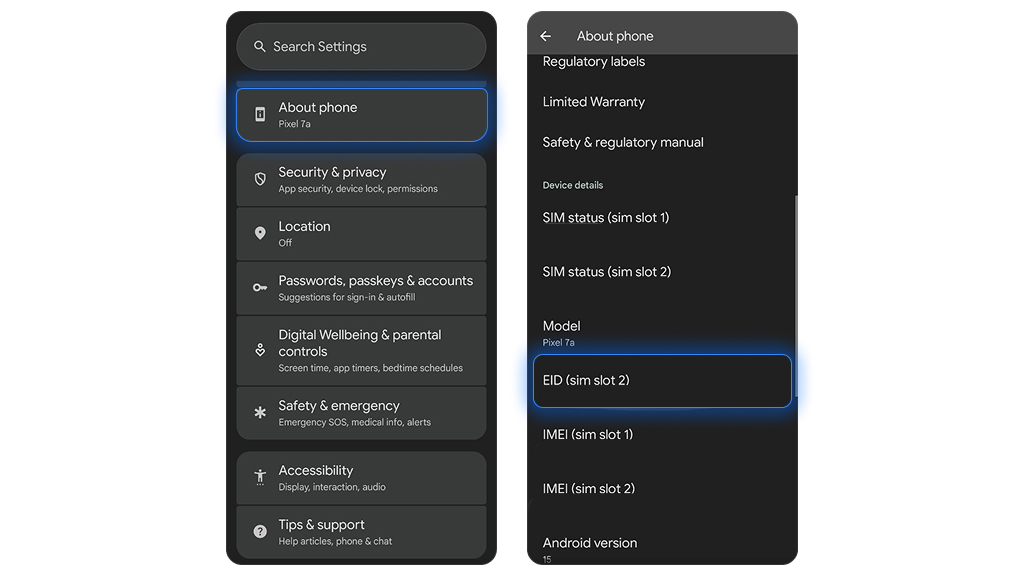
You can find your EID in Settings > About phone > Status information. Alternatively, you can dial *#06# in the phone app. This is a system request and not a call, so it generates no charges; it just displays the EID number on compatible devices.
If you encounter any problems with your operator after deactivation, such as your number not being unlinked, the EID will be your main proof for customer support.
How to remove eSIM from Android settings step by step
The good news is that in 95% of cases, removing an eSIM can be done directly in your phone’s settings. In our article, we provide instructions using Android 16 as an example. In general, the process will be similar in other versions.
- Open the “Settings” section on the main screen or in the app menu, usually represented by a gear icon. All operations are performed here.
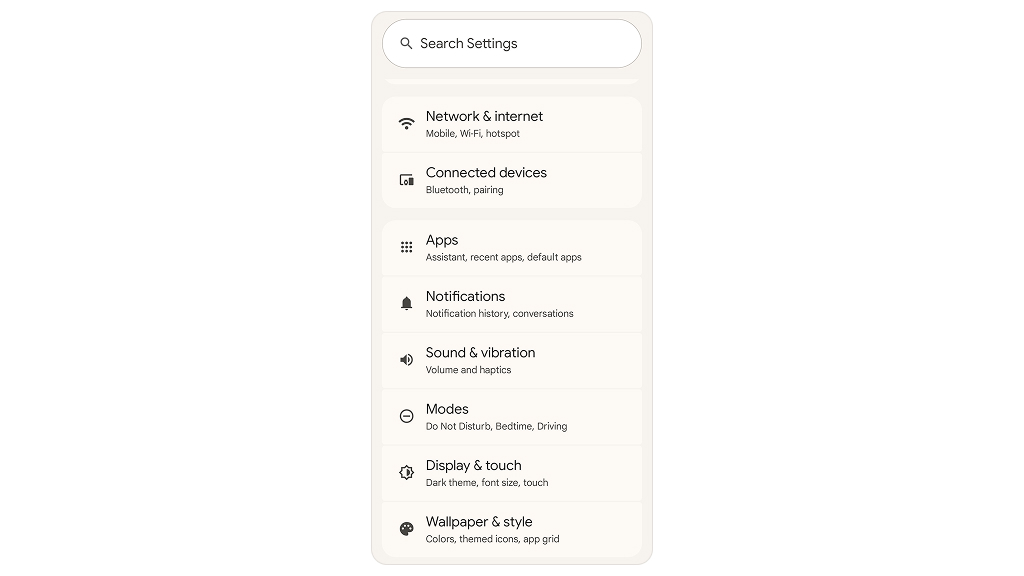
- Proceed to the “Network & Internet” section. It may also be called “Network” or “Connections”. If you don’t see anything like that, use the search function within the settings.
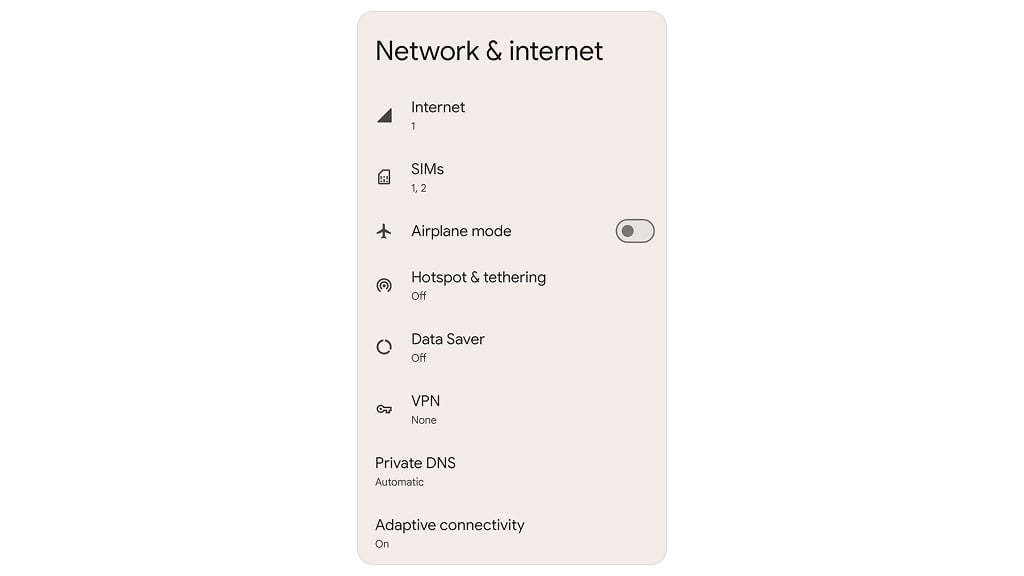
- Next, you need to go to the “SIMs” tab, also known as the “SIM card manager”.
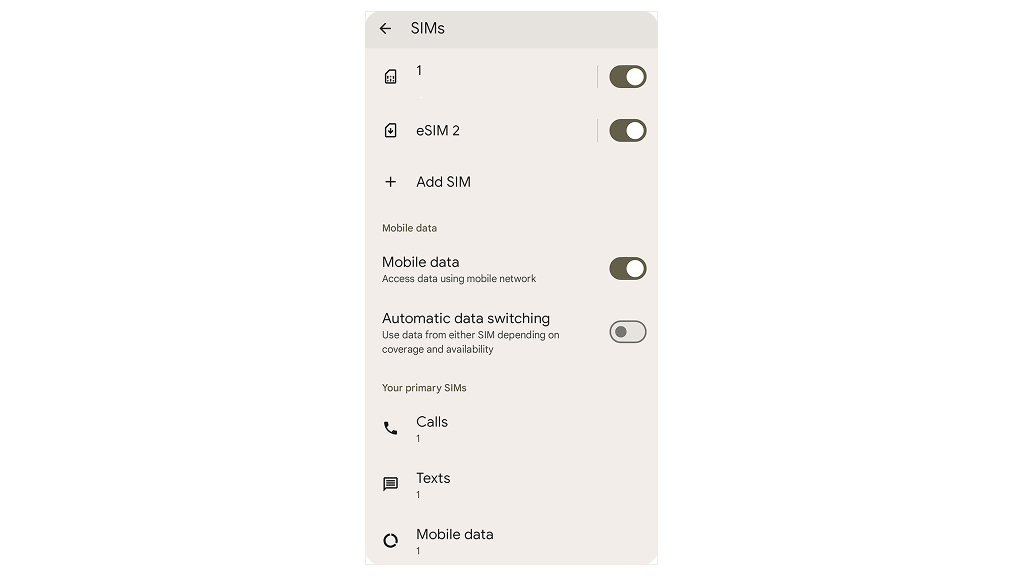
- All saved eSIM profiles are located here. They may be named after the operator or simply have a phone number written next to them. Please ensure that you select the exact eSIM profile you wish to delete.
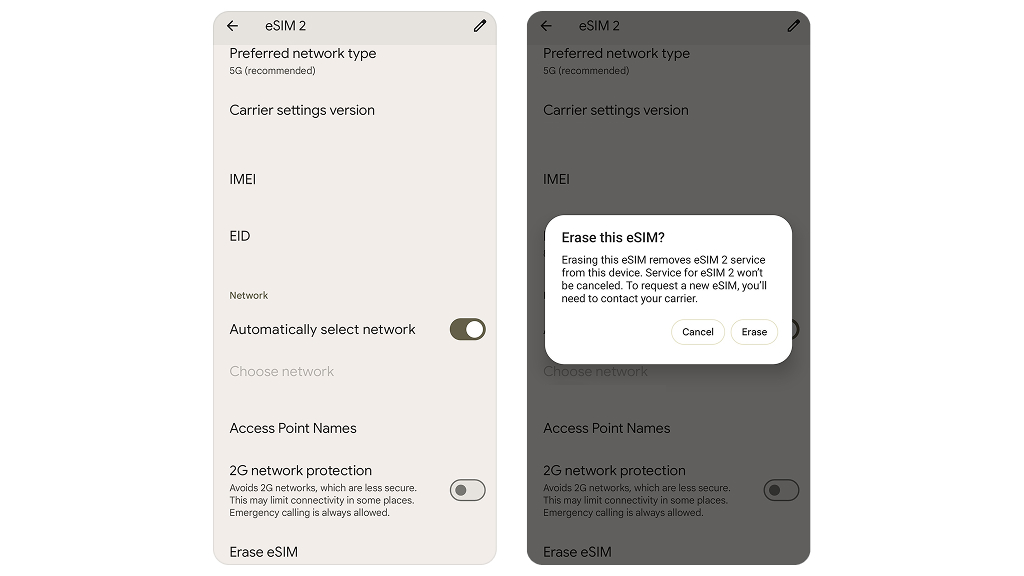
- After selecting the desired number, scroll to the bottom of the page and locate the “Erase eSIM” option. Upon clicking it, you will likely need to enter a PIN code. A warning message will appear, and after you press “Confirm”, the operation will be irrevocably completed.
Once you have completed these steps, the account will disappear from the list. The operator icon at the top of the screen will also disappear. If it was the only profile, the device may display “Emergency calls only” or the “No network” icon.
Alternative eSIM removal options
- Some operators allow you to deactivate the line directly in their mobile app. If you see a corresponding option there, such as “Suspend” or “Block,” you can use it. This is helpful if you are not using the number anymore or need to restrict access to it quickly. However, it does not mean that the eSIM profile will be deleted; the profile stored on the device can be removed only through Android settings.
- If your device won’t turn on, is stuck, or you forgot your pattern lock, you won’t be able to delete it through settings. In this case, you can use the “Recovery Mode” feature and do a full reset of the device to factory settings. A factory reset removes eSIM profiles on some devices (e.g., Pixel). On Samsung phones, the option appears as ‘Erase eSIMs’ during reset and must be selected manually. Please note that this action will erase all the data on your gadget.
- If you do not have access to the device for some reason and need to deactivate the number, then you need to do this with the operator. Most likely, you will have to go to a carrier store. This does not delete the profile from the device, but makes it inoperable and secure.
Certain corporate or device-locked eSIM profiles may appear greyed out and cannot be deleted manually. In these cases, removal must be done by the issuing operator or company administrator. This is important for enterprise BYOD & some prepaid carriers.
Consequences of eSIM removal
- Deletion is irreversible. Unlike a physical SIM, an eSIM profile cannot simply be reinserted. The profile is erased from the chip memory. If you wish to use it again, you will need to reactivate the embedded SIM. Scan a new QR code or use the operator’s application.
- The contract might still be active. Deleting your profile doesn’t automatically end your agreement with the carrier. So, charges may continue until the subscription is formally terminated. To avoid this, it’s a good idea to let your provider know what you’re up to.
- Dual SIM issues. After removing the embedded SIM card, the settings on a smartphone with two numbers may become confused. For example, which one is used for calls, messages, or the Internet? This often leads to calls being made from the wrong number or data being connected via a different tariff. To avoid such confusion, it is best to go to the settings right after removal and manually double-check which profile is used as the main line and data source.
Removing an eSIM does not affect your IMEI, EID, or device registration status with Google Find My Phone or Samsung’s Find My Mobile. These identifiers remain on file regardless of SIM configuration. However, Wi-Fi Calling and VoLTE are linked to the carrier and SIM profile, so their settings and availability for the removed line may disappear with the eSIM.
Conclusion
Now you know that removing an eSIM from an Android phone is quite simple if you have a clear plan of action. The main thing is to be aware of all the pitfalls and not to rush, as well as to carefully read all warnings during the process. This prevents situations where an inactive profile remains on the device and interferes with new activations. You have removed the profile safely. If your device has reached its profile limit, it now has space for a new one.