
iOS 26 brings easy eSIM transfer from iPhone to Android devices and vice versa, an improved eSIM setup and removal process, and an optimized automatic switching feature for multiple profiles.
All these features and updates solve some of the common problems associated with switching and using an eSIM. We will explain what changed with iOS 26 and how these updates affect everyday use.
What makes the iOS 26 update different
On September 15, 2025, with reference to the Apple press service, iOS 26 was officially released as a free software update. The update is considered one of the largest and most functional for iPhone users.
Notably, Apple harmonized iOS releases with its overall platform strategy for iOS, iPadOS, watchOS, and visionOS. That’s why, starting with this version of iOS, all Apple operating systems will use unified version numbers to have aligned OS version numbers across platforms. There are some claims that the version will depend on the year of their release (iOS 26 stands for 2026).
After the previous iOS 18 version, they added 69 headline features in Design, Apple Intelligence, Camera, Photos, Phone, Messages, CarPlay, Maps, Music, Wallet, Apple Games, Kids, Accessibility, and other sections. Most of them are design changes and reworked standard applications, but there are some eSIM tweaks, reported by users, in which we are particularly interested.
iOS 26 eSIM-related changes
Speaking about the cellular settings, iOS 26 follows a consistent trend. Based on recent updates, it looks like Apple is gradually taking control of eSIM management from carriers, incorporating it into the operating system more and more with every update. Let’s see what has changed in the settings.
eSIM transfer between iPhone and Android devices
This is the most important iOS 26 eSIM update so far. For the first time in history, Apple introduced native OS-level eSIM transfer between Android and iPhone, using QR code-based and paired transfer flows, depending on carrier support.
In many cases, users previously had to delete their profile from an iPhone and scan the provider’s QR code again on an Android device to initiate a transfer. This often caused problems for travel eSIM users, as people might have trouble finding old QR codes, or providers don’t allow repeated installations.
Now, the cross-platform transfers can be done either at the setup stage or with an existing eSIM. Here is how the transfer between iPhone and Android works.
eSIM transfer from another iOS device
Moving eSIMs between iPhones became more user-friendly due to the updated UI. Here is how it works:
- To start the transfer, the iPhone user, who wants to get an eSIM profile, needs to open the Mobile Service, SIMs section, and click on Add eSIM.
- Choose Transfer from nearby iPhone option.
- Place the devices next to each other. The other iPhone will receive a prompt offering to connect to this one. Both iPhones must be running iOS 18.4 or later. iOS 26 expands this to support multiple phone numbers.
After that, iOS detects transferable eSIM cards. It checks with the carrier if transfer is possible based on the plan. Then, a secure transfer token is created, the recipient’s phone enables the eSIM, and the profile is deactivated on the sender’s device.
These steps show that transfer availability depends on carrier support. If it’s a carrier that doesn’t support eSIM Quick Transfer, then there will be no option.
Ohayu travel plans allow up to 5 eSIM reinstallations via QR code. It gives users the freedom to reinstall profiles several times on the same device, even on devices with older OS versions.
eSIM transfer from Android to iPhone
A new flow allowing eSIM transfer from compatible Android devices to iPhones running iOS 26 is also available.
- To initiate the transfer, the iPhone user needs to open the Mobile Service, SIMs section, and click on Add eSIM.
- To transfer the profile from a nearby phone, choose the option Transfer from Android. Make sure that the Android device supports the transfer, and press Continue.
- Scan the QR code that appears on the iPhone screen with the Android device’s camera to get connected.
During the iPhone initialization process, iOS 26 searches for surrounding devices with transferable cellular profiles. Then iOS 26 initiates a secure transfer using a QR code or paired transfer flow, depending on device support.
For users, this removes one of the main friction points related to ecosystem switching.
Current limitations are as follows.
- Locked devices do not support eSIM transfers.
- Certain prepaid, business, and legacy plans are not included.
- Older devices and OS versions may not support metadata transfer.
- Carrier approval is required. In the US, supported carriers include AT&T, T-Mobile, Verizon, and Telekom.
- Android 16+ devices.
- iPhone 11+ devices.
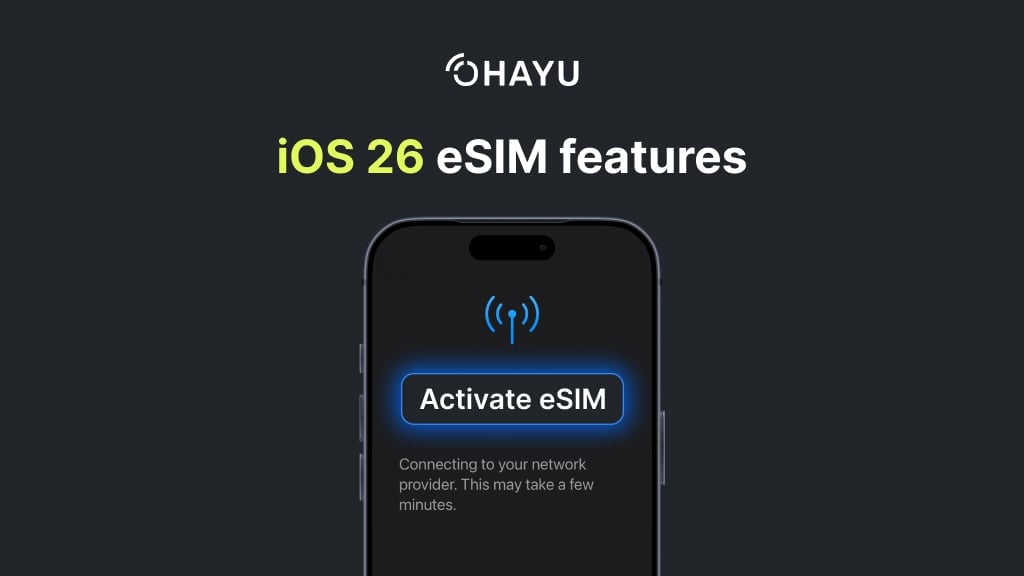
New eSIM installation process
After the release of iOS 26, user-reported changes include an updated step-by-step process for eSIM activation, where users need to confirm each step before proceeding. So with iOS 26, you might experience a customized travel eSIM setup journey.
Key enhancements include:
- Checking network availability before downloading a profile.
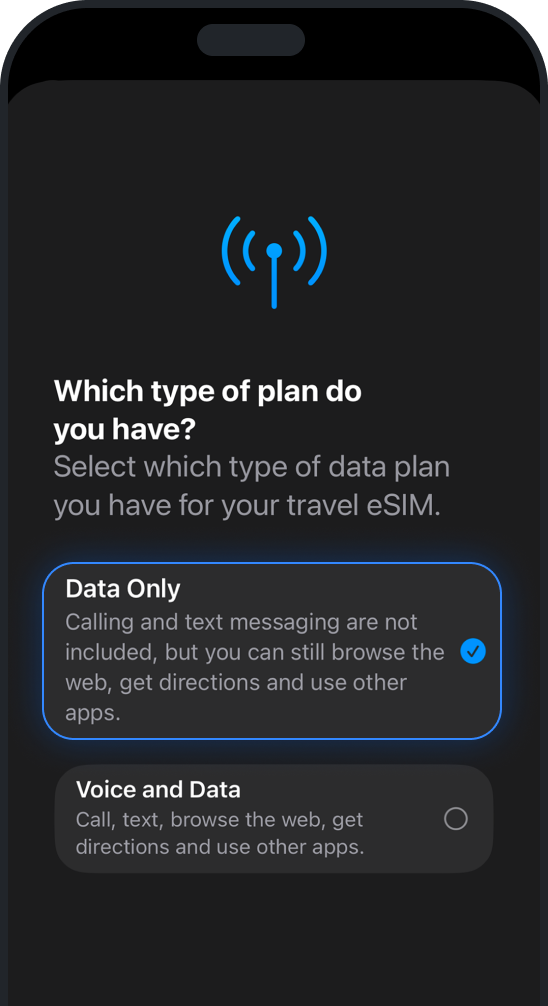
- Specific identification of plan type (voice, data-only, travel).
- Real-time carrier status.
- Explicit rollback on failure of activation.
It directly reduces scenarios in which an eSIM would be shown as installed but would never connect with the network.
Updated automatic data switching
Cellular data switching existed before iOS 26, but it became more extensive with the iOS update, and now users report behavior similar to Apple’s Wi-Fi Assist.
Updated features include the following:
- User-controlled Allow Cellular Data Switching.
- Automatic data usage when the active line lacks data availability.
- Dual eSIM + physical SIM scenarios (especially travel).
When data switching is enabled, iOS will automatically transfer mobile data services to an alternate eSIM if an active line has no coverage. It becomes even more useful for subscribers who use a physical SIM card and a travel/ data-only plans.
More transparent eSIM status and error messages
iOS 26 introduced more specific error messages and replaced general activation error messages with messages based on the state. What has changed:
- Clear Dual SIM status icons.
- Explicit “No Service” states per line.
- Visibility of which line is providing data or Wi-Fi calling.
So, iOS provides clearer visibility into line status, service availability, and which line is active for data or calls. From a troubleshooting viewpoint, it becomes easier to differentiate if it is a device, network, or carrier-related issue.
Safer eSIM removal and deletion
When removing an eSIM, iOS now displays contextual warnings on how the change may affect calling, messaging, and data behavior, encouraging users to be more thoughtful about line management.
How travel eSIM by Ohayu fits into the iOS 26 update
Data-only travel eSIMs have been given clear identification in installation and usage. iOS 26 allows users to easily install and activate an Ohayu eSIM following visual steps, maintain their active number, and allow the system to decide on data routing if the coverage in their area is limited. Here is why Ohayu users benefit from these updates.
- Ohayu’s one-click installation for iPhones perfectly blends into the new iOS 26 UI and flow.
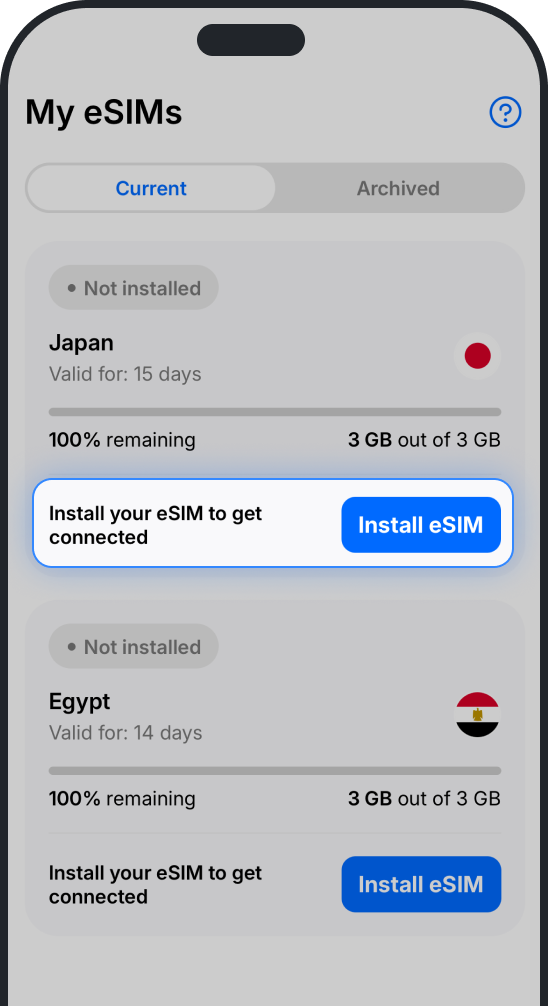
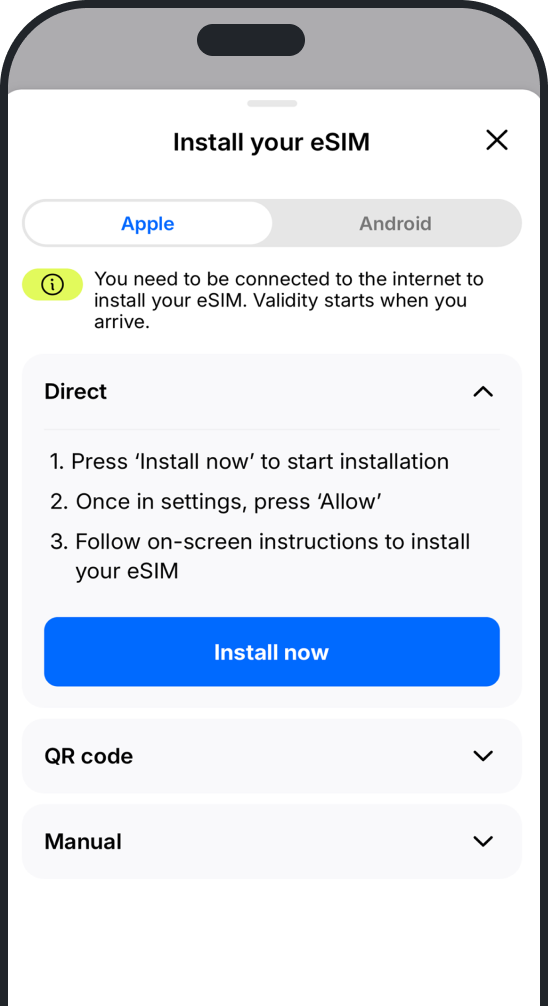
- Ohayu plans are data-only; iOS 26 now explicitly marks them in settings and makes it easier for users to choose the travel eSIM for data only.
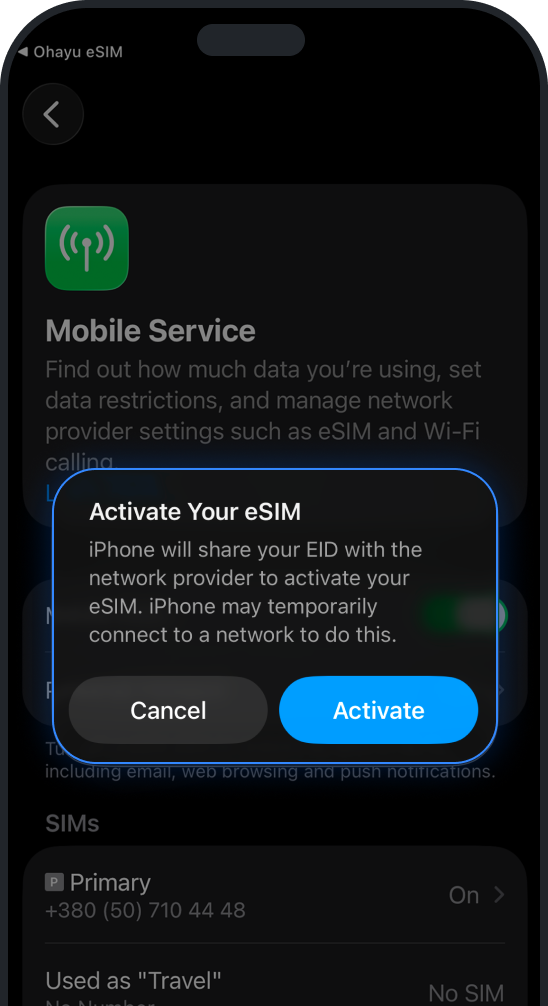
- eSIMs are supported by multiple local area networks; now, users clearly see the network name during setup and in the settings. Default APN handling and automatic line naming are supported by Ohayu eSIM metadata.
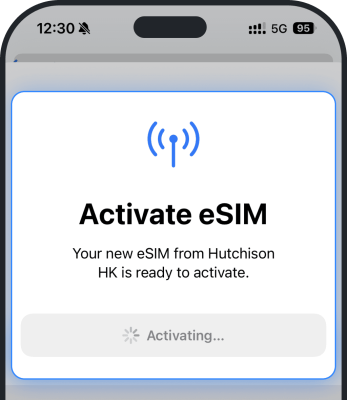
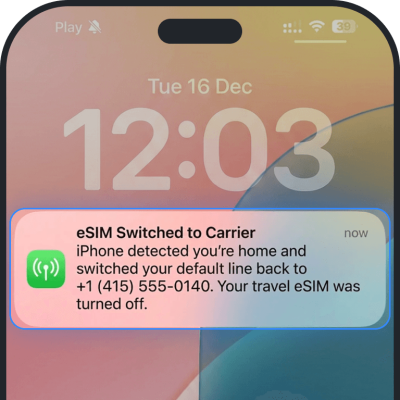
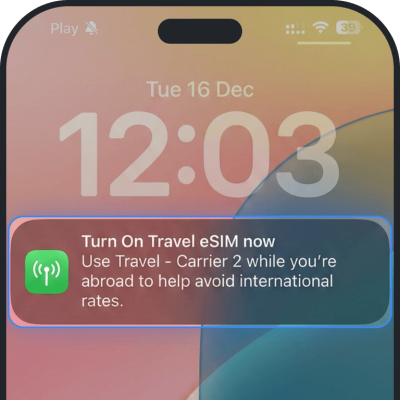
- Users can enable automatic switching between their main SIM and an Ohayu travel eSIM. Users who travel abroad and have an Ohayu eSIM report receiving pop-up notifications to Turn On travel eSIM; iOS 26 also might Turn Off travel eSIM and switch it back to the home carrier upon users’ return.
Known iOS 26 eSIM bugs
The early iOS 26 releases included some bugs reported by early users and carriers:
- Transfer was failing at the carrier authorization stage.
- eSIM is displaying active but failed attachment.
- Aggressive Smart Switching on low signal strength regions.
These problems are dependent on carriers, and many have been addressed in later updates, but still exist for regions that have not adopted new APIs.
Summing up the iOS 26 eSIM update
iOS 26 brings eSIM functionality more in line with Wi-Fi profiles – more portable and system-managed. The end result is:
- Easier phone upgrades.
- Less friction while switching technologies and eSIM profiles.
- More comprehensive guided travel eSIM setup.
- Reduced failed activations.
- Improved reliability with multiple travel eSIMs.
Most iOS 26 does not radically change eSIM, but removes some key issues. Now we see that it aims to eliminate the remaining obstacles related to embedded SIM adoption on a larger scale. As more carriers get on board with these technologies, it won’t be novel anymore but will be an industry standard.