
How to check my eSIM subscription renewal date?
You can check your next payment date any time, in the app or on the web.
You'll also get a reminder before your subscription renews, 3 days before on a monthly plan and a month before on a yearly plan.
Check it in the app
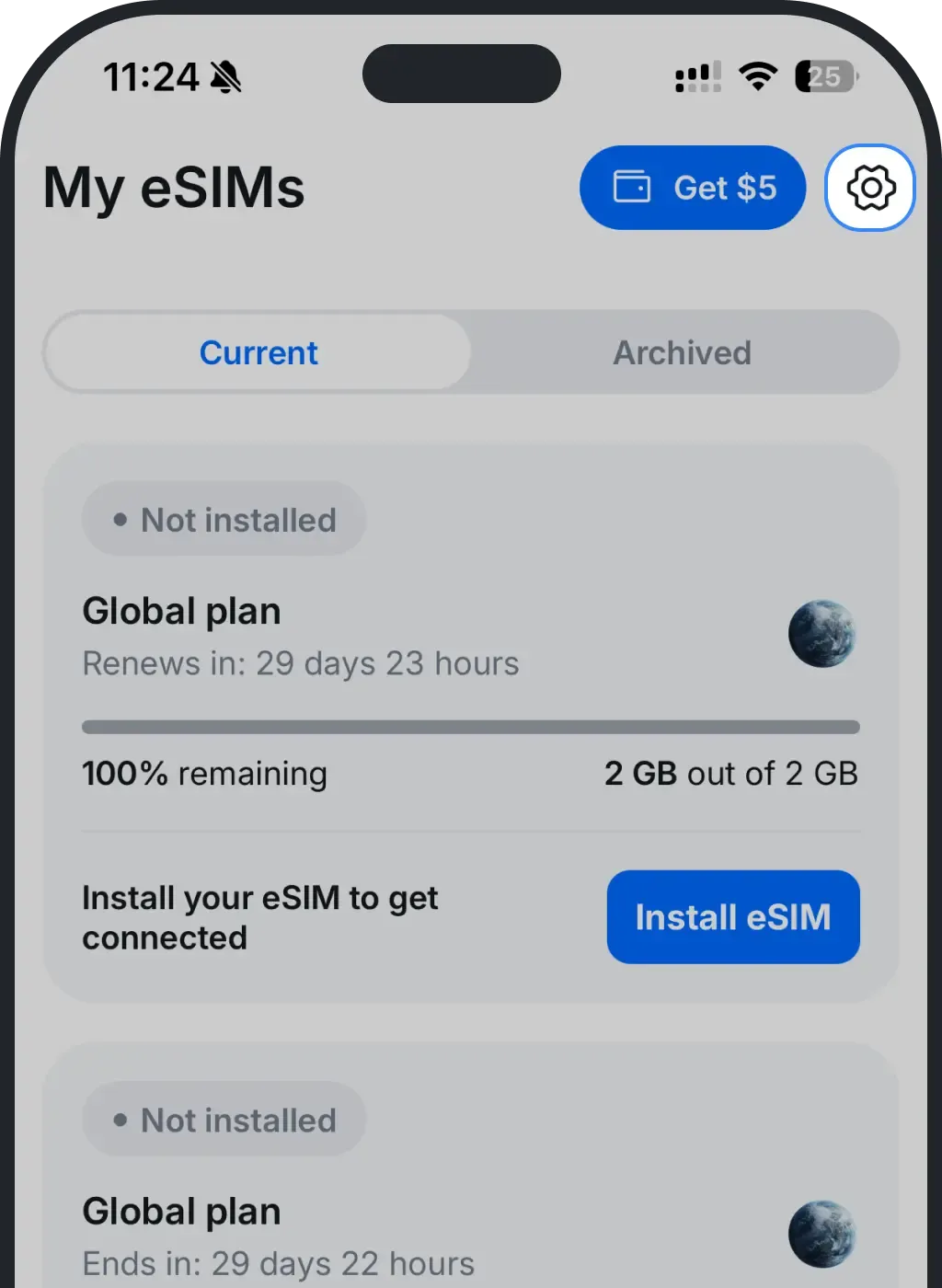
Open Settings (the gear icon, top right).
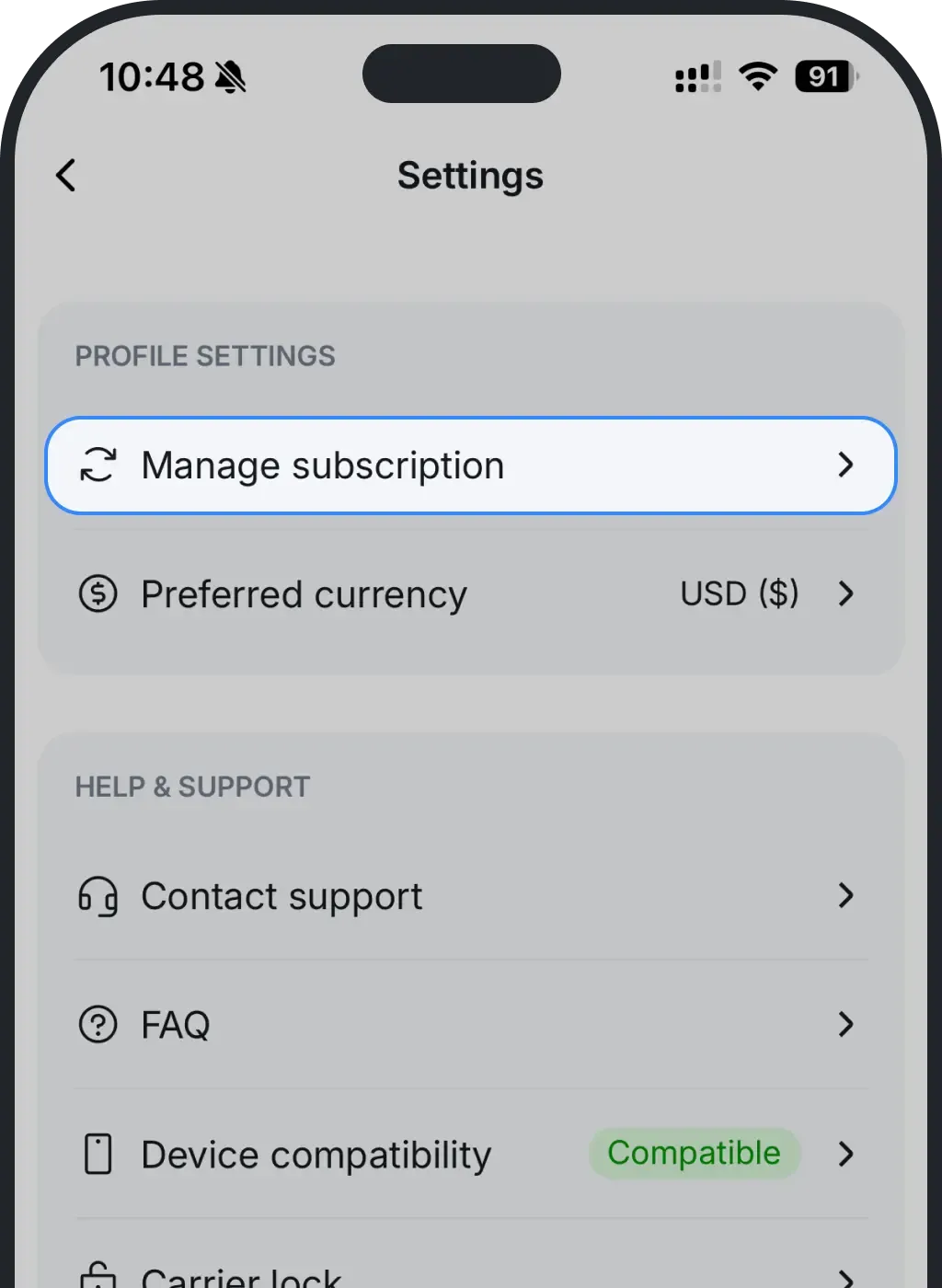
Tap Manage subscription.
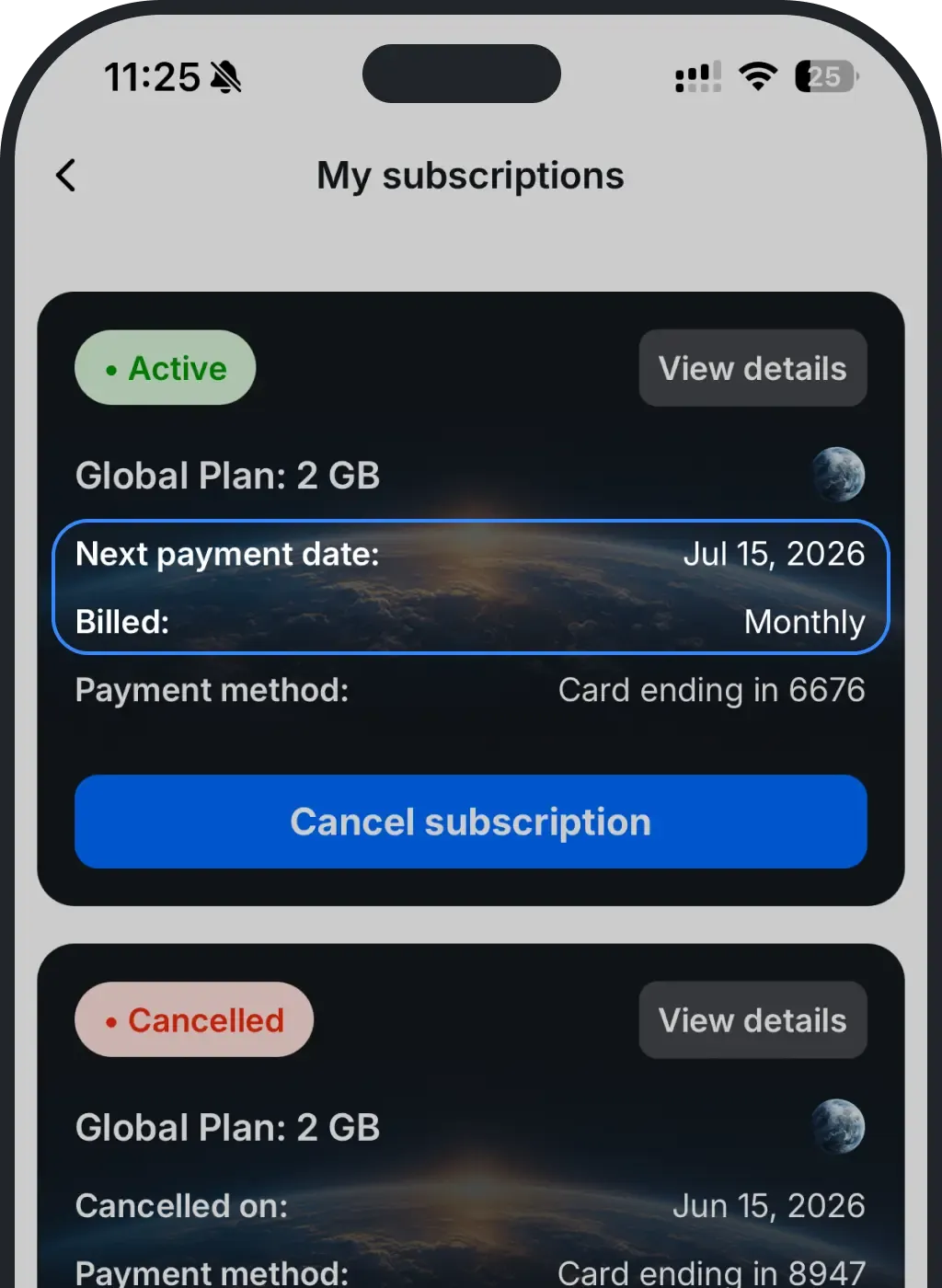
Your next payment date is shown right on the subscription.
Check it on the web
On ohayu.com: Profile → Manage subscription. Your next payment date is shown right on the subscription.
Want to stop the next payment?
You can cancel any time. Your eSIM stays active until the end of the current period, with no charges after that.
In the app: Settings (gear, top right) → Manage subscription → Cancel subscription
On the web: Profile → Manage subscriptions → Cancel subscription
Was this article helpful?
Your feedback helps us improve our FAQ