


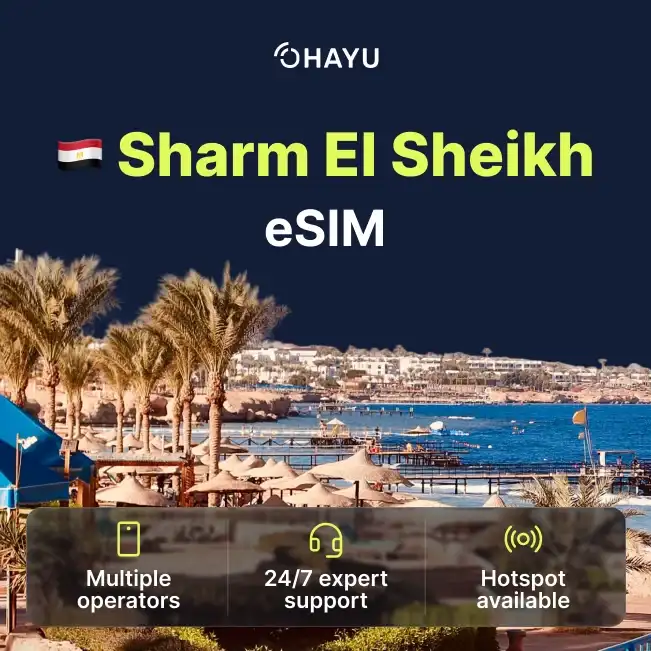
Product info
Sharm El Sheikh eSIM plans
| Unlimited data · 5 days | $28.99 | Buy eSIM |
| Ohayu recommendsUnlimited data · 10 days | $37.99 | Buy eSIM |
| Unlimited data · 15 days | $44.99 | Buy eSIM |
| Unlimited data · 30 days | $58.99 | Buy eSIM |
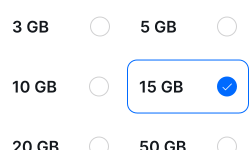
| 3GB prepaid eSIM · 14 days | $13.49$4.50 / GB | Buy eSIM |
| 5GB prepaid eSIM · 30 days | $18.49$3.70 / GB | Buy eSIM |
| 10GB prepaid eSIM · 30 days | $31.49$3.15 / GB | Buy eSIM |
| 15GB prepaid eSIM · 60 days | $39.99$2.67 / GB | Buy eSIM |
| 20GB prepaid eSIM · 90 days | $48.49$2.42 / GB | Buy eSIM |
| 50GB prepaid eSIM · 90 days | $102.99$2.06 / GB | Buy eSIM |
Plan details


How much mobile data you need
What's the best eSIM for Sharm El Sheikh?
Resort week – 3 GB
Maps, photos, messaging.
Diving fortnight – 10 GB
Two weeks with offline days at sea.
Sharm and Cairo – 20 GB
Beach plus the pyramids.
Working remotely – Unlimited
Tethering from a hotel on the strip.
Coverage and network
Coverage on shore and offshore
Egypt mobile networks
Sharm is a purpose-built resort town, so the developed strip is well covered and the gaps are where you would guess: out at sea and in the Sinai interior. Worth knowing before a liveaboard week that a dive boat is effectively offline. (Speedtest by Ookla, June 2026)
Speedtest Global Index · Mobile · Egypt · June 2026
Download
51.42 Mbps
Upload
9.51 Mbps
Latency
26 ms
Global rank
#77 of 98
Sharm, specifically
- Naama Bay and the hotel strip: Solid 4G along the resort areas, the promenade and Soho Square.
- Dive boats and day trips at sea: Signal drops within a few kilometres of the coast. On a liveaboard out toward the Brothers or Ras Mohammed you should assume no connection for the duration.
- Ras Mohammed National Park: Patchy at the entrance and along the main track, absent at the further dive sites and beaches.
- St Catherine and the Sinai interior: The road inland has long unserved stretches. The monastery and Mount Sinai trail have little to nothing - relevant if you are doing the pre-dawn climb.
Red Sea and the rest of Egypt
One plan for all of Egypt, so Cairo, Luxor or Hurghada afterwards need nothing extra.
How to install eSIM
Connected in 3 steps
- 01
Buy before you fly
Choose your data plan before your trip.
- 02
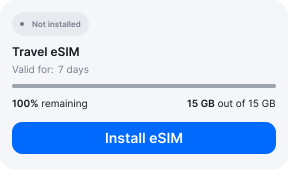
Download & install
Log in to your account, tap your eSIM, and follow the on-screen instructions.
- 03
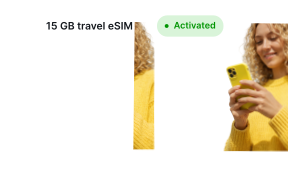
Land & activate
Activate when you arrive in Egypt. Turn on roaming for the eSIM and it connects to a local network.
Before you buy, make sure your phone supports eSIM — see Ohayu compatible devices list or dial *#06#. It's a free request to your phone's settings. If you see the EID number — your phone is eSIM-compatible.
Arriving in Sharm
Airport Wi-Fi at SSH
There is a free network in the terminal but its name is not reliably published and the portal expects an SMS code. Install before you travel and you can skip it.
Side by side
Sharm El Sheikh eSIM Comparison
Indicative comparison based on publicly listed Egypt plans as of August 2026. Competitor pricing and policies change - check their sites for current terms.
Frequently asked questions
Where to buy a SIM card in Sharm El Sheikh?
Vodafone, Orange and e& have shops in Naama Bay and around the main resorts, and there are booths at the airport. Passport and entry stamp required. An eSIM means arriving ready.
Is passport registration required for a local SIM?
It is. Egyptian operators cannot hand over an active line without filing your identity against it, so expect the shop to photocopy your passport and, in most reports, look for your entry stamp too. It is a short process, not a difficult one. Ohayu plans carry no Egyptian number, which puts them outside that requirement entirely.
Will WhatsApp calls work from Sharm?
Usually not. Egypt has blocked app-based calling on mobile networks since 2017 and there is no verified sign that has changed. What still works: messages, images and voice notes, so a voice note replaces the call. Reports of calls getting through on roaming plans exist, but they depend on routing you cannot check in advance - do not schedule anything important around it.
Will I have signal on a dive boat or liveaboard?
Close to shore, sometimes. Further out, no. Coverage fades within a few kilometres of the coast, so day boats to the nearer reefs may hold a weak signal while anything heading to Ras Mohammed or the Brothers will not. On a liveaboard week, plan on being offline and tell people at home in advance - some boats sell satellite Wi-Fi, but it varies vessel by vessel.
eSIM not working in Sharm?
On a boat or inland in Sinai there may be nothing in range. If a WhatsApp call fails on shore, that is the national restriction rather than a fault. If data itself is dead, confirm the Ohayu eSIM is selected for mobile data and that data roaming is switched on, then toggle Airplane mode. Chat and support@ohayu.com are open 24/7.