
Planning to visit another country? You might be curious about your Internet access while you’re away. The truth is, your SIM card is what keeps you connected, so it matters. But how does a SIM card work for international travel?
First off, it lets you make calls, send texts, and use data just like at home. Some options can even help you avoid those crazy roaming fees that drain your wallet. The idea is to stay connected and enjoy your trip. And today, we’ll dive into the options travelers have these days.
Types of SIM cards
First, let us start with the basics. What is a SIM card?
SIM card, or Subscriber Identity Module Card, is a plastic chip that goes into your phone and works like an ID ticket to the mobile network to get Internet, calls, and messages.
You should know a few types:
- First is the Standard-SIM. This is the old-school version, pretty big for what we use today.
- There’s also the Micro-SIM, which is smaller and more popular these days.
- Then we have the Nano-SIM, the smallest of the bunch and usually found in modern smartphones.
- eSIM – a built-in alternative to plastic SIM cards, that allows you to activate a mobile network plan without inserting a physical SIM.
| Feature | Traditional SIM | eSIM |
| Compatibility | Limited to devices that support SIMs | Adoption is growing; compatible with modern smartphones and tablets |
| Physical form | Removable | Permanently embedded |
| Switching carriers/activation | Physical swapping of a card is required | No physical card, easy digital switching |
| Safety | Can be lost and removed | Not easily lost but can be uninstalled |
International compatibility: mobile technologies
The evolution of mobile technologies has passed through 1G (analog tech, voice only), 2G, 3G, 4G, and now 5G (high speed, IoT support). As generations succeeded previous ones, the network changed from circuit switching to packet switching, plus voice quality and data rate were enhanced.
Mobile technologies: 1G to 5G
| Tech | Usage | Details | Voice quality | Data transfer rate | Switching type* |
| 1G | Dated now, replaced by digital solutions | Analog technology; external sources required | Poor | Not available | Circuit |
| 2G GSM (GPRS, EDG) | Limited to rural areas and old phone models | Digital technology; introduced SMS | Average | Up to 64 Kbps | Circuit/Packet |
| 3G UMTS (HSPA, HSPA+) | Used even now, where there is no 4G / 5G coverage | Enhanced data services, included video calling | Good | Up to 2 Mbps | Circuit/Packet |
| 4G LTE (LTE advanced) | Widely adopted globally | High-speed, multiple antennas (MIMO) | Very good | Up to 100 Mbps | Packet |
| 5G 5G NR (5G advanced) | Fast-growing solutions for smart cities, autonomous cars, and mobile applications | Massive data, low latency, supports IoT | Excellent | Up to 10 Gbps | Packet |
Circuit switching reserves a line exclusively for one call. Packet switching allows many users to use the same network and is suitable for all types of data, including today’s Internet purposes
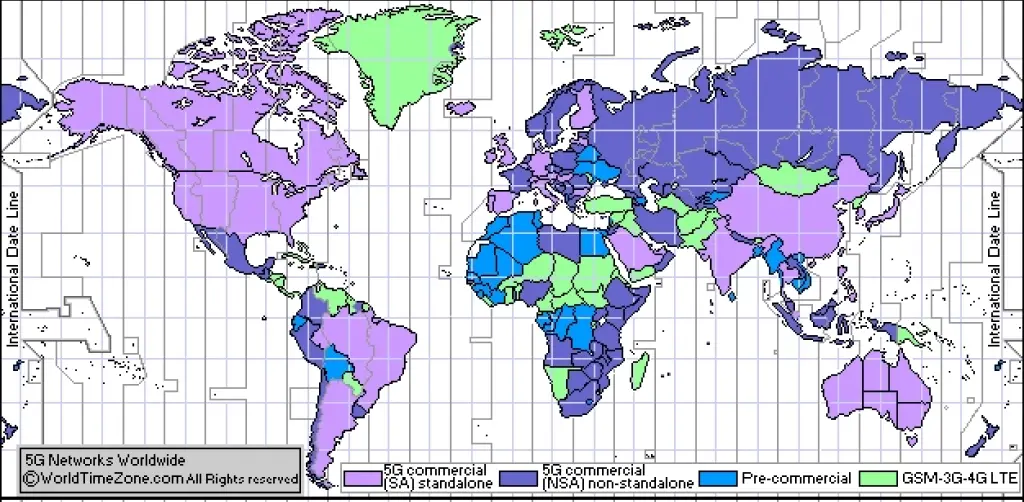
The following visualization helps to understand global mobile connectivity trends, particularly highlighting 4G and 5G coverage:
Getting a SIM card for international travel
There are a few options for selecting a SIM. There is a local SIM, an international one, or you can go for an eSIM.
- Local: They’re usually available at airports or local shops. You can buy them cheaply, but you’ll probably have to wait in long lines and deal with language barriers.
- International: Great if you’re flying to several countries. They’re a bit pricey and sometimes have confusing tariffs.
- eSIM: That’s where things get convenient. You access instant and flexible connectivity in over 170 countries. Its activation is possible before traveling.
If you are a tourist, a business traveler, or a digital nomad, an eSIM is far more convenient than its counterparts, and here’s why:
- Global coverage: Stay connected everywhere.
- Affordable rates: It saves money compared to roaming charges.
- Easy setup: It’s as simple as downloading and installing, and you’re connected.
Check eSIM compatibility
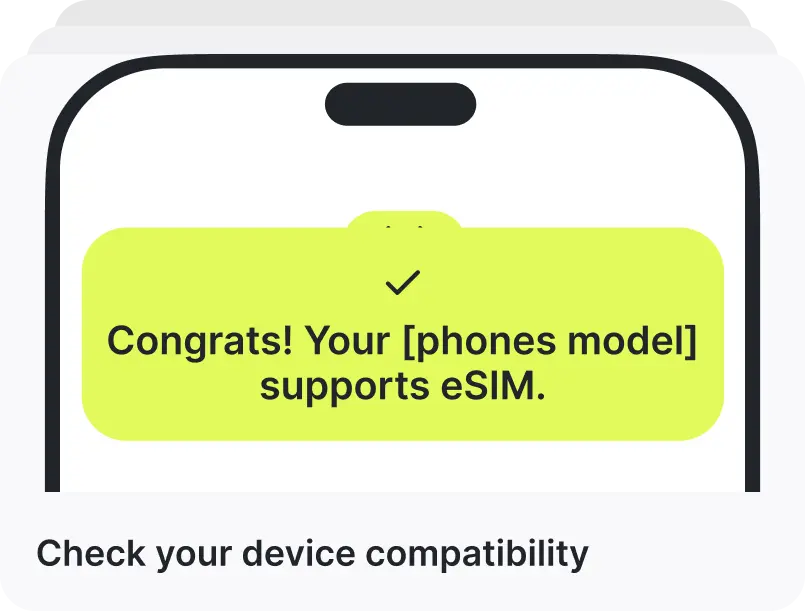
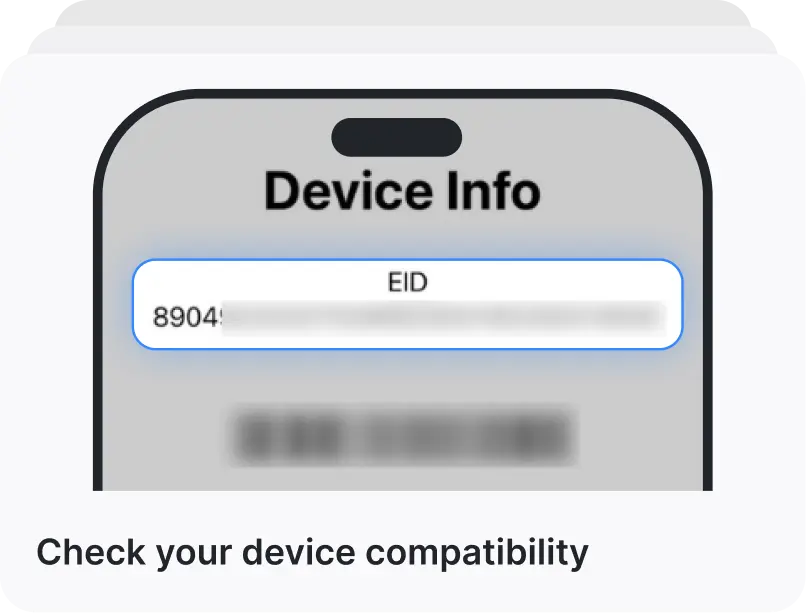
Use the Ohayu autodetermine device compatibility feature, or dial *#06# on your iPhone or Android device. It’s not a call, but a request to the device system. If you see EID info on screen, your device is compatible.
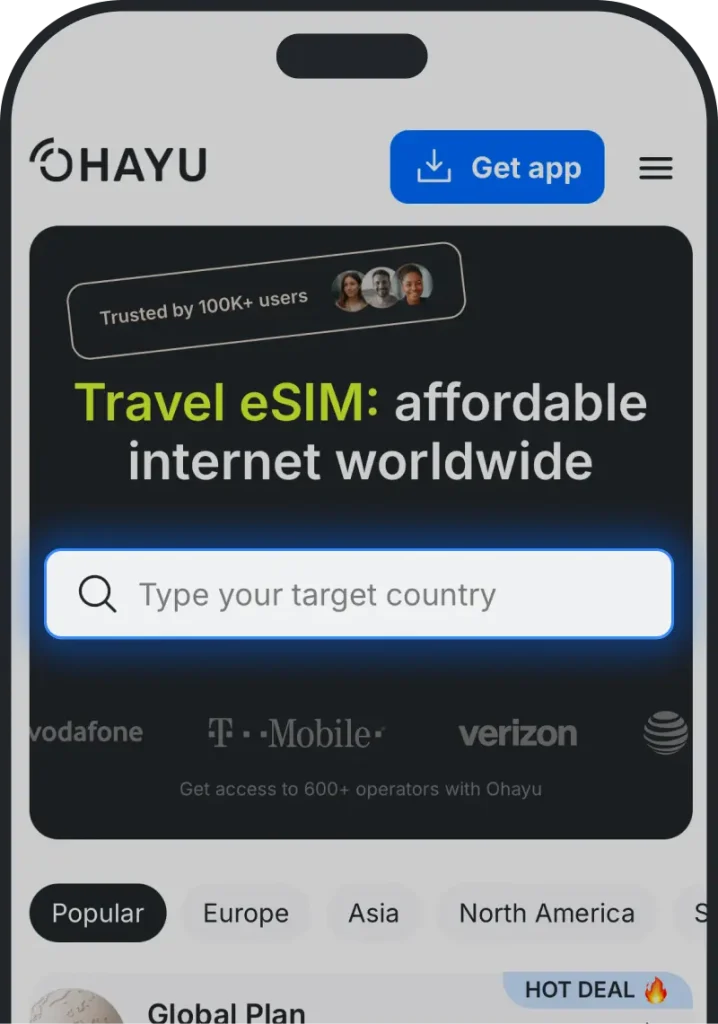
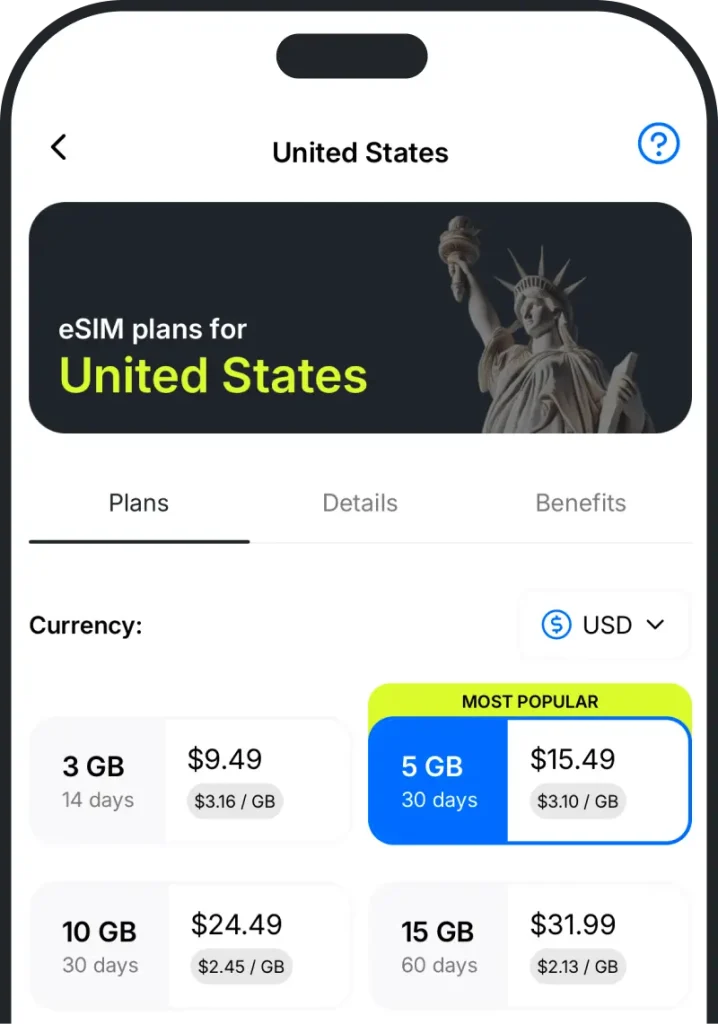
Select your country and choose the data plan
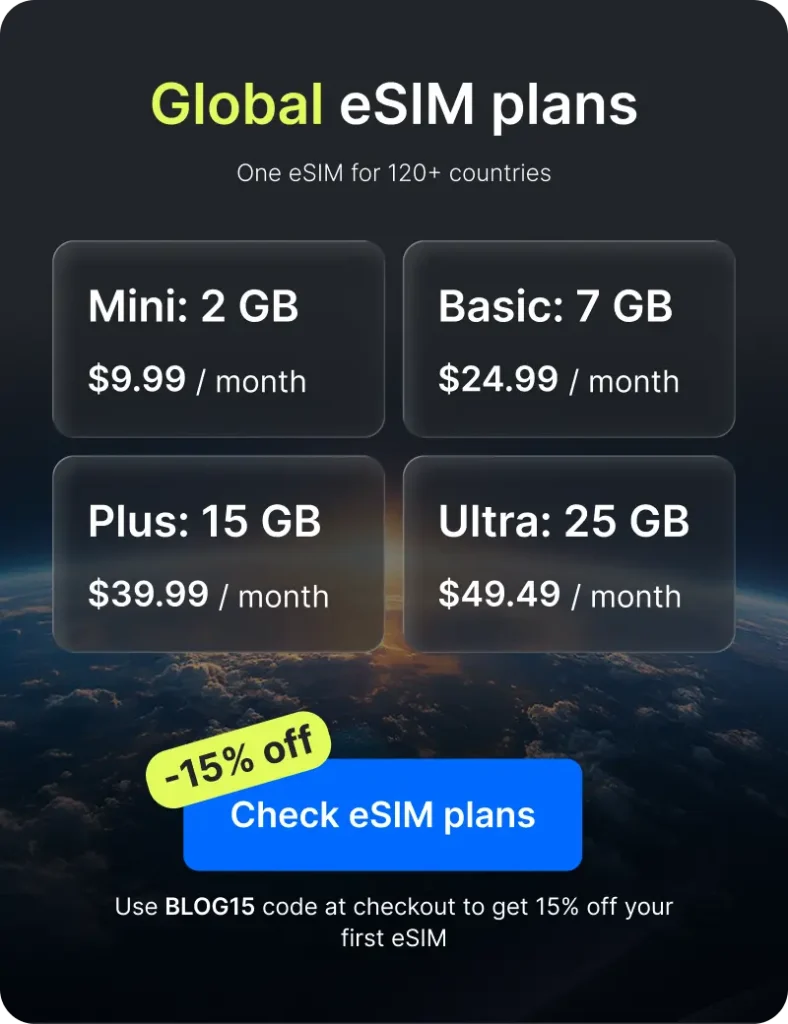
Choose a country plan for a single-country trip, or a Global eSIM plan if you visit multiple destinations and want the networks to switch when you cross borders.
Install and activate eSIM in the destination country
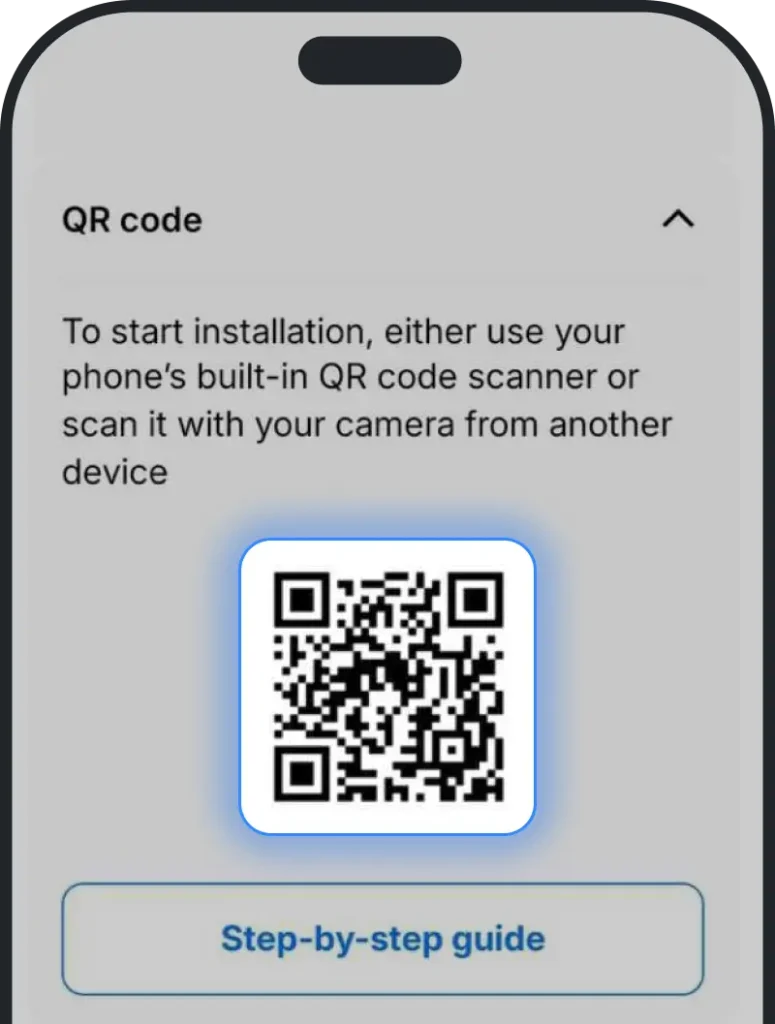
After the purchase, you will receive a QR code for Android or an opportunity to make a one-click eSIM installation in the iPhone app. To take care of your trip in advance, we recommend installing an eSIM in advance, but activating it only in the destination country.
Costs and plans
SIM cards offer prepaid or postpaid options. Let’s break it down:
- Prepaid: Travelers find this great. You pay upfront, and there are no surprise bills later. You know exactly what you’re spending money on. Plus, you are free to cancel a plan and get a refund.
- Postpaid: In this case, you are billed at the end of the month. If you’re staying long-term, it’s convenient, but sometimes it comes with unexpected charges. Not the best for short travels.
For the sake of objectivity, let’s compare the popular international-featured plans of well-known providers.
Ohayu eSIM
You pay only for gigabytes, not cellular service, but have access to WhatsApp, Telegram, and other communication apps. The package price varies by the country you’re visiting. You are also free to share your connection with others with HubSpot. Once you purchase, activate your eSIM within 30 days (you can keep the QR code for later and reinstall the eSIM up to 5 times on the same device).
Activating a cellular card
Now it’s time to get your connection up and running. It’s not that complicated, don’t worry. The following steps should help:
- Find Wi-Fi: If your choice is an eSIM, you need the Internet for the activation process. So find a quick Wi-Fi network.
- Install: If it’s a regular card, you need to insert it and activate a purchased subscription. eSIM users, in turn, should follow the instructions received from a provider. Typically, it involves scanning a QR code sent in the app or entering a code manually.
- Restart your device (optional): You may have to restart your phone after installation. It just refreshes the settings and restores the order.
- Check your signal: You should now see your new network name on the screen. For extra, check if an eSIM is active (go to Settings > Cellular or Mobile Data) and if you have cellular networking enabled.
Preparing your mobile device for international travel
Now that your plan is activated, it’s time to tweak a few features.
- Data roaming: Ensure roaming is turned on (go to the cellular or mobile data section). This applies to both traditional SIMs and eSIMs.
- Network selection: There are times when you need to choose your provider manually. For this, head to the network settings and pick your new provider.
- APN (Access Point Name) parameters: Some carriers require specific APN settings. This helps with connectivity. An eSIM, by contrast, automatically equips your device with the right APN settings during installation.
The setup is pretty simple, isn’t it? Now you’re ready to explore the world without worrying about connectivity.
Troubleshooting common issues
If you have some hiccups, don’t worry. We’re going to tackle the big issues together now. If you’re not seeing any service bars, your connection is slower than a snail, or you’re having trouble activating, here’s a simple checklist of what to do.
| Issue | Traditional SIM | eSIM | |
| Speed/connectivity problems or no signal | Location | Check that you are in the right location (at the place you bought a plan for). Sometimes, being in a low-signal area causes problems. | |
| Network coverage | If the signal strength is poor, it slows the speed down. This might happen in a crowded place, like a café. | ||
| Wrong settings | Make sure you have your plan set as the active one. It just needs a little nudge sometimes to recognize it. | ||
| Activation | Compatibility | Ensure your phone is compatible with the SIM format you bought. | Find out if your device has the eSIM feature built into it. There’s a handy guide to help you with this. |
| Poor internet signal | Ensure international roaming is turned on. | Make sure roaming is enabled and you are connected to a solid internet source for card activation. | |
Additional eSIM troubleshooting tips
- Scan carefully. Make sure you’re scanning the QR code accurately. If that doesn’t work, try manually entering the activation code.
- Follow the guide. Check if you’re doing the installation steps correctly. It’s the little things that trip us up sometimes.
- Restart your device. It refreshes the connections.
- Contact support. If you’re still having trouble, contact customer support.
Wrapping it up
So how does a SIM card work for international travel? It’s pretty straightforward. It’s your no-compromise solution for staying connected all over the world. You can chat and browse the way you would at home. Which type of SIM you choose – local, international, eSIM or prepaid, postpaid – depends on where you need coverage and how much you’re willing to spend. Nevertheless, not all SIMs work in all places, so you need one that covers the places you’ll be visiting.
An eSIM is often an easier and more flexible way to travel internationally these days. It provides online setup, no physical SIM card swapping, and often better rates without home operator roaming charges. Either way (a regular SIM or an eSIM), focus on staying in touch and having fun.
So, before you pack your bags, ensure you have the right option. Happy travels!
How does a SIM card work for international travel – FAQ
Yes. Travelers often prefer prepaid tariffs because they have fixed costs. You pay upfront and won’t be hit with unexpected charges.
You can, but be careful with high international fees. Before traveling, ask your operator about the costs. Better yet, consider adding an eSIM as an alternative.
eSIMs are easy to install, flexible if you want to switch carriers, and, equally important, require no physical cards.
Yes. In particular, Ohayu customer care is available at support@ohayu.com.