


Product info
Johor Bahru eSIM plans
| Unlimited data · 5 days | $17.99 | Buy eSIM |
| Ohayu recommendsUnlimited data · 10 days | $33.99 | Buy eSIM |
| Unlimited data · 15 days | $35.99 | Buy eSIM |
| Unlimited data · 30 days | $49.99 | Buy eSIM |
| 3GB prepaid eSIM · 14 days | $8.49$2.83 / GB | Buy eSIM |
| 5GB prepaid eSIM · 30 days | $11.49$2.30 / GB | Buy eSIM |
| 10GB prepaid eSIM · 30 days | $18.99$1.90 / GB | Buy eSIM |
| 15GB prepaid eSIM · 60 days | $24.99$1.67 / GB | Buy eSIM |
| 20GB prepaid eSIM · 90 days | $31.49$1.57 / GB | Buy eSIM |
| 50GB prepaid eSIM · 30 days | $66.79$1.34 / GB | Buy eSIM |
You can install your eSIM before the trip and activate it when you arrive in Malaysia. Validity starts after eSIM activation.
Plan details


How much mobile data you need
What's the best eSIM for Johor Bahru?
A day trip from Singapore – 3 GB
Maps, ride-hailing, the malls.
A week in Johor – 10 GB
Desaru, Legoland, the coast.
Up the peninsula – 20 GB
JB, Melaka, KL on one plan.
Working or commuting – Unlimited
Tethering, calls, heavy use.
Coverage and network
Coverage up to the border and no further
Malaysia mobile networks
Johor Bahru sits directly across the strait from Singapore, joined by a causeway that is one of the busiest land crossings in the world. The city is well covered. The thing to understand here is which side of the water your phone is registered on.
Speedtest Global Index · Mobile · Malaysia · June 2026
Download
155.05 Mbps
Upload
22.65 Mbps
Latency
21 ms
Global rank
#23 of 98
Johor Bahru, specifically
- The city centre and the malls: Reliable 5G. JB is a large city in its own right, not just a border town, and the network reflects that.
- The causeway and the Second Link: This is the catch. Singaporean networks reach well across the strait, and phones do latch onto them while you are still in Malaysia, especially in a queue on the causeway. A Malaysian plan does not cover Singapore, so check the network name if something looks wrong.
- The immigration queues: The causeway crossing can take hours at peak times, and coverage in the halls is fine - which is the only reason the wait is bearable.
- Legoland and the Iskandar developments: Covered as new infrastructure.
- Desaru and the east coast: About an hour east, covered in the resort areas and thinner on the roads between them.
Malaysia, not Singapore
The plan covers all of Malaysia. Singapore is a few hundred metres across the water and a separate destination - crossing the causeway does not extend this plan.
How to install eSIM
Connected in 3 steps
- 01
Buy before you fly
Choose your data plan before your trip.
- 02
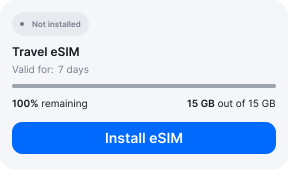
Download & install
Log in to your account, tap your eSIM, and follow the on-screen instructions.
- 03
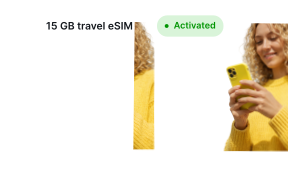
Land & activate
Activate when you arrive in Malaysia. Turn on roaming for the eSIM and it connects to a local network.
Before you buy, make sure your phone supports eSIM — see Ohayu compatible devices list or dial *#06#. It's a free request to your phone's settings. If you see the EID number — your phone is eSIM-compatible.
Arriving in Johor Bahru
Senai airport, or the causeway
Senai has free terminal Wi-Fi, but most visitors arrive overland from Singapore instead. The immigration halls at Woodlands and JB Sentral are not places to be setting up a SIM - the queues move when they move.
Side by side
Johor Bahru eSIM Comparison
Indicative comparison based on publicly listed Malaysia plans as of August 2026. Competitor pricing and policies change - check their sites for current terms.
Frequently asked questions
Does the plan work in Singapore?
No. The causeway is a few hundred metres long and hundreds of thousands of people cross it daily, but Singapore is a separate country needing its own plan. If you are working in one and sleeping in the other, you need both.
My phone connected to a Singaporean network while I was still in Malaysia. Why?
Because Singapore is close enough that its masts comfortably reach the Johor side of the strait, and a phone in a causeway queue will sometimes prefer one. You have left the plan's coverage without leaving the country. Setting network selection to a Malaysian operator manually stops it happening repeatedly.
Where to buy a SIM card in Johor Bahru?
Outlets in JB Sentral, City Square and the other malls, plus a counter at Senai. Malaysia registers lines against an identity document, so bring your passport.
eSIM not working in Johor Bahru?
Check the network name first - on the strait side, phones sometimes register on a Singaporean mast, which is outside this plan. If you are on a Malaysian network, set Ohayu as the mobile data line, allow roaming, then toggle Airplane mode. Chat and support@ohayu.com are open 24/7.