


Product info
Melbourne eSIM plans
| Unlimited data · 5 days | $17.99 | Buy eSIM |
| Ohayu recommendsUnlimited data · 10 days | $31.99 | Buy eSIM |
| Unlimited data · 15 days | $36.99 | Buy eSIM |
| Unlimited data · 30 days | $56.99 | Buy eSIM |
| 3GB prepaid eSIM · 15 days | $7.49$2.50 / GB | Buy eSIM |
| 5GB prepaid eSIM · 30 days | $10.49$2.10 / GB | Buy eSIM |
| 10GB prepaid eSIM · 30 days | $16.49$1.65 / GB | Buy eSIM |
| 15GB prepaid eSIM · 60 days | $21.99$1.47 / GB | Buy eSIM |
| 20GB prepaid eSIM · 30 days | $27.79$1.39 / GB | Buy eSIM |
| 50GB prepaid eSIM · 30 days | $62.49$1.25 / GB | Buy eSIM |
You can install your eSIM before the trip and activate it when you arrive in Australia. Validity starts after eSIM activation.
Plan details


How much mobile data you need
What's the best eSIM for Melbourne?
Long weekend – 3 GB
Maps, coffee research, tram routes.
A week – 10 GB
Daily navigation and calls home.
Melbourne and Sydney – 20 GB
Both cities plus the drive out west.
Working from Fitzroy – Unlimited
Tethering a laptop from a café.
Coverage and network
Coverage around Melbourne
Australia mobile networks
Australia averages 116 Mbps and sits 41st worldwide. Melbourne is the quickest of the big Australian cities at 132 Mbps, slightly ahead of Sydney. The gap between city and country here is wide, though, and it opens up within an hour of leaving town. (Speedtest by Ookla, June 2026)
Speedtest Global Index · Mobile · Melbourne · June 2026
Download
131.78 Mbps
Upload
11.72 Mbps
Latency
17 ms
Global rank
#71 of 98
Melbourne, specifically
- The CBD grid and the laneways: Strong throughout, and the narrow laneways off Flinders and Degraves do not cause the shadowing you might expect.
- Trams and the City Loop: Trams keep signal the whole way, including across the free tram zone. The underground City Loop stations are covered; the tunnel sections between them drop briefly.
- Great Ocean Road: Torquay, Lorne and Apollo Bay have coverage. The cliff stretches in between, and the climb inland through the Otways, have long gaps. Download the route.
- MCG and stadium events: A full house at the G puts 100,000 people on the same cells. Uploading during the third quarter is optimistic on any network.
Victoria and the rest of Australia
One plan for the whole country - Sydney, Brisbane, Tasmania, Perth - which suits Australian distances.
How to install eSIM
Connected in 3 steps
- 01
Buy before you fly
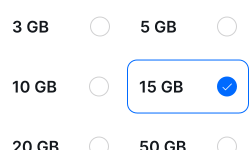
Choose your data plan before your trip.
- 02
Download & install
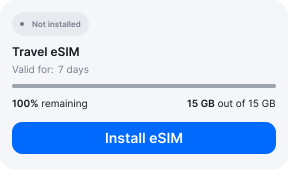
Log in to your account, tap your eSIM, and follow the on-screen instructions.
- 03
Land & activate
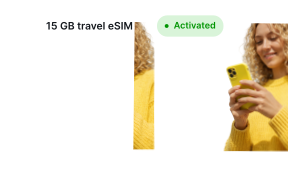
Activate when you arrive in Australia. Turn on roaming for the eSIM and it connects to a local network.
Before you buy, make sure your phone supports eSIM — see Ohayu compatible devices list or dial *#06#. It's a free request to your phone's settings. If you see the EID number — your phone is eSIM-compatible.
Arriving in Melbourne
Airport Wi-Fi at MEL
Melbourne Airport gives four-hour sessions with no login, but only in Terminals 2, 3 and 4 - Terminal 1 is not on that network, so Qantas domestic arrivals should install before flying.
Side by side
Melbourne eSIM Comparison
Indicative comparison based on publicly listed Australia plans as of July 2026. Competitor pricing and policies change - check their sites for current terms.
Frequently asked questions
Where to buy a SIM card in Melbourne?
Telstra and Optus have kiosks in the international arrivals area, around A$30-50 for a basic tourist SIM. A Coles or Woolworths in the city sells the same thing for less. An eSIM avoids the queue.
Do I need ID to buy a prepaid SIM in Australia?
Yes. Australian prepaid SIMs must be identity-checked before they can be activated - an ACMA requirement dating from 2017, not a recent change. Bring your passport. Ohayu plans are data-only and issue no Australian number, so the check does not apply.
Will it work on the Great Ocean Road?
In the towns, yes - Torquay, Lorne, Apollo Bay and Port Campbell are all covered. Between them the cliff road and the Otways sections have real gaps, sometimes for twenty minutes at a time. Download offline maps before you leave Geelong.
eSIM not working in Melbourne?
Check the Ohayu eSIM is set as your data line and roaming is enabled for it, then toggle Airplane mode to force a re-scan. If you have just landed in Terminal 1, note that terminal is not on the free airport Wi-Fi. Chat and support@ohayu.com are open 24/7.