
Remember when changing carriers or even mobile plans meant waiting days for a new physical SIM to arrive in the mail? Mobile technology has advanced since then! Now, all modern phones have tiny, built-in SIMs. No more handling tiny plastic cards. eSIMs make it easier to switch plans, avoid high roaming fees, and use both work and personal numbers on one device. But before adopting this new technology, the big question is: Is my phone eSIM compatible?
It’s important to check because not every smartphone is ready for this new tech. Let’s see how you can figure it out.
How to check eSIM compatibility
Since there is no compatibility checker yet, here’s how to manually verify it (it depends on whether you have an iPhone or an Android):
Method 1: view your device settings
This is often the easiest way to determine if your smartphone is compatible. The steps are a little different depending on whether you have an iPhone or an Android.
How to check eSIM compatibility on iPhones/iPads (iOS)
Follow these steps:
- First, tap on the Settings app.
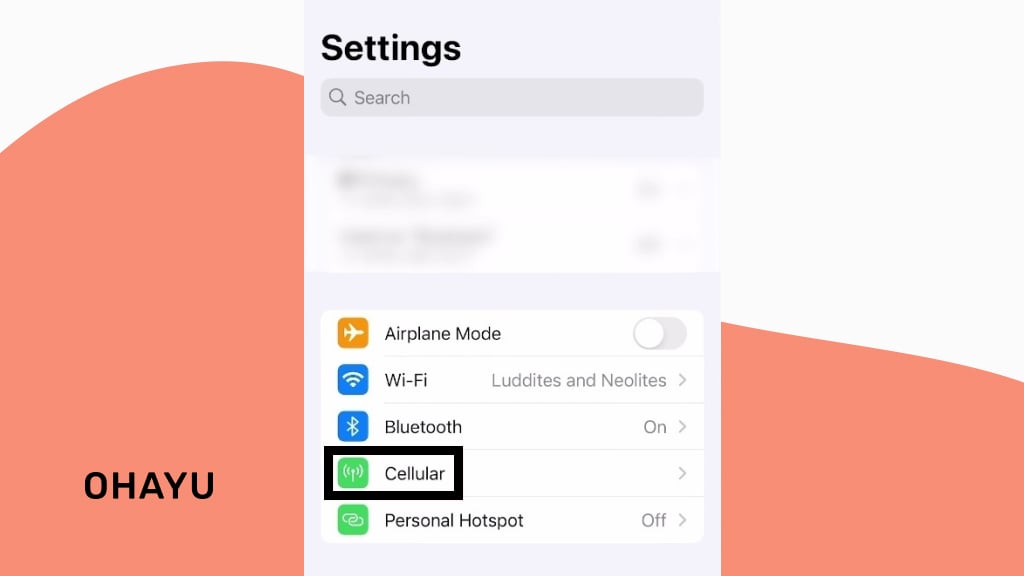
- Cellular or Mobile Data
Next, find and tap on either Cellular or Mobile Data. What you see here might depend slightly on your model and iOS version, but you’re looking for anything related to cellular connection.
- Find the eSIM section
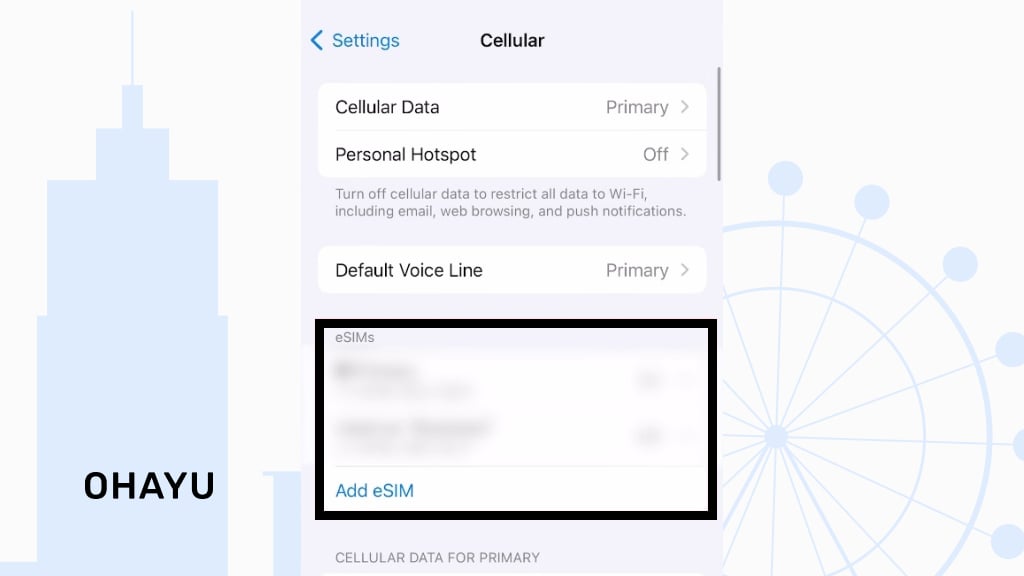
Now, take a look at the options. Is there something that says eSIM? If you do, then your iPhone supports this feature.
- Check EID
If this option is not available right away, there’s another way. Go back to the main Settings menu, and this time tap on General and then About. Scroll down this “About” page and find a section labeled EID. If it’s there, that’s another confirmation that your iPhone is likely eSIM-compatible.

EID stands for “Embedded Document ID,” and it’s a unique ID for your digital SIM.
Watch the “Is My Phone eSIM Compatible?” guide for more information.
How to check eSIM compatibility on Android
Android is a bit more varied because there are so many brands and versions of OS out there. But, generally, the steps are similar.
- Open up your Settings app.
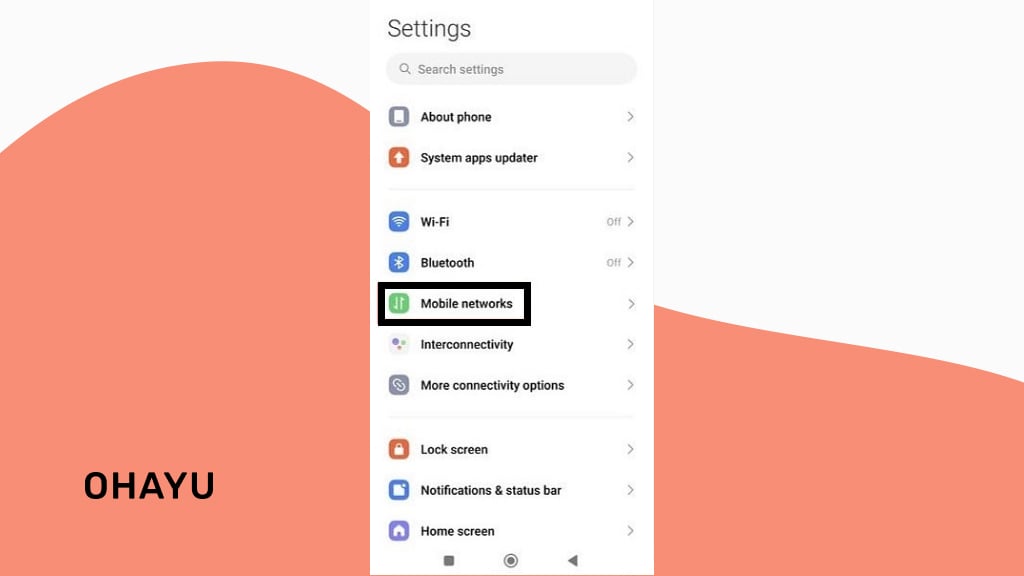
2. Look for something related to Connections. It might be called just Mobile networks or Network & Internet. Click on whatever looks closest to managing cellular connections.
3. Under the connections menu, hunt for anything about SIM cards – something called SIM card manager or maybe Mobile networks. Click on it.
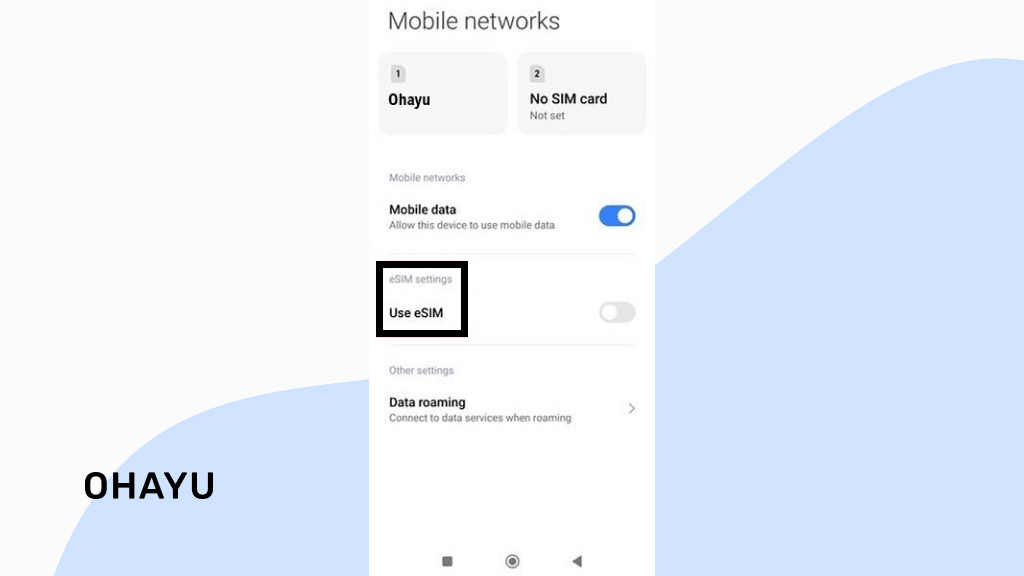
4. Once in the SIM card menu, look around for options like Add/Download eSIM, eSIM manager, or anything that sounds like it’s about adding a mobile plan digitally without a physical SIM. The exact wording can vary, but you’re looking for clues.
5. Some Android gadgets also put the necessary info in the About section, just like iPhones. So, go back to the main Settings menu, click About, and then find EID (or, if there is an option called Status, tap on it and navigate to EID). It could come up along with other identifiers like IMEI numbers. If EID is here, that also indicates e-SIM support. Alternative paths are Settings > About > Detailed Info> Status.
Versatile method for both Android and iOS
Try dialing *#06#:
- Open up your Phone app just like you’re making a call.
- Dial *#06#.
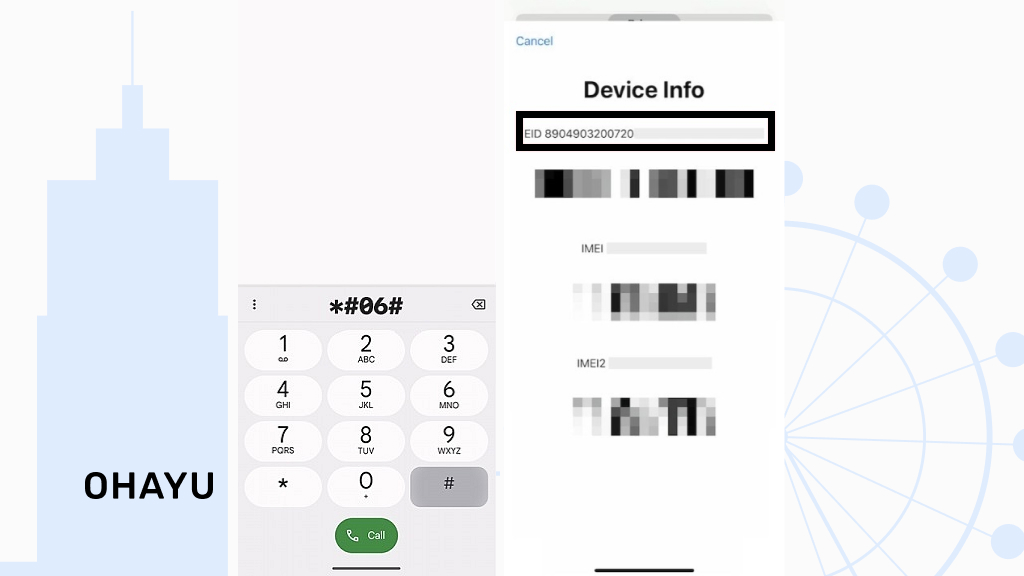
- After that, you will be shown some information – search for an EID number.
- If you see an EID number listed along with your IMEI numbers, that’s a good sign that your gadget is compatible.
iPhone
Android
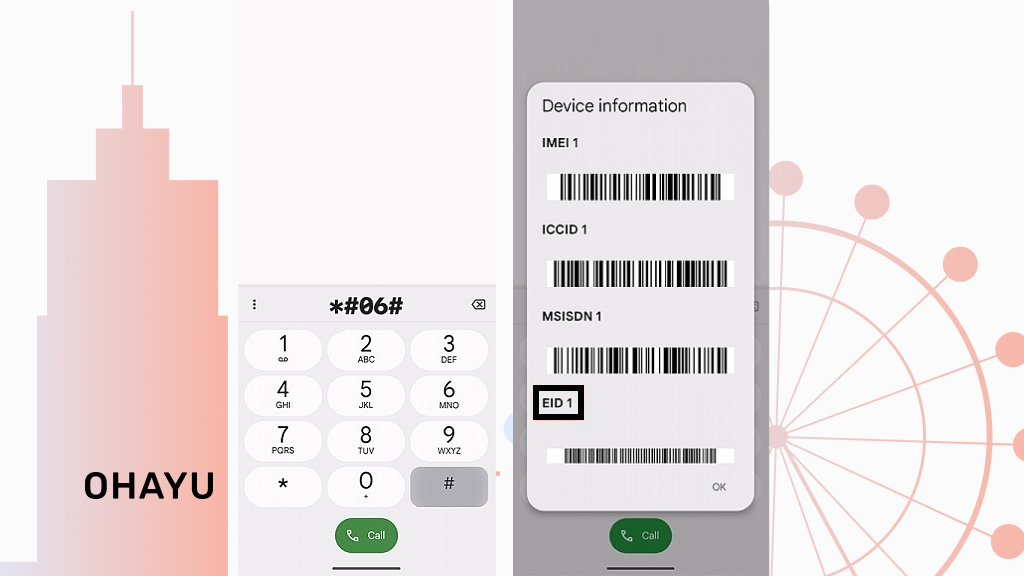
Keep in mind that these are general steps, and things can be a little different depending on your exact model and software version. But checking these configuration areas is the first and easiest way to confirm that your phone is compatible.
Method 2: refer to the official website & specs
Settings didn’t give you a clear answer? Another solid way is to go straight to the source: the cellphone maker’s site. Companies usually keep detailed specifications for all their devices right on their websites. This is a great place to get the official word.
- First things first, know your smartphone’s/tablet’s name. It’s not enough to know that your smartphone is a Samsung Galaxy, for example. You need to know the exact model name – Apple iPhone 15 Pro, Samsung Galaxy S23, etc. Usually, you can find the name printed somewhere on the device back itself, on the box it came in, or in your “About phone” section (like we talked about in Method 1).

2. Head to the official site/trusted info resource. Go to the official website of a manufacturer or a resource for GSM handset information.
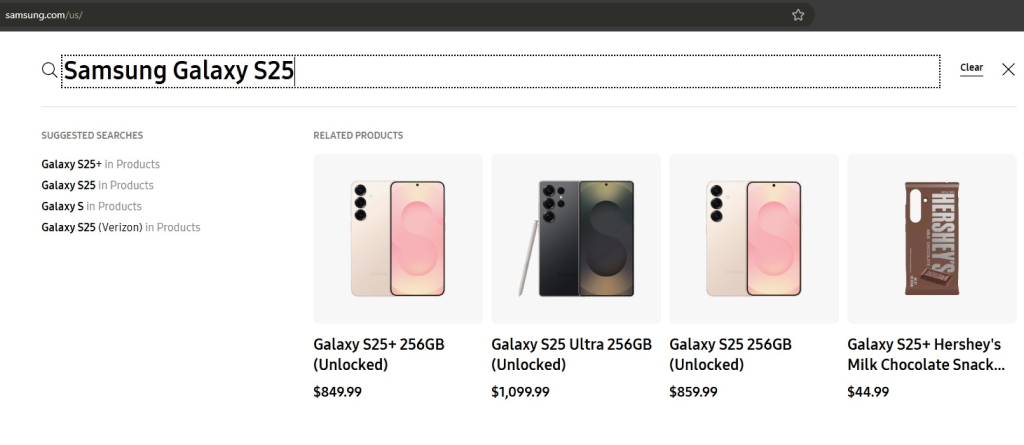
3. Search for your phone model. Once on the site, there’s usually a search bar somewhere. Type in the exact model name of your smartphone. This should take you to a product page.
4. Look for details in the device features and specifications. Now, on a product page, search for the “specs” or “specifications” section. This is where they list all the technical details. Scroll through this information and look for eSIM / embedded SIM. If you see something similar listed in the specifications, that’s a clear sign your smartphone supports this feature.
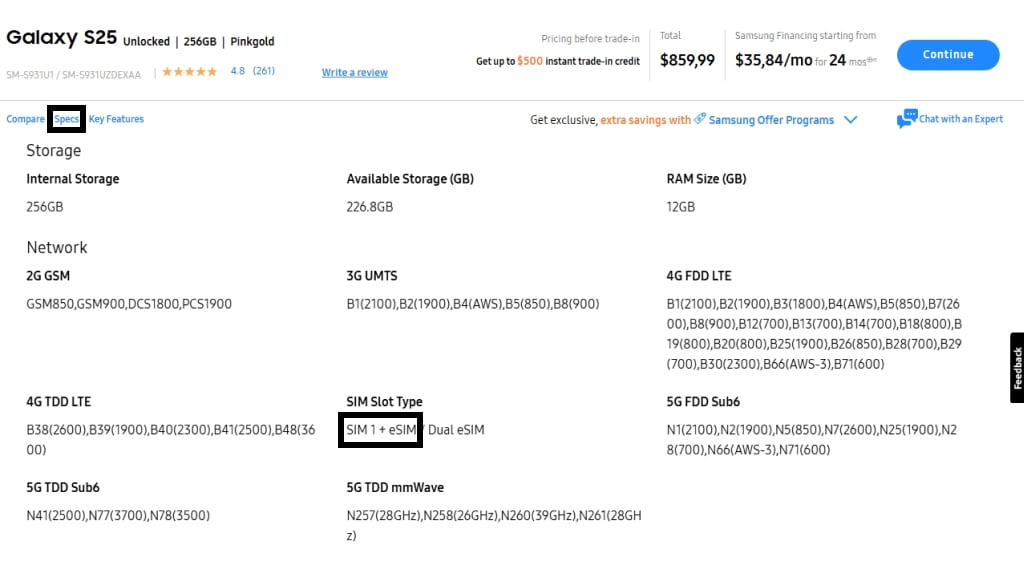
About dual-SIM
Sometimes, “dual-SIM” means that the phone uses one physical card slot and one eSIM. However, it can also just mean two physical slots. So, if you only see “dual-SIM” mentioned, it’s a clue, but you need to look closer to see if they specify how the dual-SIM works. Does it say “nano-SIM + e-SIM” or something similar? If it does, then yes, you have compatibility. If it just says “dual-SIM,” it might be two physical slots (Nano-SIM + Nano-SIM), so keep searching for more details.
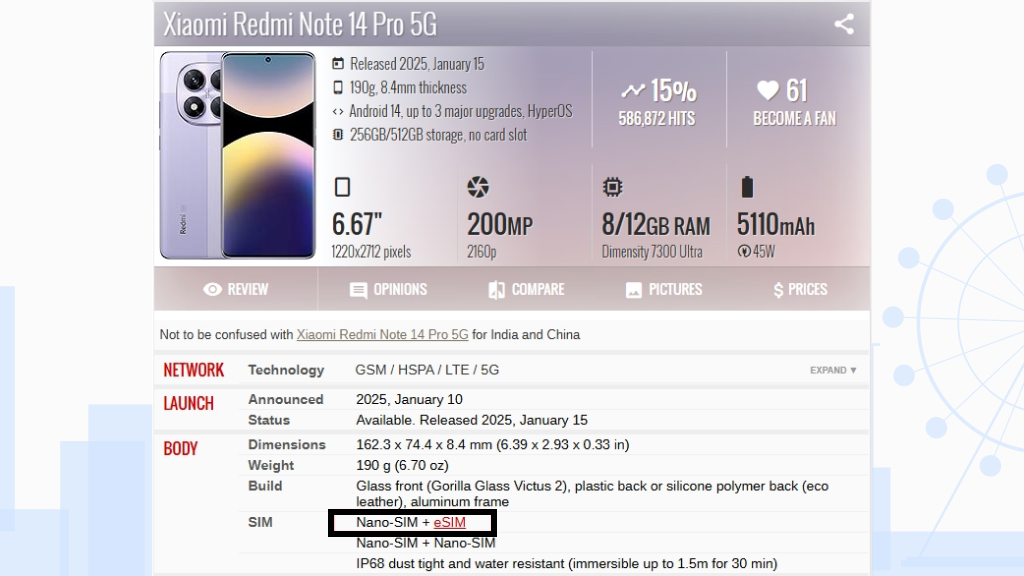
Visit the ohayu.com website
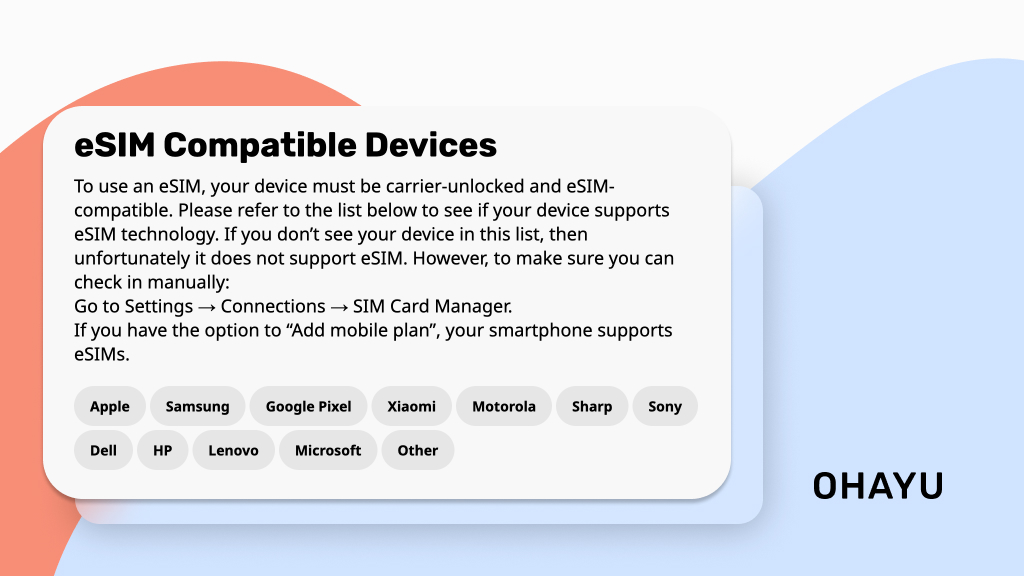
Ohayu keeps an updated list of eSIM-compatible devices – try searching for your model. Nevertheless, remember to always double-check with the official manufacturer’s website just to be extra sure.
Carrier compatibility is also crucial
There’s one more really important piece to the puzzle: your mobile operator.
Even if you have a fancy car (your eSIM-ready device), you still need a gas station (your carrier) that sells the right kind of fuel (data service). Just because your smartphone supports this feature, it doesn’t automatically mean that your current provider (Vodafone, T-Mobile, Orange, etc.) offers e-SIM plans or will let you activate it on their network.
So, even if your device is the newest, most compatible gadget out there, you still need your operator to support this tech on their end.
The best thing to do is to contact your current cellular provider. Just give them a call, visit their website, or pop into a store and ask them directly if they are eSIM-enabled.
Availability varies by location
Keep in mind that this technology is still rolling out in different parts of the world. Carrier support for eSIMs is not the same everywhere. What’s available in one country might be different in another. Some providers are all-in on embedded subscriber identity modules, while others are just starting to offer them or do not offer them at all yet.
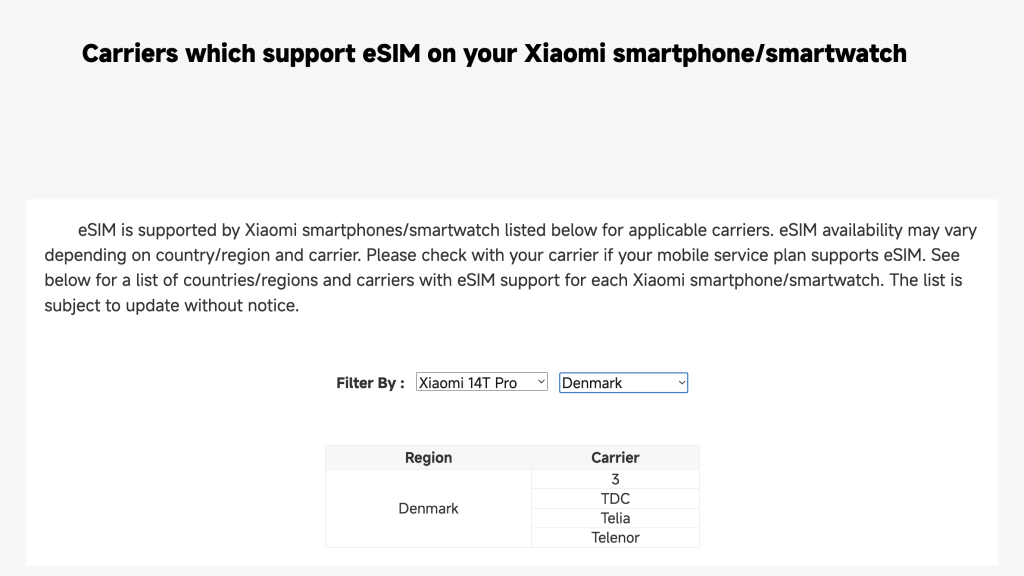
Especially if you’re traveling or considering switching to a carrier in a different region, it’s extra important to confirm their coverage in that specific location. For example, Xiaomi allows users to check the compatibility by operator and region on its official webpage.
Or, visit the Ohayu Global Plans page and country page to see if the operators in the countries you plan to visit support eSIM. Country plans work in one destination, while Global eSIM allows you to use a single plan across 120+ destinations without purchasing separate eSIMs.
Is my phone eSIM compatible? Troubleshooting compatibility issues
| Issue | Description | Troubleshooting steps |
| Not compatible | Older smartphones or some budget models do not have the embedded SIM technology. | Confirm the device features or browse the manufacturer’s website. If confirmed incompatible, use a physical card or consider upgrading to a compatible device. |
| Carrier-dependent service limitations | Even if your phone is compatible, your carrier might not offer appropriate plans. | Contact your operator to inquire about eSIM plan availability and compatibility. If your provider isn’t eSIM-ready, consider switching. |
| Software issues/glitches | Temporary software problems sometimes interfere with e-SIM activation or functionality. | Restart your device: Power off, wait a few seconds, and power back on. Check for software updates: Ensure your operating system (OS) is up-to-date. Re-check activation steps: Carefully follow your operator’s instructions again to ensure no steps are missed. |
If you’re still having problems after trying these troubleshooting steps, reach out to your carrier’s customer support.
Summarizing: is my phone eSIM compatible?
This technology is becoming a bigger deal in the digital world. As more and more gadgets jump on board, embedded SIMs are likely to become even more common.
So, make sure you have both pieces – an eSIM-capable gadget and an eSIM-supporting mobile operator. Taking a few minutes to check these things beforehand can save you from frustration later.
Go to your phone’s settings or visit the official website of your smartphone maker and carefully examine the mobile network specifications.
Not necessarily. You need to check with your cellular provider to confirm if they offer an e-SIM service.
You would need to consider getting a newer, supported model.