
Can I use hotspot on an Unlimited plan?
Table of content:
Yes. Hotspot works on Ohayu Unlimited plans. You can share your data with a laptop, tablet, or another phone.
Hotspot uses the same allowance as your phone. Shared data counts toward the 3 GB daily full-speed allowance.
How to turn on hotspot
On iPhone:
- Open Settings.
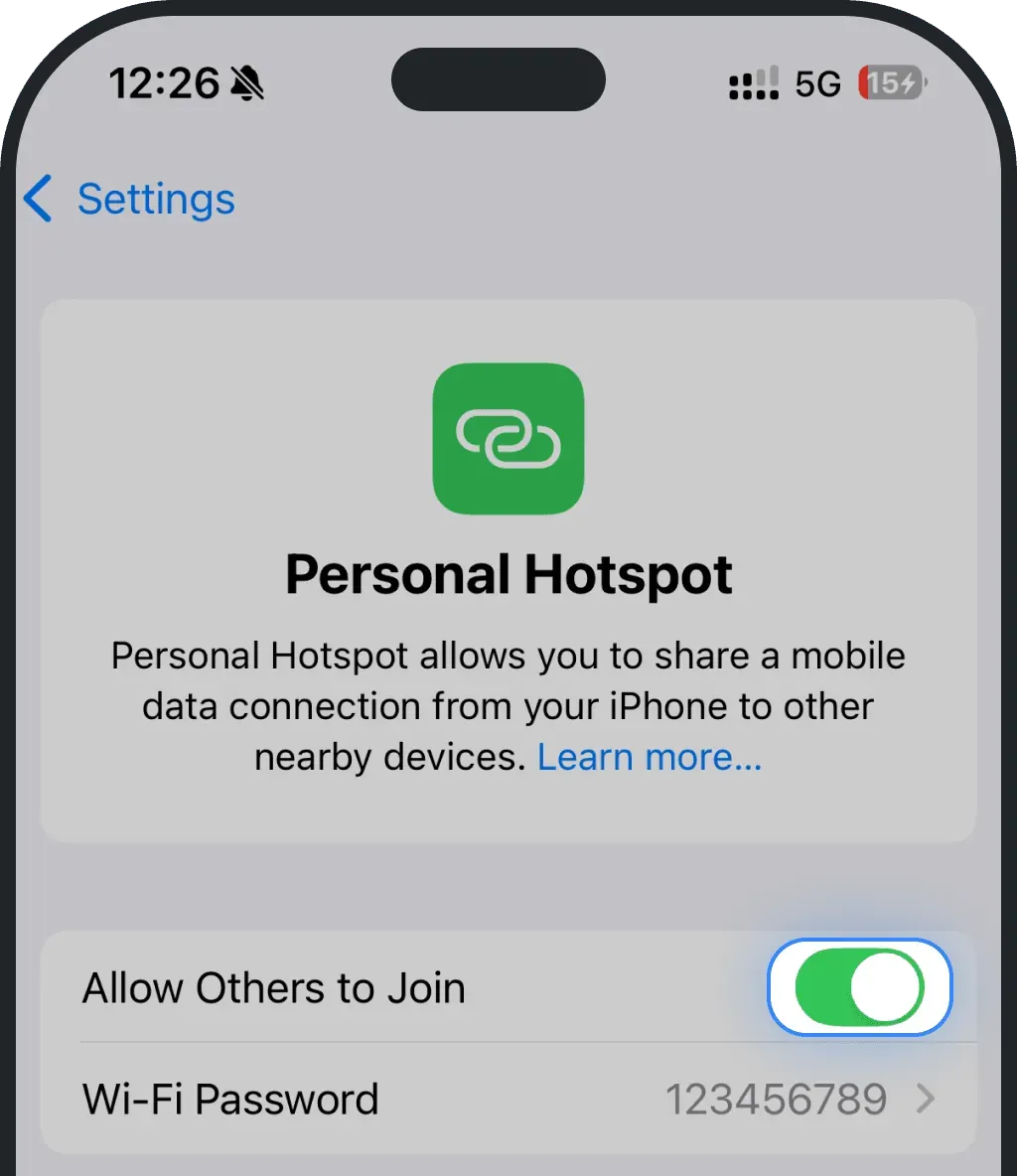
- Tap Personal Hotspot.
- Turn on Allow Others to Join.
On Android:
- Open Settings.
- Tap Network and internet, then Hotspot and tethering.
- Turn on Wi-Fi hotspot.
If your phone has more than one active SIM or eSIM, set Ohayu as the line for mobile data before you turn on hotspot.
Sharing data with bigger devices
Laptops and TVs use data faster than phones, so they can move through your daily 3 GB more quickly. You stay connected the whole time. Once you reach the daily allowance, hotspot keeps working at a slower speed, and full speed returns the next day. For how that speed works, see how the daily data limit works.
Tips to get more from your full-speed data
- Turn off system updates on connected laptops.
- Pause cloud backups while using hotspot.
- Use standard-definition video instead of HD.
- Disconnect devices when you are done.
Was this article helpful?
Your feedback helps us improve our FAQ