


Product info
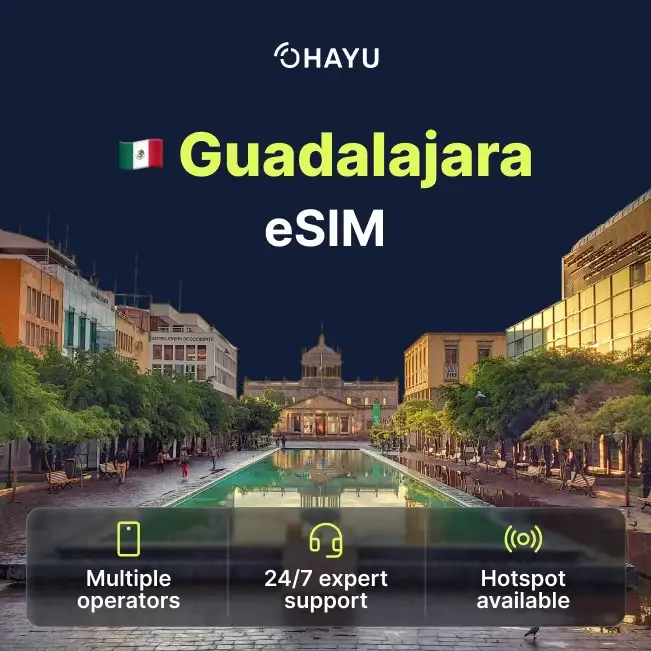
Guadalajara eSIM plans
| 3GB prepaid eSIM · 14 days | $10.49$3.50 / GB | Buy eSIM |
| Ohayu recommends5GB prepaid eSIM · 30 days | $15.49$3.10 / GB | Buy eSIM |
| 10GB prepaid eSIM · 30 days | $27.49$2.75 / GB | Buy eSIM |
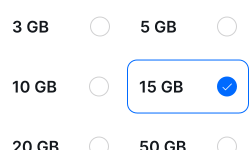
| 15GB prepaid eSIM · 60 days | $34.49$2.30 / GB | Buy eSIM |
| 20GB prepaid eSIM · 90 days | $41.49$2.07 / GB | Buy eSIM |
| 50GB prepaid eSIM · 90 days | $88.99$1.78 / GB | Buy eSIM |
You can install your eSIM before the trip and activate it when you arrive in Mexico. Validity starts after eSIM activation.
Plan details


How much mobile data you need
What's the best eSIM for Guadalajara?
A few days – 3 GB
Maps, mariachi, ride-hailing.
Jalisco for a week – 10 GB
Tequila, Chapala, the coast.
Across Mexico – 20 GB
Guadalajara plus the capital or coast.
Working here – 50 GB
Mexico's tech hub - tethering all day.
Coverage and network
Coverage across Jalisco
Mexico mobile networks
Guadalajara measures about 50 Mbps, comfortably above both Mexico City and the national average, and it is the country's main technology centre - a lot of software and hardware work happens here, and the network in the business districts reflects that.
Speedtest Global Index · Mobile · Guadalajara · June 2026
Download
50.13 Mbps
Upload
11.58 Mbps
Latency
27 ms
Global rank
#123 of 98
Guadalajara, specifically
- Centro, Chapultepec, Providencia: Solid 4G and 5G. The best coverage in the city and better than the capital's.
- Zapopan and the tech corridor: Well covered - this is where the industry sits, and connectivity is treated as infrastructure rather than an amenity.
- Tlaquepaque and Tonalá: The craft towns are covered, including the pedestrian centres.
- Tequila and the agave fields: The town is covered and the road out from Guadalajara holds up. Out among the fields and on the distillery tours it thins, and the Tequila Express train route has gaps.
- Lake Chapala: The lakeside towns have coverage, helped by a large resident expat community who expect it to work.
All of Mexico
The plan covers the whole country, so Guadalajara, Puerto Vallarta on the coast and anywhere else you travel run on one eSIM.
How to install eSIM
Connected in 3 steps
- 01
Buy before you fly
Choose your data plan before your trip.
- 02
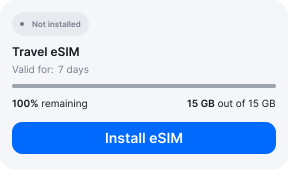
Download & install
Log in to your account, tap your eSIM, and follow the on-screen instructions.
- 03
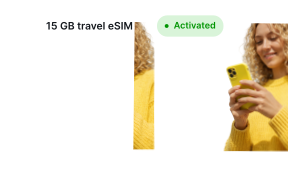
Land & activate
Activate when you arrive in Mexico. Turn on roaming for the eSIM and it connects to a local network.
Before you buy, make sure your phone supports eSIM — see Ohayu compatible devices list or dial *#06#. It's a free request to your phone's settings. If you see the EID number — your phone is eSIM-compatible.
Arriving in Guadalajara
Airport Wi-Fi at GDL
Miguel Hidalgo has free terminal Wi-Fi. It sits about 20 km south of the city and the ride in is the usual place you want a working map and a ride-hailing app.
Side by side
Guadalajara eSIM Comparison
Indicative comparison based on publicly listed Mexico plans as of August 2026. Competitor pricing and policies change - check their sites for current terms.
Frequently asked questions
Where to buy a SIM card in Guadalajara?
Telcel shops throughout the city and in the malls, with OXXO for top-ups. Note the registration rules below before you plan on it.
What does Mexican SIM registration involve now?
Any line contracted in Mexico has to be tied to an identity record under the framework that took effect in January 2026, which links to the biometric CURP system. That is not something a short-term visitor can realistically complete. A foreign-issued roaming plan is a different product - it is a roaming service, not a Mexican line, so it is not in scope.
Is Guadalajara better connected than Mexico City?
On the numbers, yes - around 50 Mbps against the capital's 36. It is also Mexico's technology centre, so the business districts and Zapopan are the strongest part of the network. If you are working remotely in Mexico, this is a better bet than the capital.
eSIM not working in Guadalajara?
Out in the agave fields around Tequila, gaps are normal. In the city, confirm the phone is drawing data from the Ohayu line with roaming enabled, then flip Airplane mode once. Chat and support@ohayu.com are open 24/7.