



Product info
New York eSIM plans
| Unlimited data · 5 days | $17.99 | Buy eSIM |
| Ohayu recommendsUnlimited data · 10 days | $33.99 | Buy eSIM |
| Unlimited data · 15 days | $39.99 | Buy eSIM |
| 3GB prepaid eSIM · 14 days | $8.49$2.83 / GB | Buy eSIM |
| 5GB prepaid eSIM · 30 days | $13.49$2.70 / GB | Buy eSIM |
| 10GB prepaid eSIM · 30 days | $21.49$2.15 / GB | Buy eSIM |
| 15GB prepaid eSIM · 60 days | $27.79$1.85 / GB | Buy eSIM |
| 20GB prepaid eSIM · 90 days | $34.49$1.72 / GB | Buy eSIM |
| 50GB prepaid eSIM · 90 days | $73.49$1.47 / GB | Buy eSIM |
You can install your eSIM before the trip and activate it when you arrive in United States. Validity starts after eSIM activation.
Plan details


How much mobile data you need
What's the best eSIM for New York?
NYC weekend – 3 GB
Enough to use Maps, Uber, and post to Instagram over 2-3 days.
A week away – 10 GB
Maps, social media, occasional video calls. Hotel Wi-Fi covers the rest.
Multi-city US tour – 20 GB
NYC, Vegas, LA on one eSIM. Covers all 50 states with no swaps.
Remote work – Unlimited
Hotspot for your laptop, video calls on Zoom, tethering across Manhattan all day.
Coverage and network
Honest about coverage
United States mobile networks
The US ranks 10th globally for mobile download speed at 197 Mbps, ahead of Canada (98 Mbps, rank 47) and the UK (76 Mbps, rank 59). New York City is 234 Mbps download - enough for multiple video calls or heavy hotspot use at once. (Speedtest by Ookla, June 2026)
Speedtest Global Index · Mobile · New York · June 2026
Download
234.3 Mbps
Upload
22.39 Mbps
Latency
21 ms
Global rank
#27 of 98
Real NYC conditions
- Above ground: You may have 5G in Midtown, Lower Manhattan, Brooklyn, Queens, and around major transit hubs.
- Subway: stations have cellular & free Wi-Fi (TransitWirelessWiFi), but service drops in the tunnels between them - normal for every carrier.
- Midtown at peak: In dense areas like Midtown, network congestion can slow speeds during peak hours - the same applies to local SIMs.
One eSIM, the whole country
There's no such thing as a "New York-only" eSIM - your plan works across the entire USA. Fly into NYC, then keep the same eSIM for the rest of your trip.
How to install eSIM
Connected in 3 steps
- 01
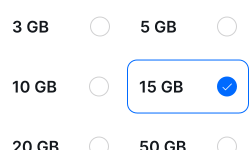
Buy before you fly
Choose your data plan before your trip.
- 02
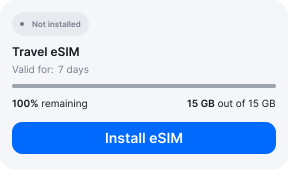
Download & install
Log in to your account, tap your eSIM, and follow the on-screen instructions.
- 03
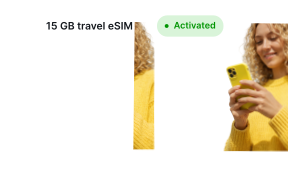
Land & activate
Activate when you arrive in United States. Turn on roaming for the eSIM and it connects to a local network.
Before you buy, make sure your phone supports eSIM — see Ohayu compatible devices list or dial *#06#. It's a free request to your phone's settings. If you see the EID number — your phone is eSIM-compatible.
Arriving in NYC
Free Wi-Fi in New York
Arrived without it set up? All three NYC airports have free Wi-Fi - connect and set it up before you leave the terminal.
Side by side
New York eSIM Comparison
Indicative comparison based on publicly listed USA plans as of May 6th, 2026. Competitor pricing and policies change - check their sites for current terms.
Frequently asked questions
Where to buy a SIM card in New York?
At JFK, AT&T has a store in Terminal 4 and Sims on the Go kiosks are in T4 and T8. At Newark, Sims on the Go is in the Terminal B arrivals hall. LaGuardia has no SIM retail in the arrivals area at all - only airside InMotion stores you can only reach when departing. Airport prices are 2 to 3x what you'd pay online, around $40-60 for 10 GB. Installing an Ohayu eSIM before your flight avoids the queue and the markup. After landing it can work on supported networks like AT&T, T-Mobile or Verizon.
Do I need ID to buy a prepaid SIM in the US?
No federal law requires it. Airport and Manhattan kiosks charge two to three times the online price for 10 GB, which is the better reason to sort data out before you fly. An eSIM needs no verification.
Why isn't my eSIM working in New York?
Deep subway stretches between stations drop out, and the older tunnels are the worst for it. If it is not that, make Ohayu the line your phone uses for mobile data, allow roaming for it, then flip Airplane mode once. If it still will not connect, chat and support@ohayu.com are open 24/7.