


Product info
Surabaya eSIM plans
| Unlimited data · 5 days | $17.99 | Buy eSIM |
| Ohayu recommendsUnlimited data · 10 days | $33.99 | Buy eSIM |
| Unlimited data · 15 days | $36.99 | Buy eSIM |
| Unlimited data · 30 days | $54.99 | Buy eSIM |
| 3GB prepaid eSIM · 14 days | $8.49$2.83 / GB | Buy eSIM |
| 5GB prepaid eSIM · 30 days | $13.49$2.70 / GB | Buy eSIM |
| 10GB prepaid eSIM · 30 days | $19.99$2.00 / GB | Buy eSIM |
| 15GB prepaid eSIM · 60 days | $26.99$1.80 / GB | Buy eSIM |
| 20GB prepaid eSIM · 30 days | $33.49$1.67 / GB | Buy eSIM |
| 50GB prepaid eSIM · 30 days | $72.99$1.46 / GB | Buy eSIM |
You can install your eSIM before the trip and activate it when you arrive in Indonesia. Validity starts after eSIM activation.
Plan details


How much mobile data you need
What's the best eSIM for Surabaya?
A few days – 3 GB
Maps, ride-hailing, food.
East Java for a week – 10 GB
Bromo, Malang, Madura.
Java to Bali overland – 20 GB
Trains and ferries on one plan.
Working or on business – Unlimited
Tethering across a long stay.
Coverage and network
Coverage across East Java
Indonesia mobile networks
Surabaya is Indonesia's second city and a working port rather than a tourist one, which shows in the network: solid, business-grade coverage across the centre and the industrial belt, without the 5G density Jakarta has. East Java beyond it is a mix.
Speedtest Global Index · Mobile · Indonesia · June 2026
Download
62.98 Mbps
Upload
19.13 Mbps
Latency
20 ms
Global rank
#72 of 98
Surabaya, specifically
- Tunjungan, Gubeng, Darmo: Reliable 4G with 5G in parts. The malls and business districts are well covered.
- The port and Kalimas: Tanjung Perak and the old port area are covered. Worth knowing if you are catching a Pelni ferry, where departure information is unreliable and being online helps.
- The Suramadu bridge to Madura: Holds signal across the whole 5.4 km span. Madura itself is covered in Bangkalan and the main towns and gets patchy in the island's interior and out towards Sumenep.
- Mount Bromo, three hours southeast: Cemoro Lawang village at the crater rim has service. Down on the sand sea and on the pre-dawn jeep run there are gaps, and the viewpoints vary. Download the route the night before.
- Heat and afternoon storms: Surabaya is one of the hotter Indonesian cities and the wet-season storms are heavy. Phones throttle in the heat before the network does.
All of Indonesia
The plan covers the whole country, so Surabaya, Bromo, Bali and anywhere further east run on the same eSIM.
How to install eSIM
Connected in 3 steps
- 01
Buy before you fly
Choose your data plan before your trip.
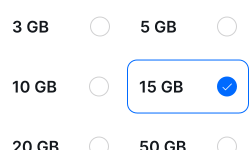
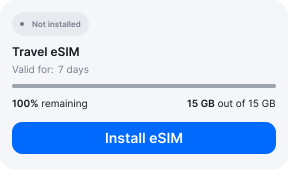
- 02
Download & install
Log in to your account, tap your eSIM, and follow the on-screen instructions.
- 03
Land & activate
Activate when you arrive in Indonesia. Turn on roaming for the eSIM and it connects to a local network.
Before you buy, make sure your phone supports eSIM — see Ohayu compatible devices list or dial *#06#. It's a free request to your phone's settings. If you see the EID number — your phone is eSIM-compatible.
Arriving in Surabaya
Your flight lands in Sidoarjo
Juanda is called Surabaya's airport but sits in Sedati, in neighbouring Sidoarjo regency, about 12 km out. Free Wi-Fi runs in the terminals. The drive into the city is where you will actually want data.
Side by side
Surabaya eSIM Comparison
Indicative comparison based on publicly listed Indonesia plans as of August 2026. Competitor pricing and policies change - check their sites for current terms.
Frequently asked questions
Where to buy a SIM card in Surabaya?
GraPARI and operator outlets in Tunjungan Plaza and Pakuwon, plus counters at Juanda. Buy from an official outlet rather than a stall - a SIM that is not registered properly will stop working, and the airport is in a different regency from the city if you need to go back.
Do I need to register anything to use a phone here?
For a local SIM, two things: your passport at the counter, and your handset on Indonesia's IMEI register - an unregistered phone loses local service within hours. A roaming eSIM sits outside both, because it carries no Indonesian number and Customs counts it as inbound roaming.
Is there signal at Mount Bromo?
In Cemoro Lawang, yes. Out on the sand sea and during the 3am jeep run to the viewpoints it comes and goes, and the crater rim itself is inconsistent. Save your map and your driver's number before you leave Surabaya - the trip starts long before dawn and sorting anything out at that hour is grim.
eSIM not working in Surabaya?
Up at Bromo or inland on Madura, gaps are genuine. In the city, check the phone is drawing data from the Ohayu line with roaming enabled, then cycle Airplane mode. Chat and support@ohayu.com are open 24/7.