Where do I find my QR code for eSIM installation?
You can find your QR code in the Ohayu app.
Open the Ohayu app and sign in.
Go to the "My eSIMs" tab.
Tap "Install" next to your purchased plan.
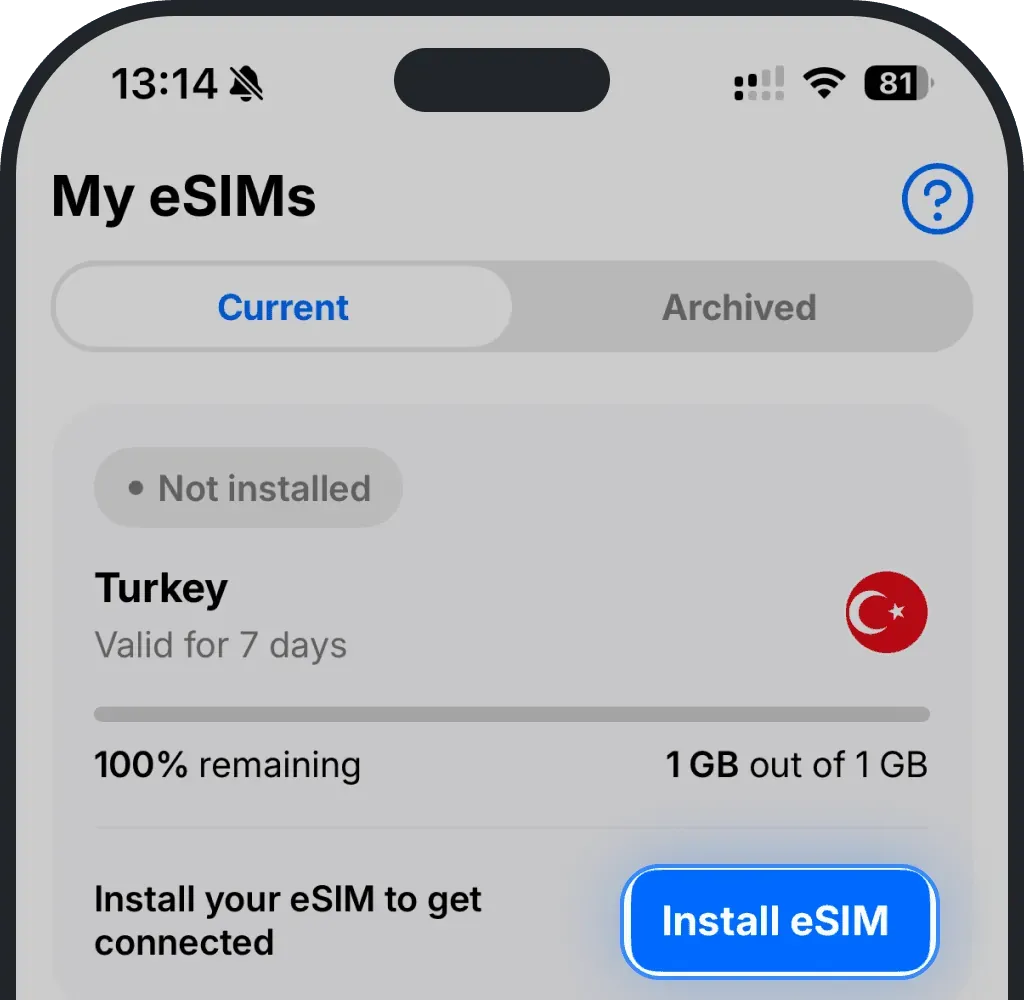
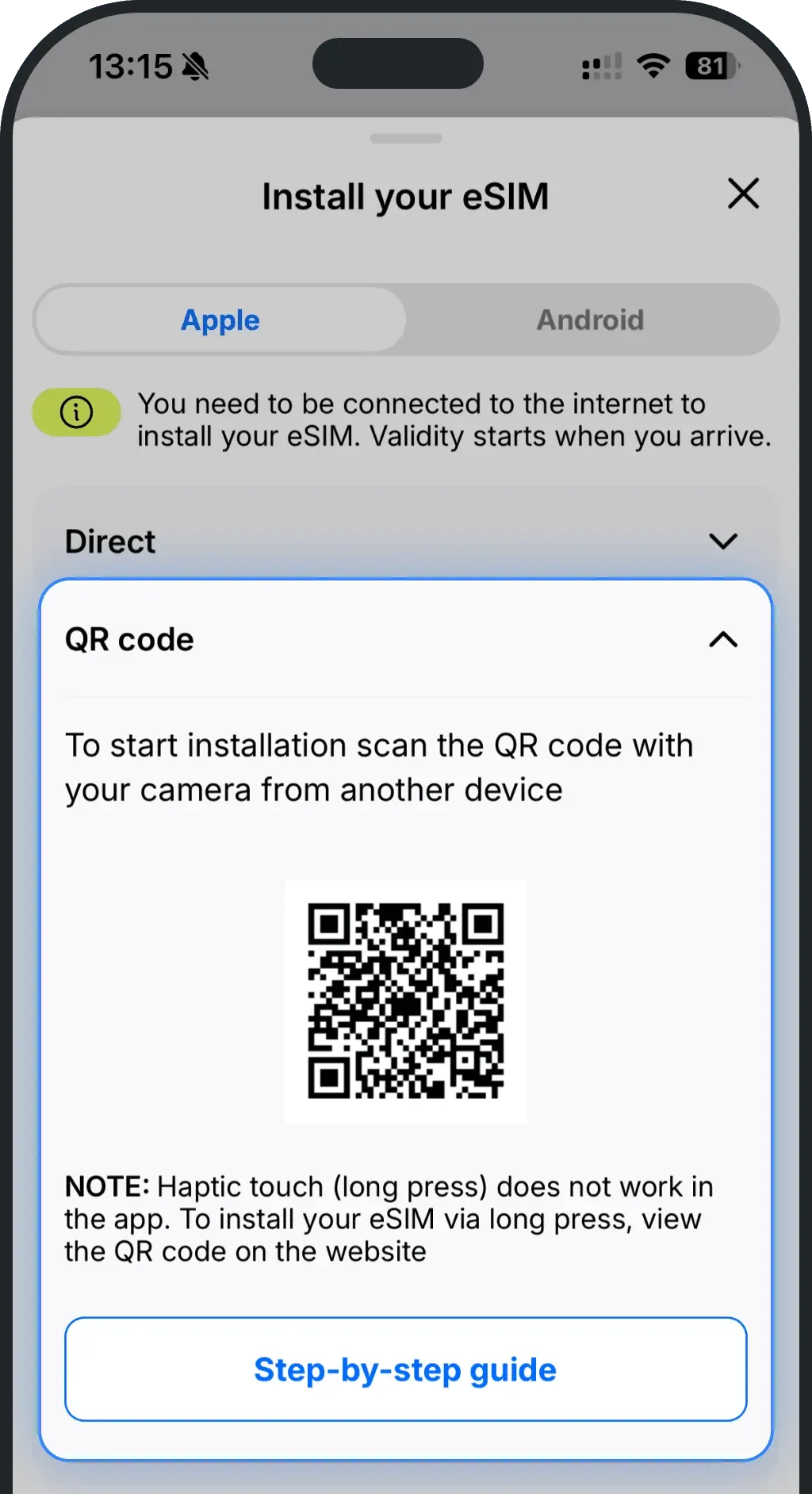
You'll see the Installation Guide with three options:
Direct installation (the fastest method)
QR code
Manual setup
Select QR code if you prefer to install your eSIM by scanning it.
Was this article helpful?
Your feedback helps us improve our FAQ