
Is my device eSIM compatible?
To use an eSIM, your device must meet two conditions:
- It must support eSIM technology.
- It must be unlocked and not tied to any carrier.
If even one of these conditions isn’t met, your eSIM won’t activate. Below you’ll find quick ways to check both.
1. How to check if your device supports eSIM technology
Check our compatibility guide
Visit our Compatibility Guide to see if your phone supports eSIM. This guide provides a comprehensive list of eSIM-supported devices.
Check device compatibility in the Ohayu app
Install the Ohayu app on your iPhone or Android device. In the Ohayu app, tap the gear (Settings) icon in the top-right corner, then under Help & Support choose Device compatibility. You can also tap Check carrier lock status to make sure your phone is carrier-unlocked.
Dial *#06# to verify if eSIM works on your device
You can dial this code for free to check your device’s eSIM compatibility. This is a free request to the system (not a call). If an EID number appears on the screen, your phone supports eSIM.
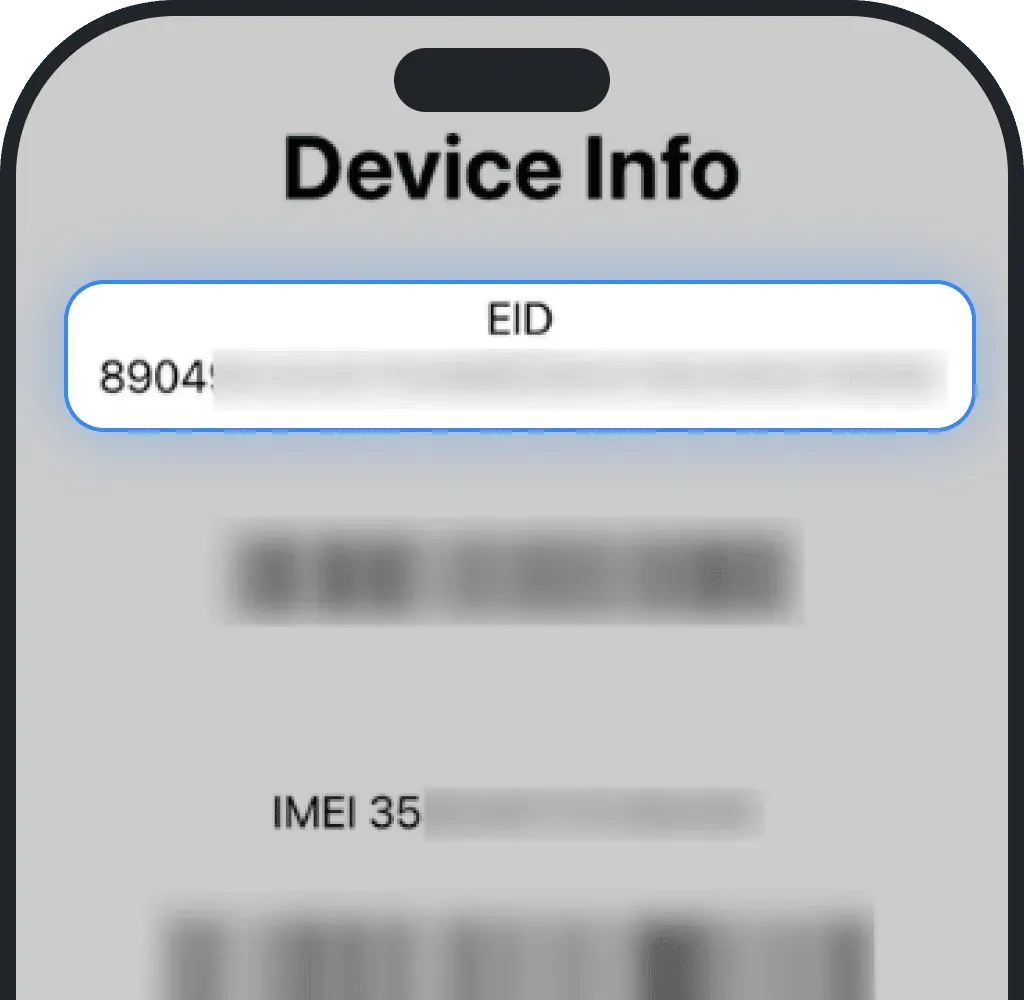
Check compatibility in settings
You can also verify eSIM support directly in your phone’s settings.
eSIM compatibility check on iOS (iPhone)
Go to Settings.
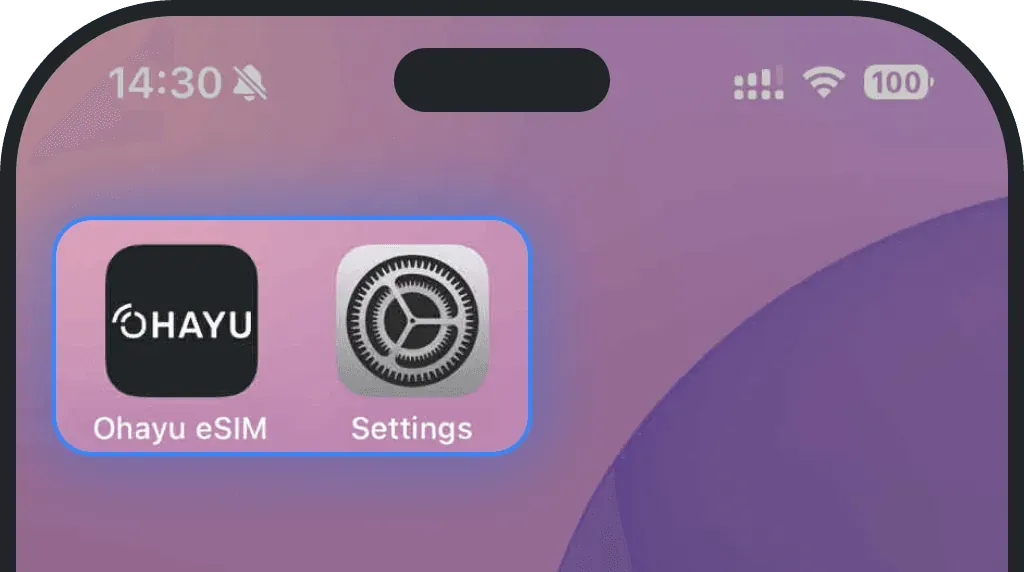
Tap Mobile Service or Cellular.
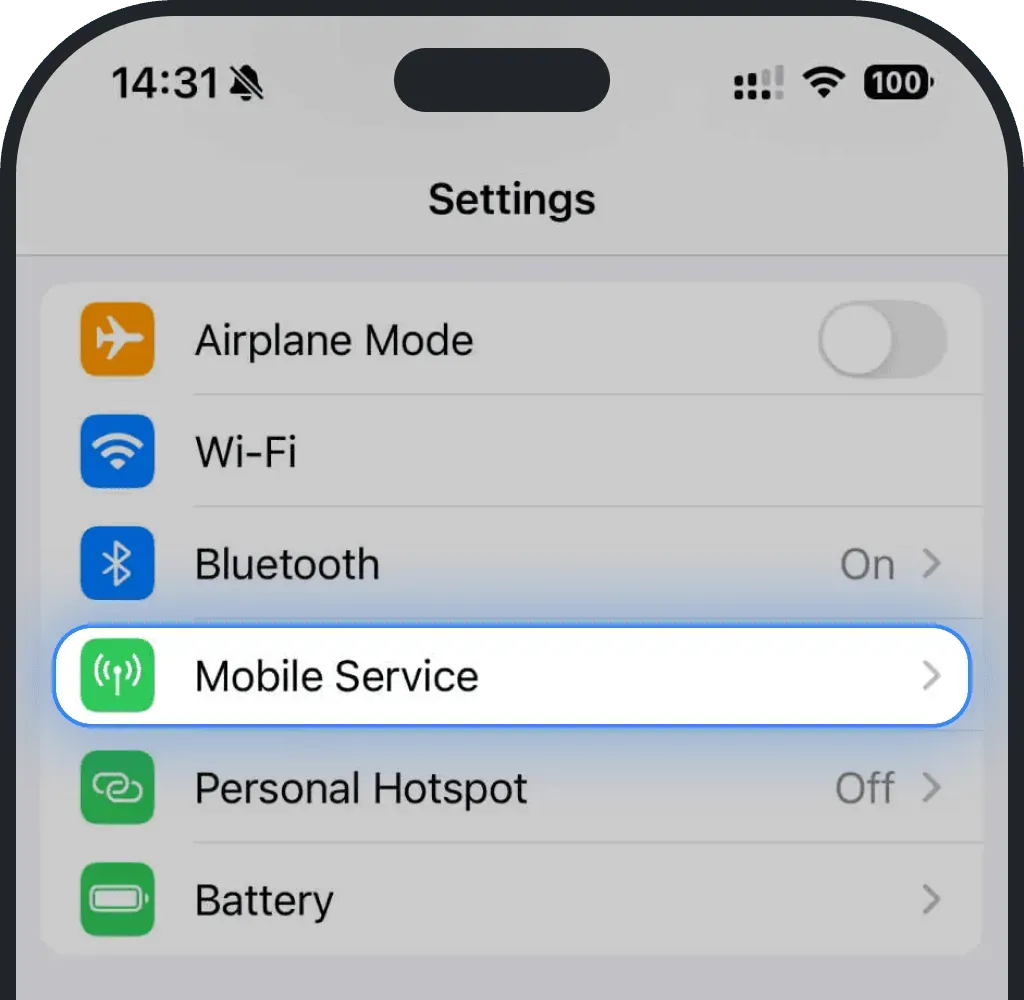
If you see "Add eSIM" button, your device is compatible.
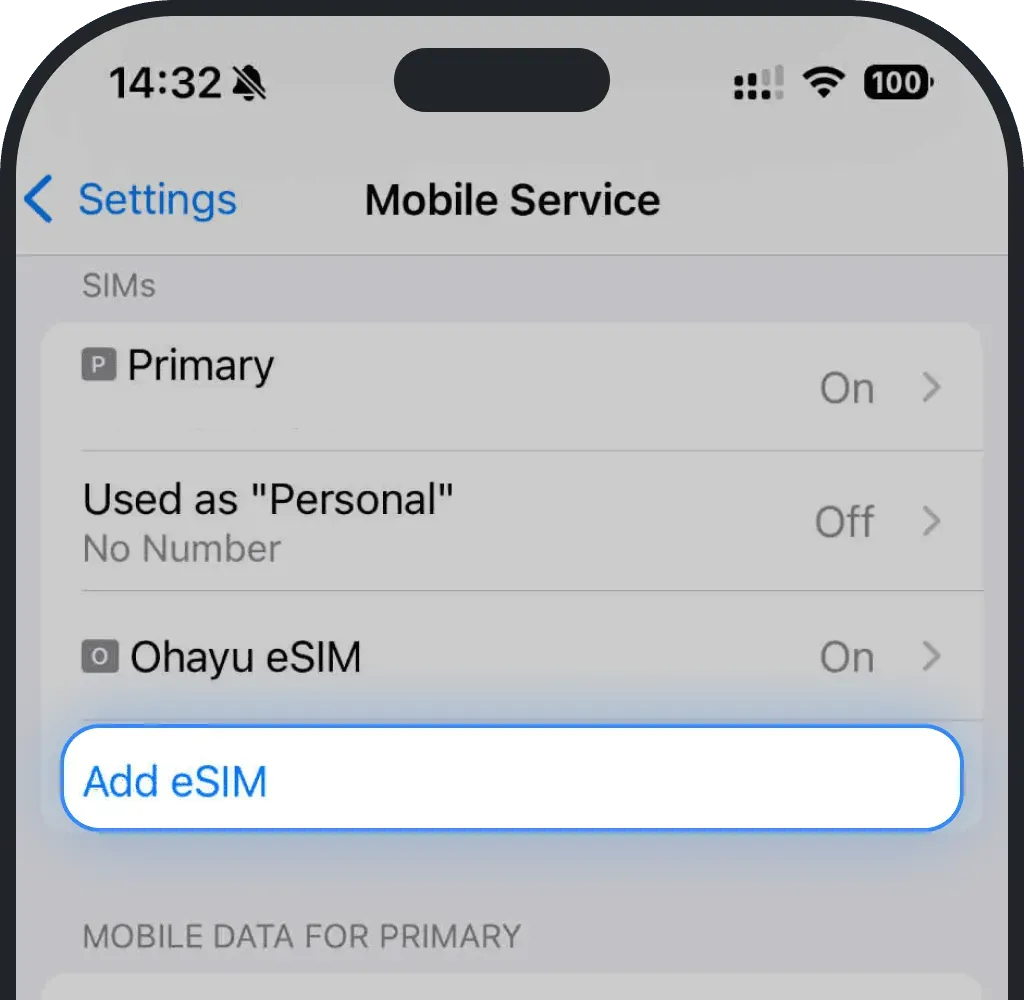
eSIM compatibility check on Android
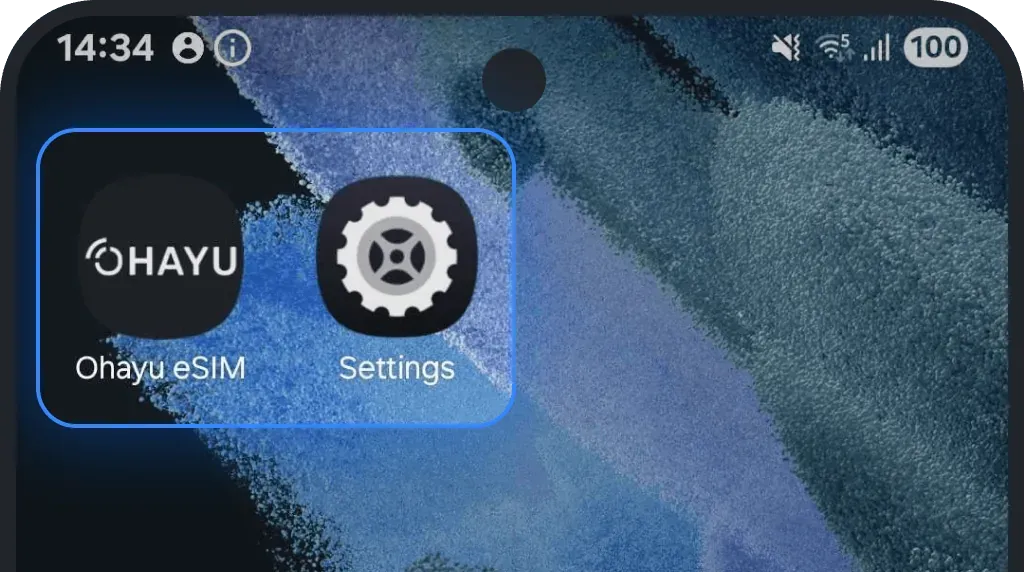
Go to Settings.
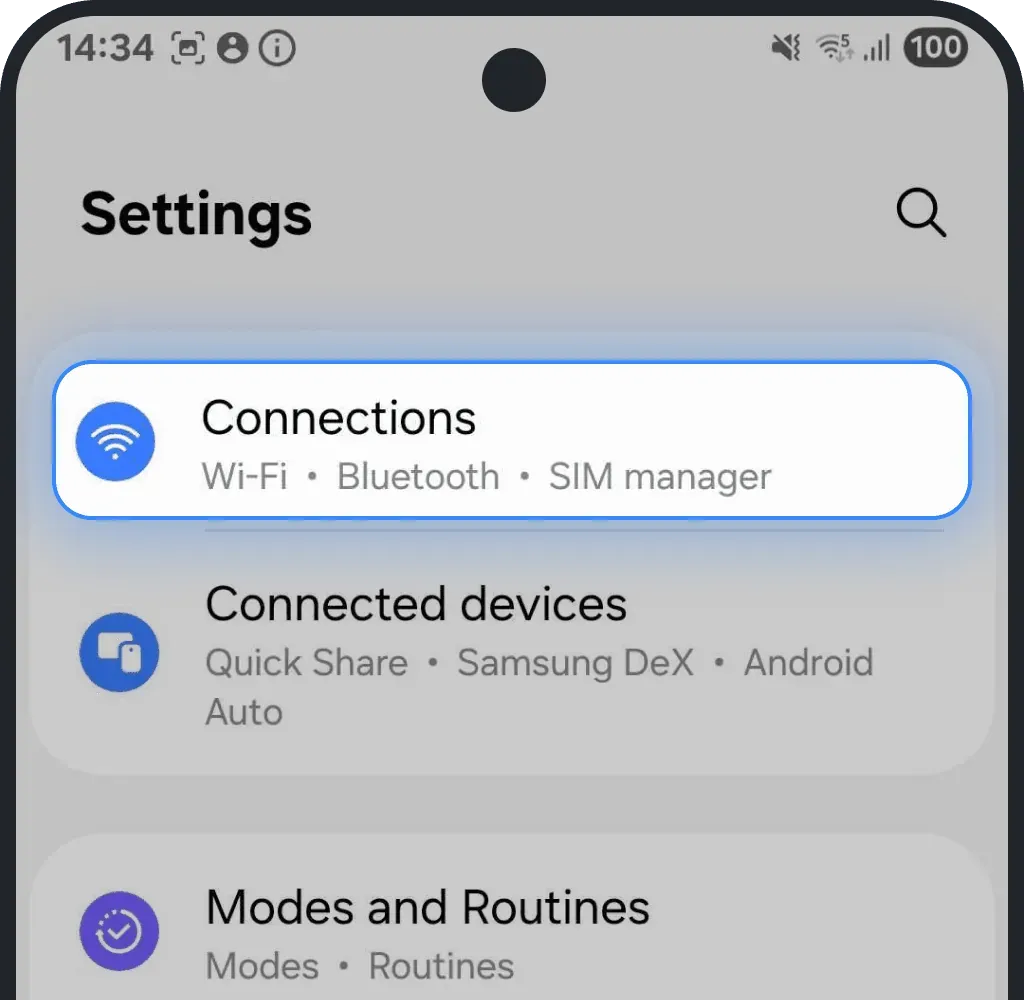
Tap Connections.
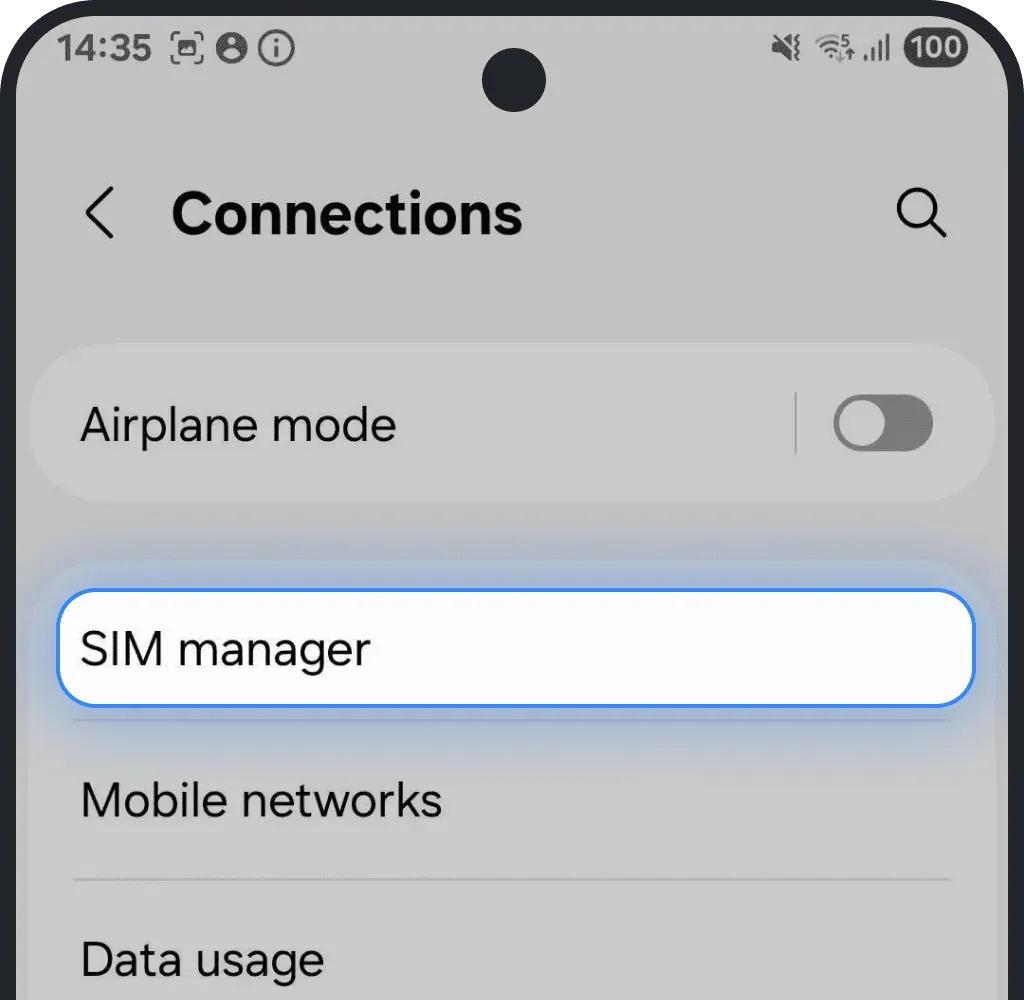
Tap SIM manager.
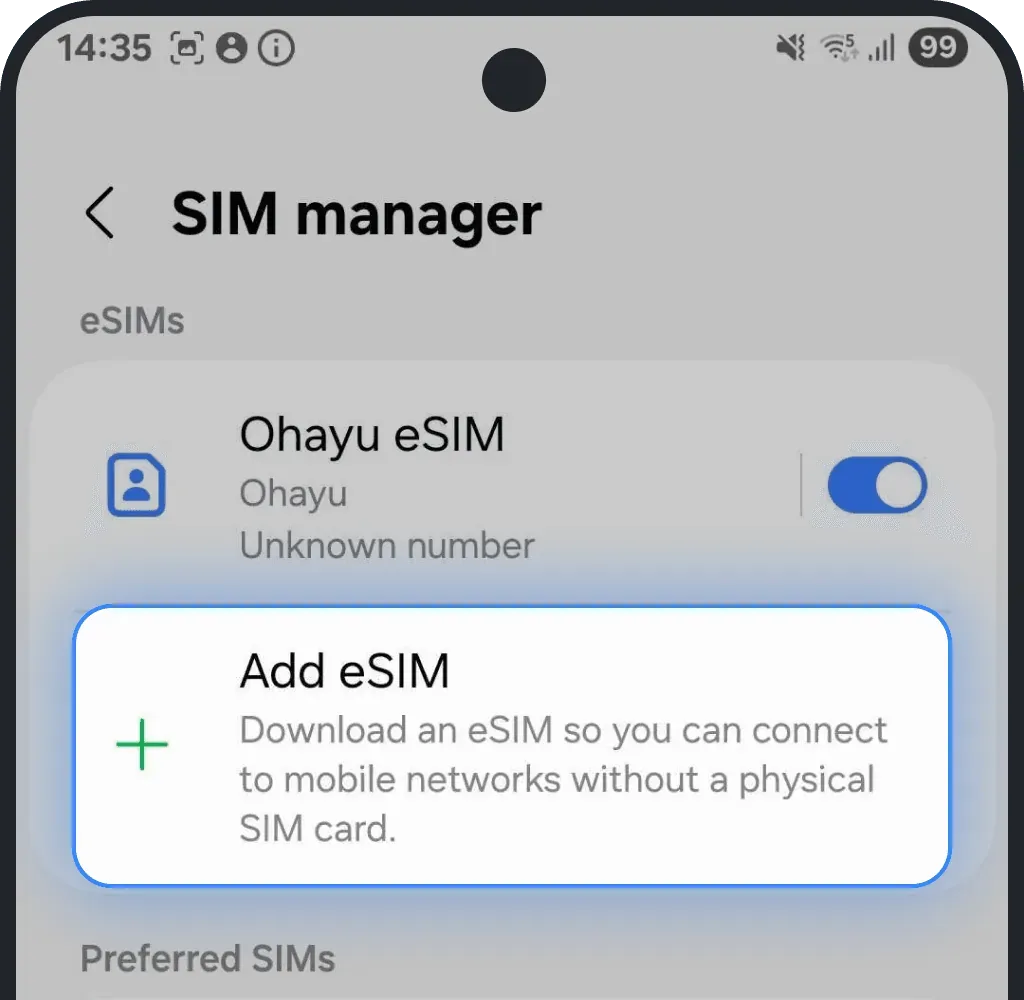
If you see "Add eSIM" option, your device is compatible.
2. How to check if your device is not carrier-locked
If your phone is carrier-locked, it can only use SIMs from one specific mobile provider. This means it won’t accept or activate an Ohayu eSIM until it’s unlocked. You can check the lock status in your settings or by contacting your carrier directly.
Check carrier-lock in settings
Carrier-lock check on iOS (iPhone)
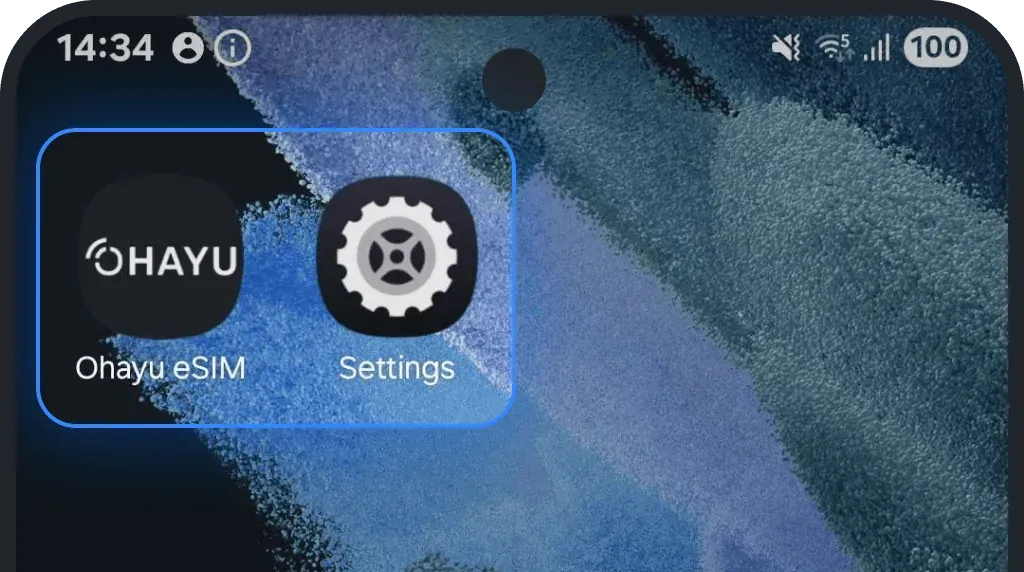
Go to Settings.
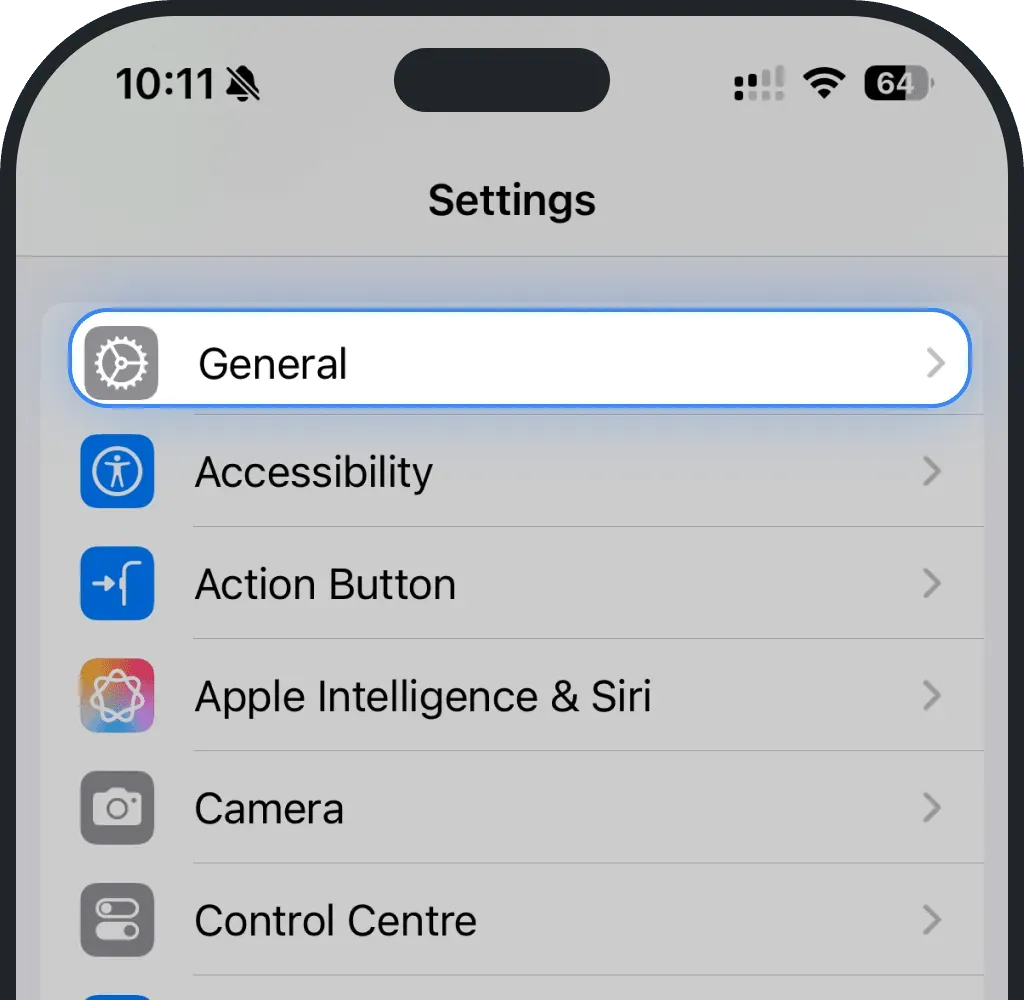
Tap General.
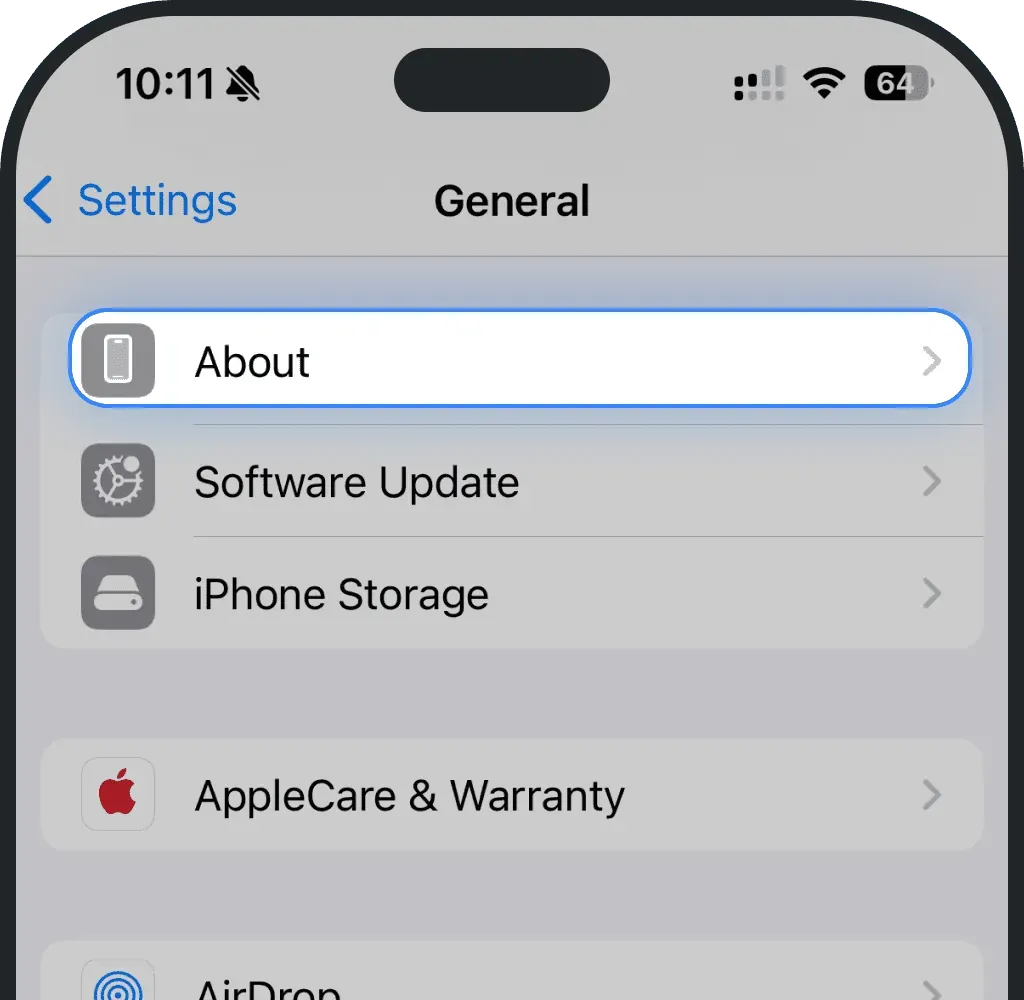
Tap About.
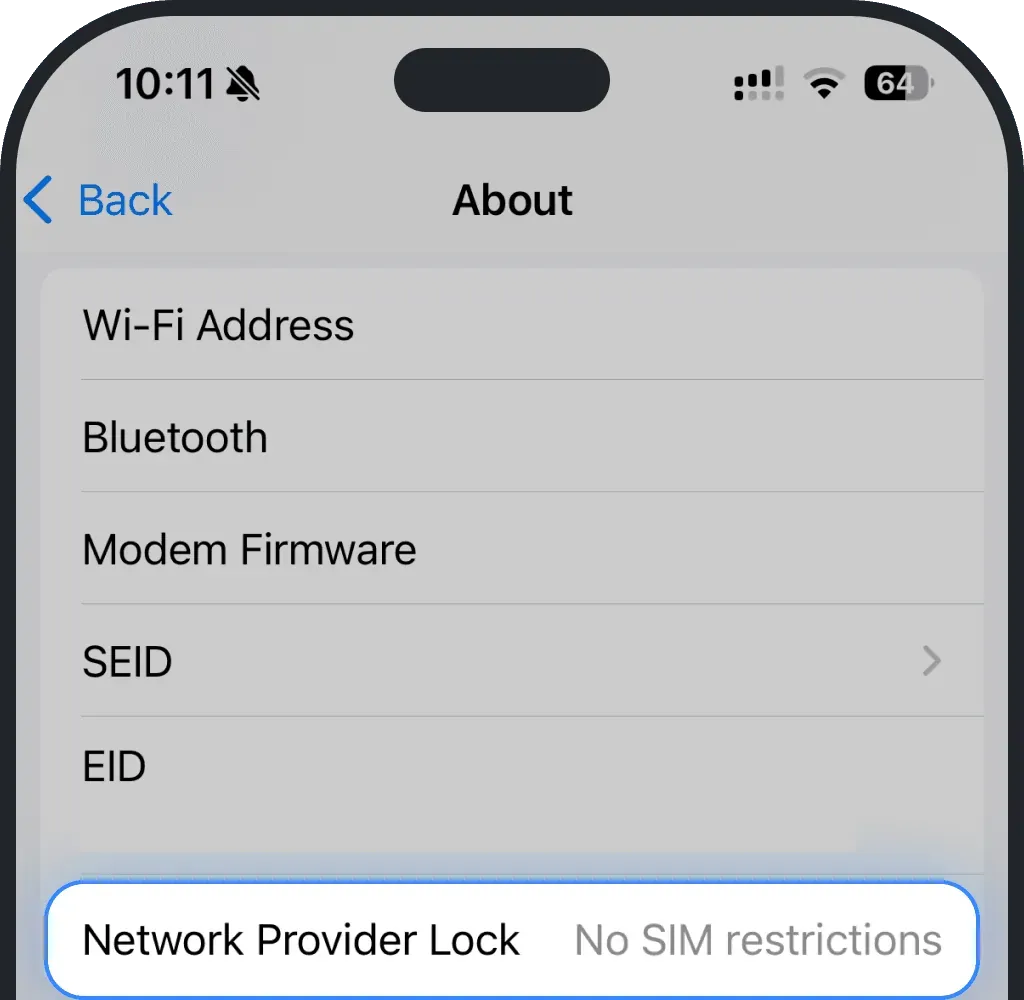
If Network Provider Lock says "No SIM restrictions", your phone is unlocked.
Carrier-lock check on Android
Go to Settings.
Tap Connections.
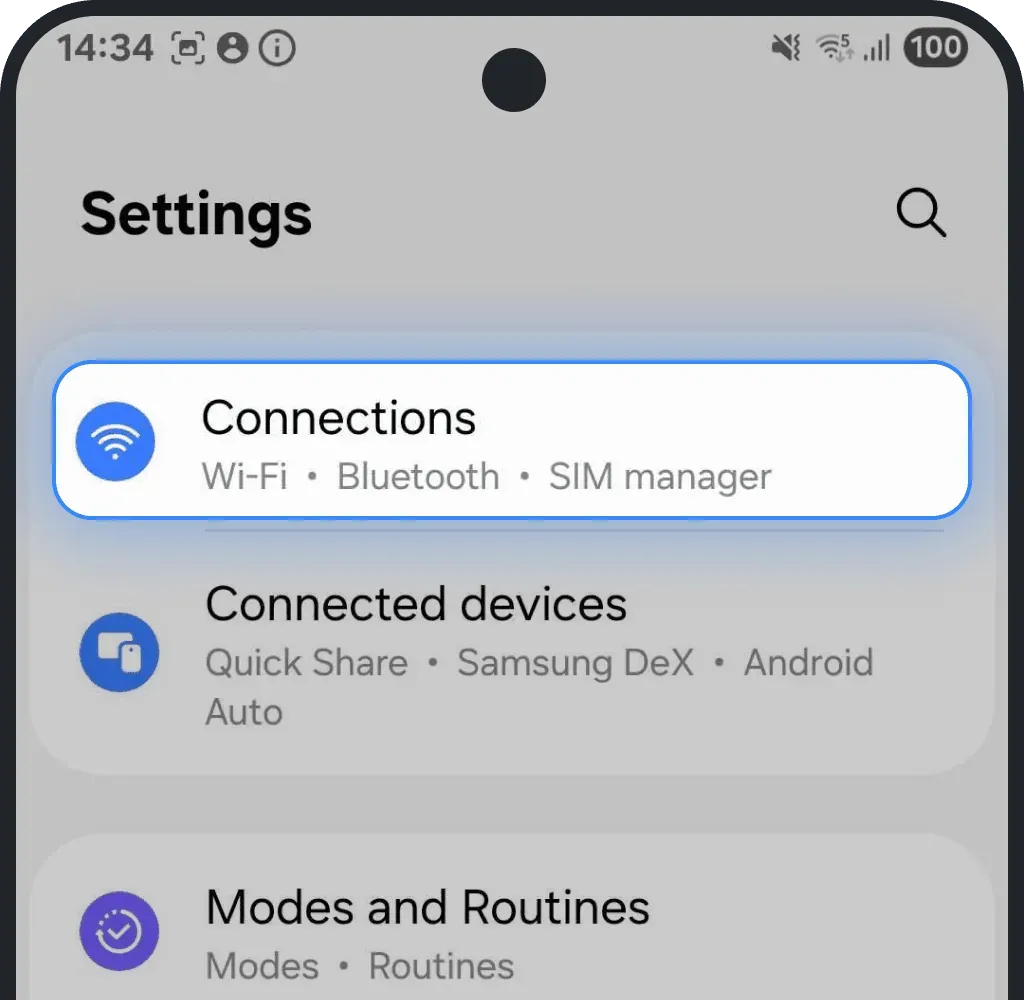
Tap Mobile networks.
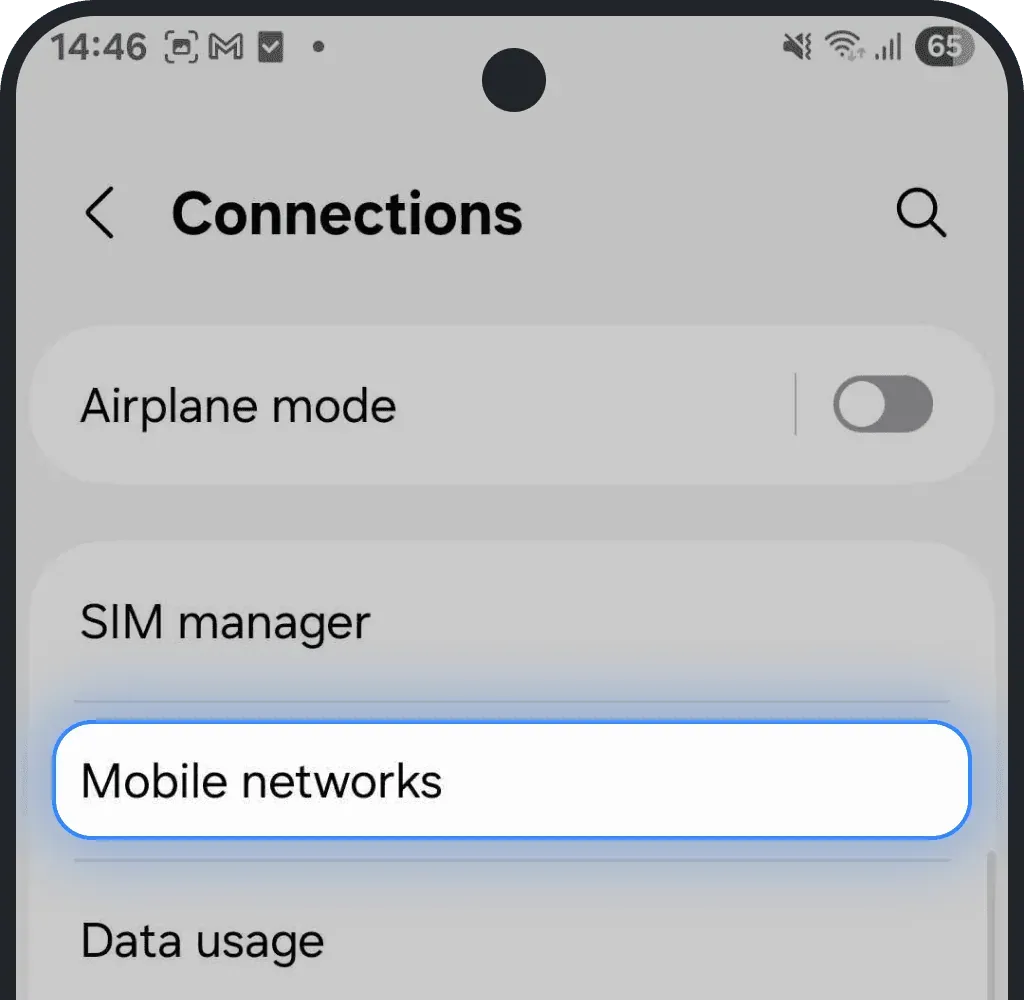
Select Network Operators.
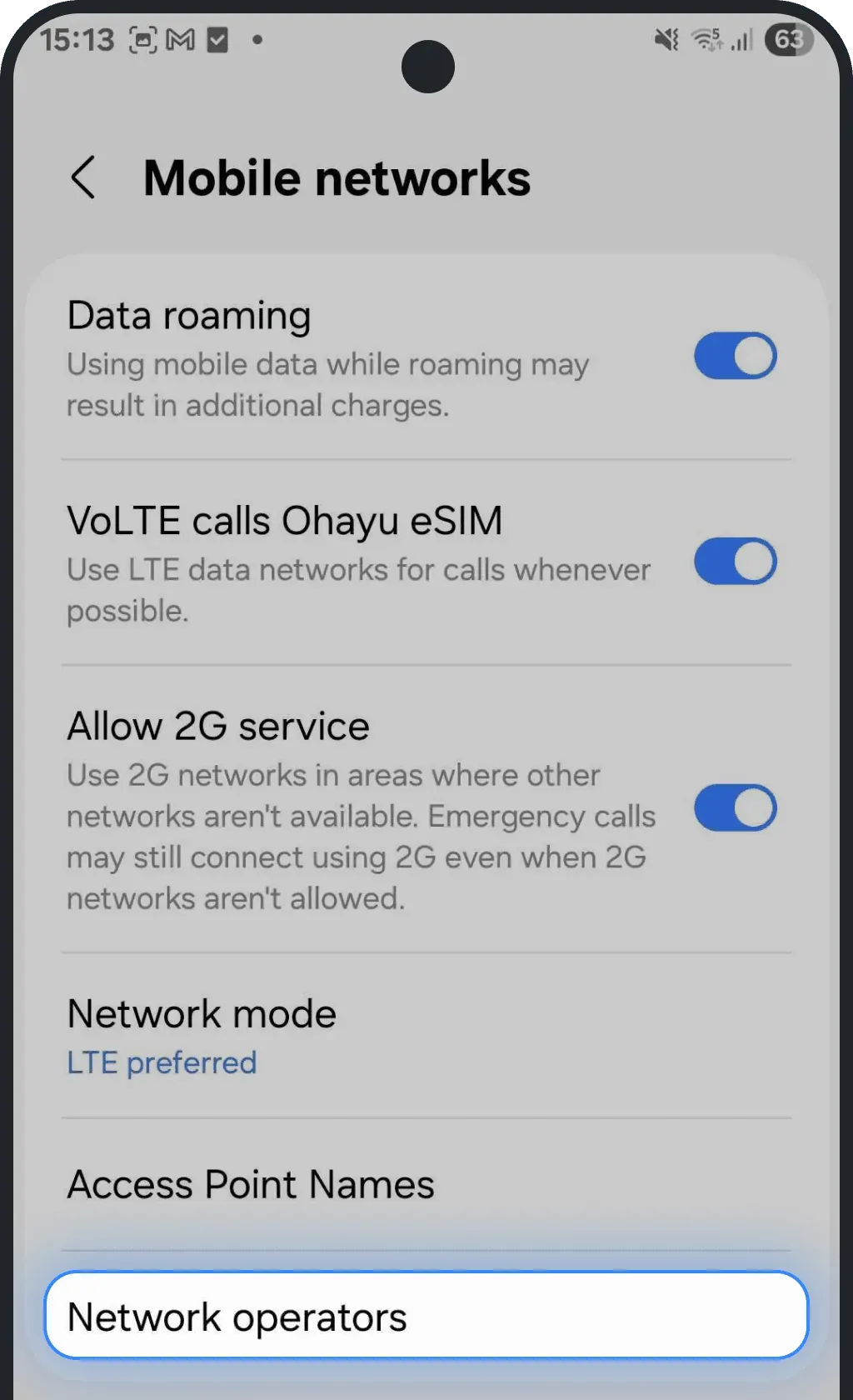
Turn off the automatic selection.
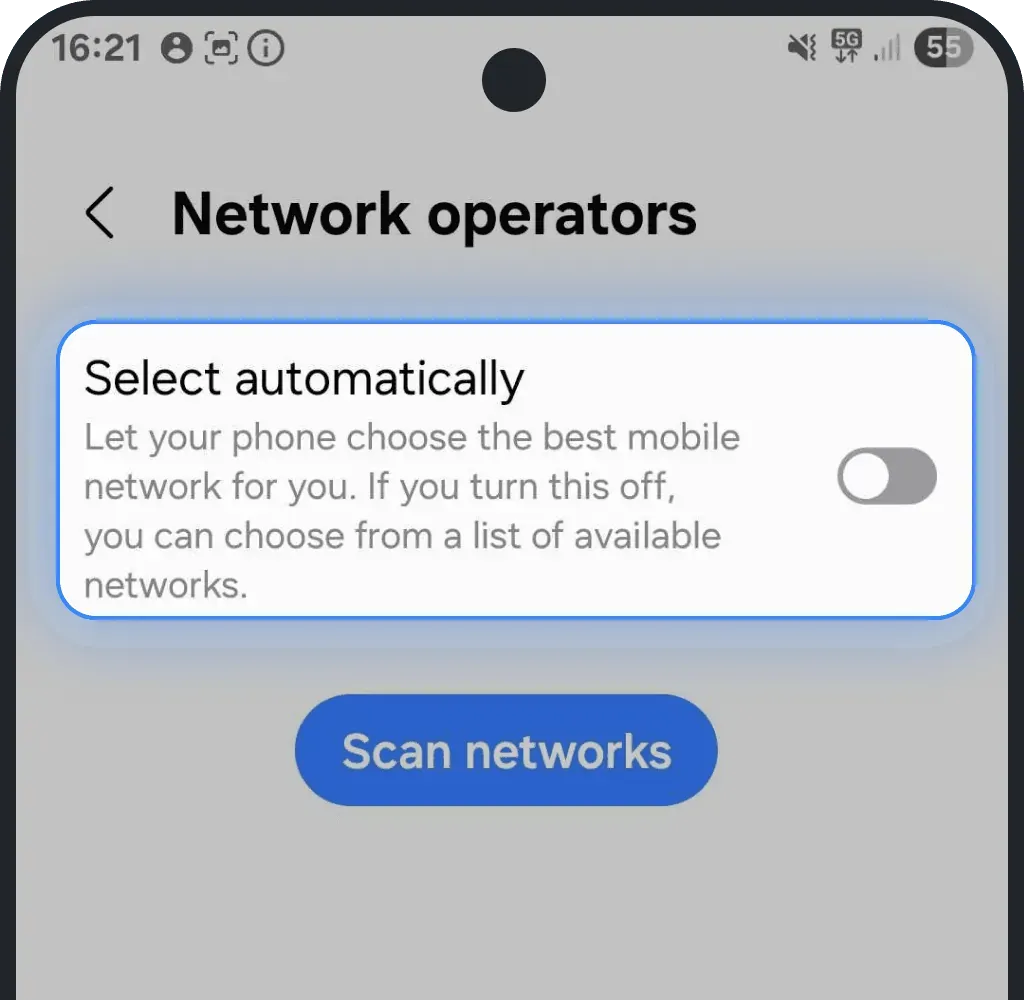
If several networks are shown, the phone is probably unlocked.
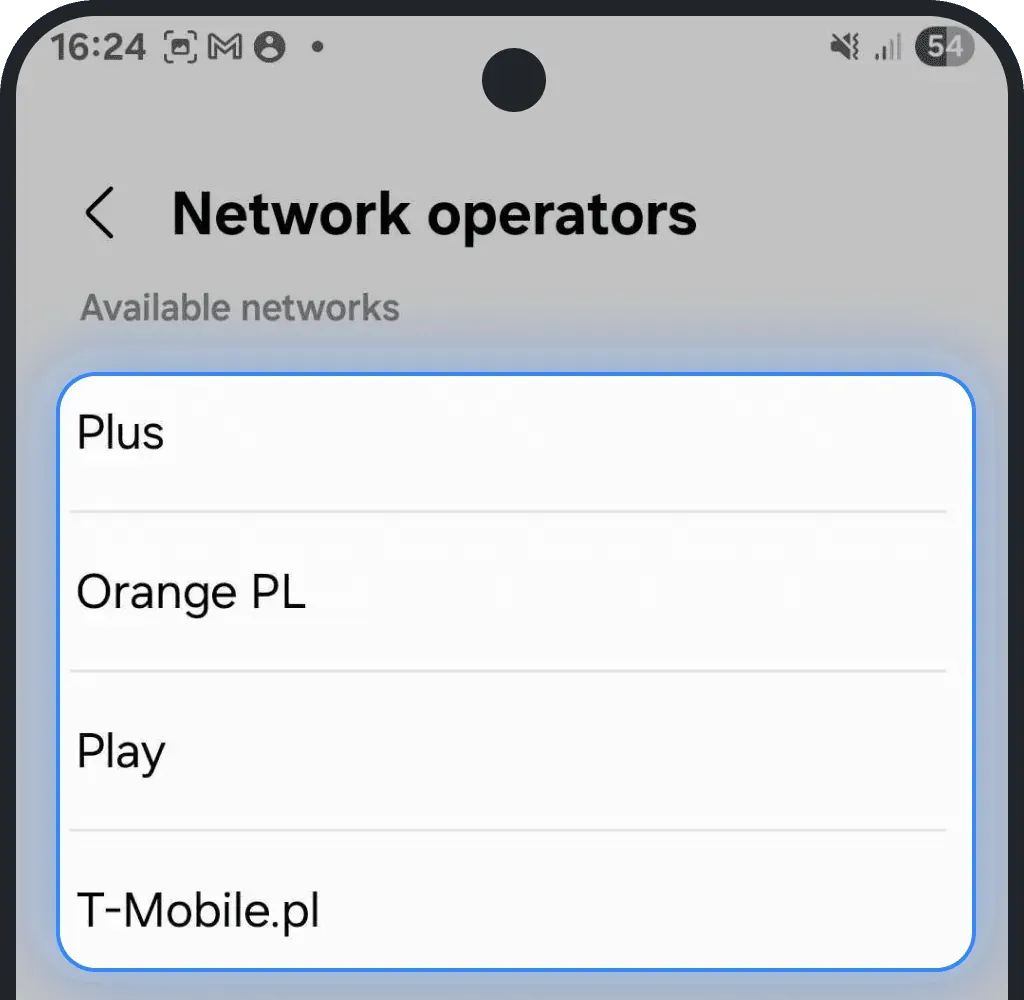
Check carrier-lock manually
Insert a SIM card from a different carrier. If it works, your phone does not have a carrier lock.
Contact your carrier
If you’re not sure whether your phone has a carrier lock, contact your mobile carrier. Ask them to check the lock status and unlock the device if needed. Most carriers can do it remotely in just a few minutes, as long as your contract or payments are up to date.
Was this article helpful?
Your feedback helps us improve our FAQ