
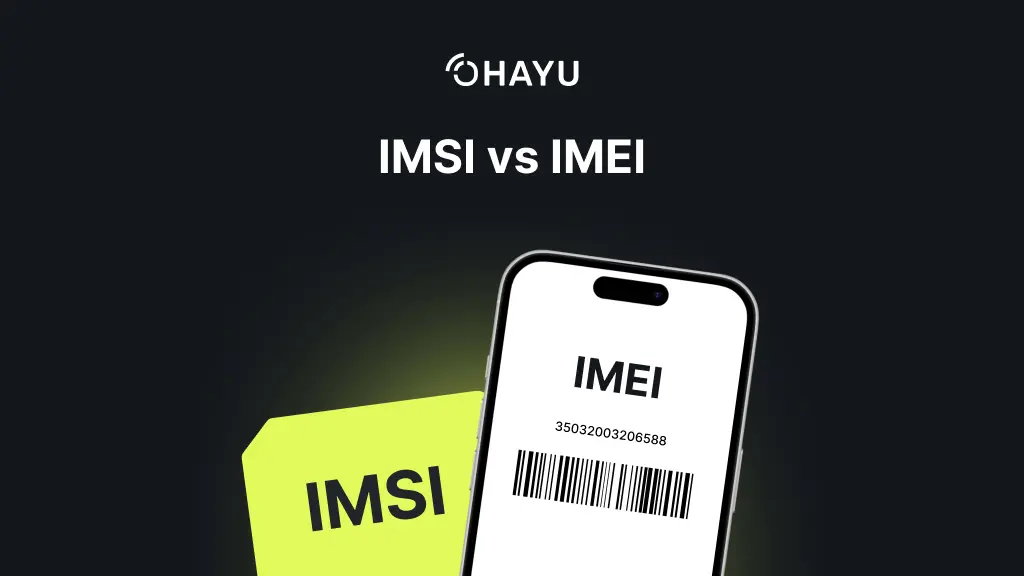
IMSI (International Mobile Subscriber Identity) identifies your subscriber profile, used to get mobile service (SIM, or eSIM). IMEI (International Mobile Equipment Identity) identifies your device.
At Ohayu, we try to explain mobile terminology in simple terms and help users solve setup and connectivity issues. That is why it helps to understand what identifiers such as IMSI and IMEI actually do and how they can help you with troubleshooting, device blocking, and even basic mobile security.
Let’s compare these unique identifiers, so you can understand how they are used in roaming, theft protection, and mobile services.
What is IMEI?
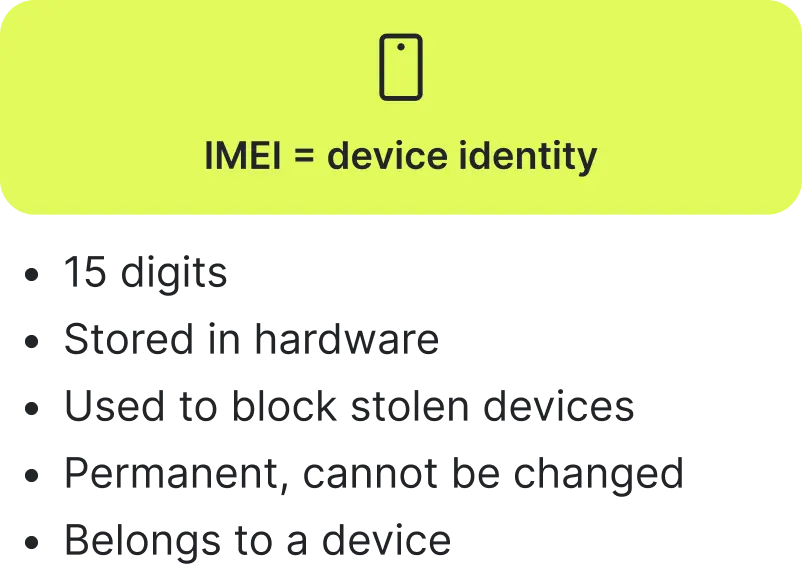
IMEI is a unique number that your gadget receives during the manufacturing stage. This code is associated with the device’s hardware. It allows the operator to recognize a specific device regardless of which SIM card is installed.
Many people think that it is related to personal data, but this is not the case. It is not the same as your personal account data or phone number. The main purpose of the IMEI is to confirm the legitimacy of the device and allow it to connect to the cellular network.
IMEI Structure
Here you can see a clear IMEI structure consisting of 15 digits, which are divided into 3 groups: TAC, SNR, and CD.
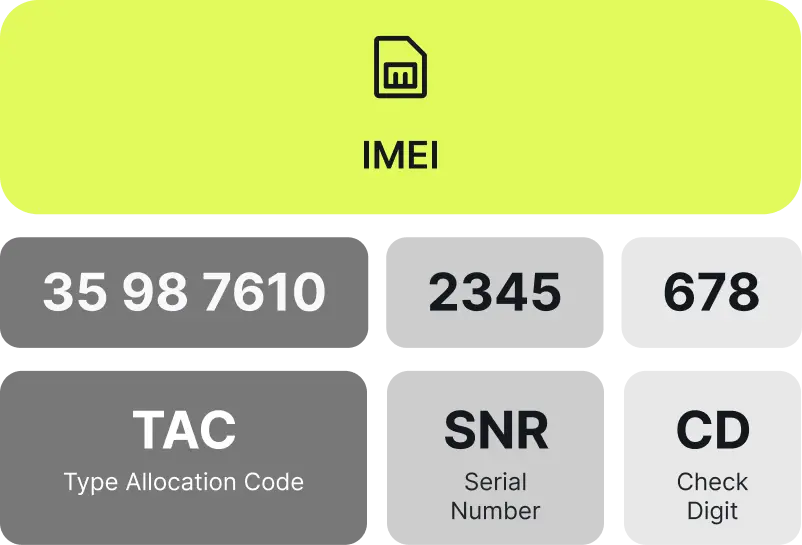
- TAC (Type Allocation Code): the first 8 digits designate the model and manufacturer.
- SNR (Serial number): the following 6 numbers, which are the device’s serial number.
- CD (Check digit): the last one, used to validate the number and check if the whole code is valid.
On some devices, you may also see a 16-digit IMEISV. Here, the last two digits indicate the software version.
Where to find the IMEI?
During the SIM or eSIM setup, or other processes that ned device identification, you might need to check the device’s IMEI. There are several proven ways to do this.
- Dial the MMI service code *#06# on your smartphone. It’s not a call, but a free request to the device’s system, that makes it display the IMEI or EID (on eSIM-compatible devices) on the screen.
- Check the information in the Settings and About phone sections of your iPhone or Android.
- Find the engraving on the SIM card tray or on the back side of the device.
- Check the original packaging of the device (the code is located next to the barcode).
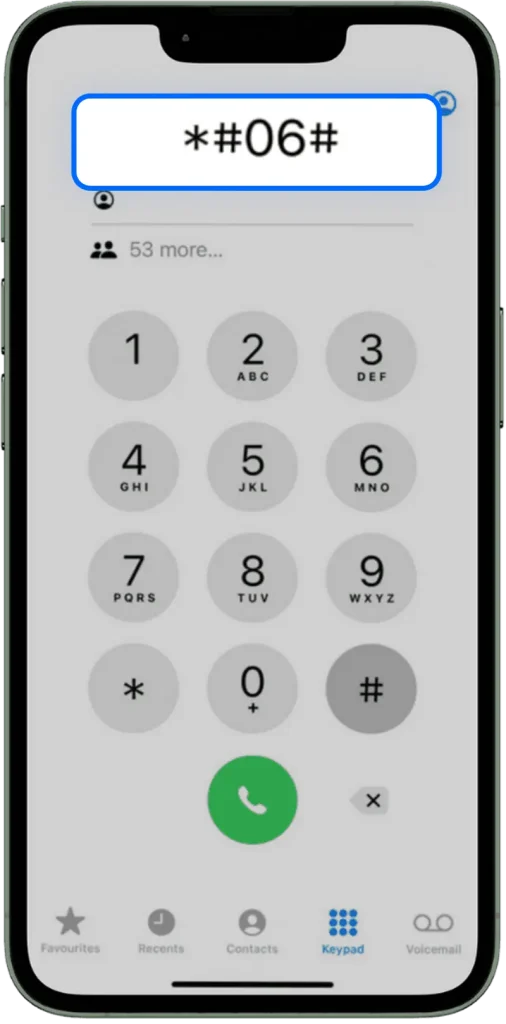
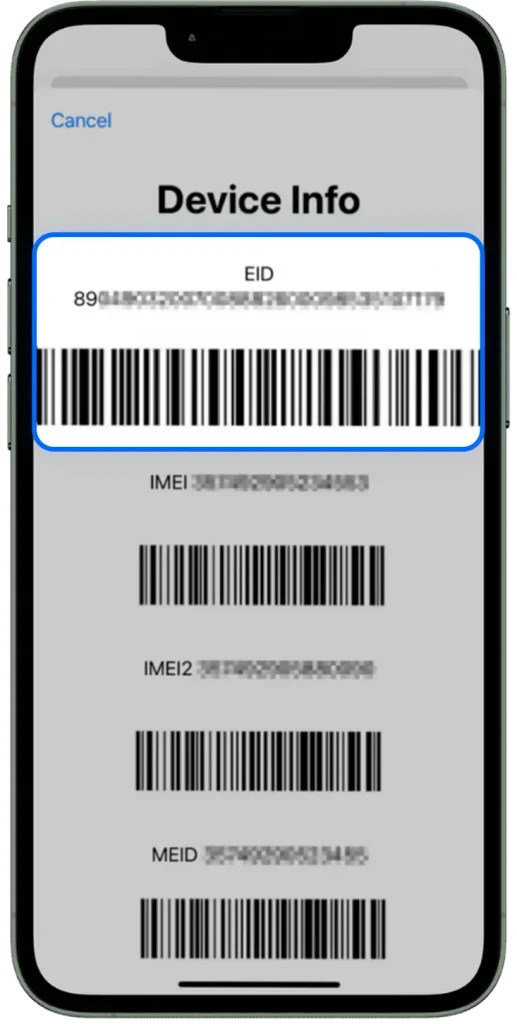
For gadgets with two SIM cards, each slot will have its own unique number, so you can see more than one IMEI.
Practical use
- Blocking stolen devices. Your mobile operator can blocklist the device by IMEI, so it cannot be used on most networks anymore.
- Device identification. Service centers use a marker to verify the authenticity of the device and determine its warranty status.
- Network management. Carriers use IMEI to understand which devices are using their networks.
- Statistics and analytics. Manufacturers use aggregated IMEI data for market analysis and production planning.
What is IMSI?
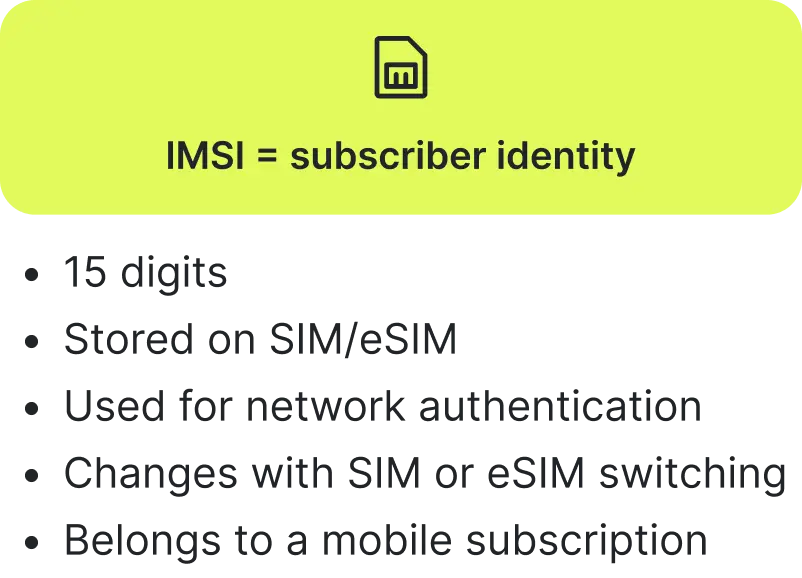
IMSI is the subscriber identity code used by your mobile network. It is stored in the SIM, USIM, or eSIM profile and is used during network registration and authentication (to install and activate your profile).
Unlike IMEI, IMSI is not tied to the hardware. If you move your SIM or eSIM profile to another compatible device, the subscriber identity moves with it, so it’s not permanent for your device. It can be compared to a subscriber ID used by the mobile network to authenticate your SIM or eSIM profile.
IMSI Structure
IMSI has 15 digits divided into three key parts: MCC, MNC, and MSIN.
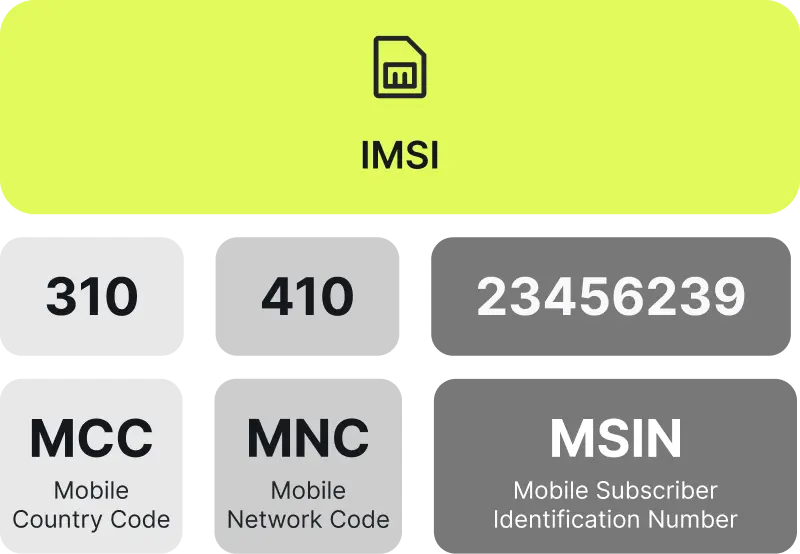
- MCC (Mobile Country Code): the first three digits. This is the code of the country where your operator is registered.
- MNC (Mobile Network Code): the next two or three digits (depending on the country). This is your operator’s unique code within that country.
- MSIN (Mobile Subscriber Identification Number): the remaining 9 or 10 digits. This is your unique personal number in your operator’s database. It is unique for each SIM/eSIM card and allows the operator to know exactly who is connecting to the network in order to apply the correct tariff and set of services.
For travelers, choosing a reliable eSIM provider such as Ohayu is more relevant in practice because the provider is responsible for the activation flow, support, and plan management, while the IMSI itself remains a back-end network identifier.
Where to find the IMSI?
You should understand that IMSI is usually a hidden identifier. In most cases, it is not displayed in the phone menu for security reasons. In most real-world cases, users see identifiers such as IMEI, EID, or ICCID instead. However, if you need IMSI for a technical or support reason, you can get it from the operator or with specialized device tools.
- On the SIM card packaging. Some operators might print the full number, which includes the IMSI on plastic SIM cards. Look for it on the plastic card holder itself or on the accompanying sticker.
- Through the engineering menu or special codes. On some Android phones, it’s possible to enter a unique USSD request to get this information. The code varies for each mobile operator.
- Through the service. You can call or write to your mobile provider’s support team. After the verification process, they can give you this info.
Unlike the IMEI, which can be found in the phone settings, the IMSI is confidential information. The operator uses it for secure authentication, but in everyday life, the user rarely needs it. Its secrecy is a security measure that protects against SIM card cloning and unauthorized access to the network on your behalf.
IMSI vs IMEI: key differences
| Parameter | IMEI | IMSI |
| What it identifies | Device (hardware identity) | Subscriber profile (SIM/eSIM identity) |
| Abbreviation | International Mobile Equipment Identity | International Mobile Subscriber Identity |
| Where it is stored | In the device hardware (chipset/firmware) | On the SIM card, USIM or eSIM profile |
| Can it change? | No, it’s permanent (cannot be changed legally) | Yes, if you switch SIM or eSIM profiles |
| Primarily used by | Manufacturers, operators, regulators, and repair services | Mobile network operators |
| Format | 15 digits (TAC + SNR + CD), IMEISV is 16 and ends with two software-version digits | 15 digits (MCC + MNC + MSIN) |
| Example | 356938035643809 | 310150123456789 |
| How to find it on iOS/Android | Dial *#06# (shows IMEI/EID) Settings > About Phone > IMEI info On SIM tray or box | It’s hidden, sometimes printed on SIM card packaging or via carrier support |
| Purpose | Identify and authenticate devices, block stolen phones, and verify warranty | Authenticate the subscriber to the network, apply the correct plan, and services |
Device vs subscriber
This is the main and fundamental difference.
- IMEI belongs to your device (smartphone, tablet, or modem). It’s like a car’s VIN code. It identifies the hardware, casing, and internals, no matter who’s using it.
- IMSI belongs to your mobile subscription (SIM/USIM or eSIM), i.e., it’s your mobile operator profile.
Storage area
IMEI number is programmed at the hardware level in your phone’s memory. It is an integral part of the device and remains unchanged regardless of user actions. Unless, of course, we are talking about illegal reflashing.
IMSI number is stored on the SIM card chip or eSIM profile. When you transfer the card to another phone, your identifier moves with the network.
How they work in practice
When the phone is turned on, the network checks the IMEI number to see whether it has been stolen or blocklisted. It is also necessary to collect general statistics on device models in the network.
When you insert a SIM card, the network reads the IMSI code to understand which subscriber is connecting to it, which operator they belong to, and what services they should be provided with.
Security and privacy IMSI vs IMEI
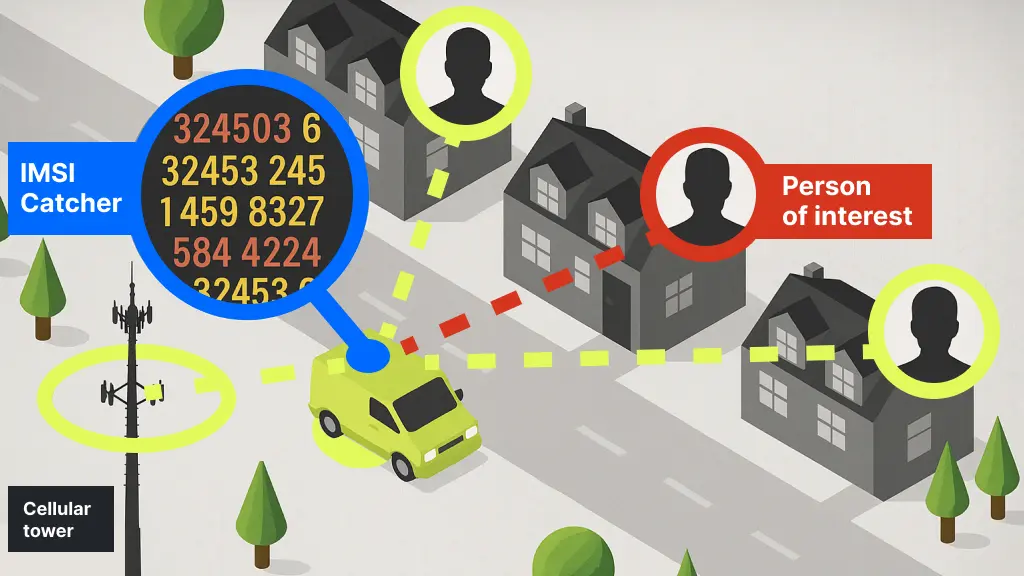
IMSI catchers (Stingrays)
These devices mimic real cell tower base stations, forcing your phone to connect to them. Most often, they exploit vulnerabilities in the outdated 2G (GSM) protocol, where encryption may be absent or easily disabled.
Temporary TMSI identifier
Earlier generations used temporary identifiers such as TMSI, and 5G introduced stronger privacy mechanisms such as SUCI and 5G-S-TMSI to reduce exposure of the permanent subscriber identity. After successful authentication, your device is assigned this random number, which changes regularly when moving between towers. Your real IMSI is rarely transmitted in plain text, which significantly reduces the risk of interception.
Authentication
The SIM card authentication process is based on complex cryptographic algorithms such as MILENAGE (for 3G/4G/5G networks). It works on a “request-response” basis between the network and the SIM, with the secret key Ki never leaving the card. This makes cloning a modern SIM almost impossible.
What you can do
To reduce the risks, force the use of modern standards.
- In your smartphone settings, find the section related to mobile networks and disable 2G (GSM) support. This will close the simplest vector for attack.
- Use 4G/5G networks. Always make sure your phone is connected to an LTE or NR network. These networks use more robust encryption and authentication algorithms.
- Keep your device updated.
- Add a layer of encryption. For critical communications, use apps with end-to-end encryption (Signal, Session).
- To protect internet traffic, especially on public networks, use a reliable VPN service. This will isolate your data even if the communication channel is compromised.
These steps do not replace network security, but they reduce exposure to common downgrade and interception risks.
Summing it up
Now you understand that IMEI and IMSI are different identifiers with different jobs. IMEI identifies the device. IMSI identifies the subscriber profile.
For users of digital mobile plans from providers such as Ohayu, understanding the difference between IMEI and IMSI can make setup and troubleshooting less stressful. That distinction matters when you report a stolen phone, switch SIMs, activate an eSIM, troubleshoot connectivity, or read technical device information. Once you separate device identity from subscriber identity, the rest of the terminology becomes much easier to understand.