
Most Android eSIM apps look similar until you try to install one in a hotel lobby with weak Wi-Fi. It takes a tired brain and a Samsung menu that does not match the help center tutorial to actually feel the difference. Some apps are tidy and predictable. Some sell very flexible plans but feel a bit improvised once something goes wrong.
For this review, I installed 6 popular Google Play apps to check how they perform on Android: how easy it is to install the profile, how the app explains activation, whether it has a top-up, and how much fixing the user needs to do if the data does not start right away.
If you want the basic background about eSIM technology first, check what eSIM is and how SIM cards work for international travel.
My shortlist ended up here:
- Ohayu – cleanest Android flow and interface.
- Roamless – an app with one eSIM for all trips.
- Saily – best online security features.
- Holafly – unlimited plans.
- Ubigi – best support-documented.
- Airhub – cheapest but trickiest (more setup/support risk).
Official country listings also differ quite a bit: Ohayu country eSIM plans cover 170+ destinations, and the Global data plan starts at $9.99 per month with coverage in 120+ countries. Holafly and Roamless say they cover 200+ locations, so this is another point we will check in this review.
Top eSIMs Apps for Android
I tested the flow on a Pixel 10 and a Galaxy S25, then checked the same rough spots people keep raising on Reddit: missing EID, locked devices, APN confusion, weak line selection, and apps that are smooth until the last confirmation screen.
I did not score these apps only based on country count and prices, because on Android, a cheaper plan stops being cheap the moment you spend 40 minutes trying to get mobile internet. That is why the review below has both official product details and the real frustrations people report after using them.
Ohayu
Ohayu app was built for people who want to get an eSIM and then get out of the way. It covers 170+ countries and regions, and the company’s Global data plan starts at $9.99 per month for 120+ countries. That is a practical mix on Android because you can buy a single-country plan for a short trip, and move to a broader package later without changing platforms.
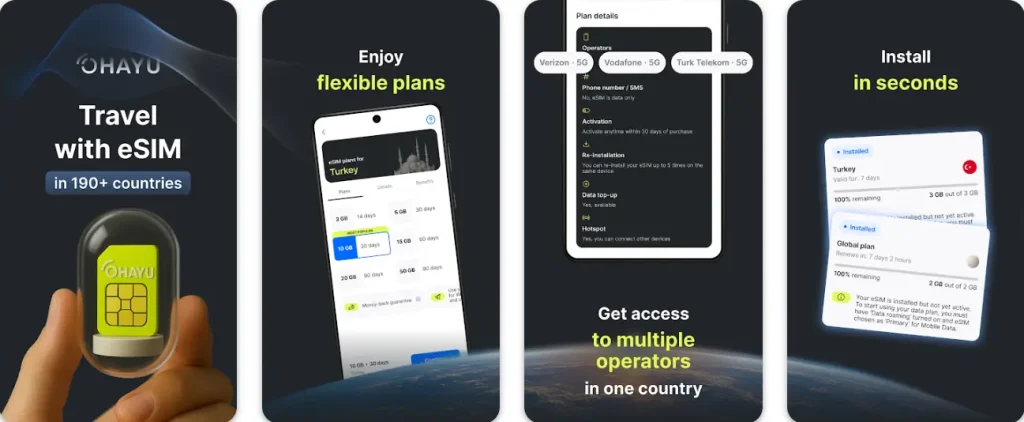
To install eSIM on Pixel, I needed to scan the QR code with the camera and set Ohayu eSIM for data. On Samsung, the app showed a one-click installation button, so it was even faster (no QR scanning needed).
What I liked more was that Ohayu clearly documents all three routes – in-app install, QR, and manual entry – and keeps plain help pages for Google Pixel, Samsung, and Motorola instead of burying Android instructions inside generic FAQs.
The messy part is not really the app. It is Android itself. Reddit is full of travelers who think a Samsung is compatible because the model name looks right, then find out it is still carrier-locked or region-limited when the eSIM refuses to install.
In a Turkey thread, one user said Ohayu worked on Android in Istanbul and connected to Türk Telekom, which matches the general sense I got: when the supported phone is properly unlocked, it is a calm app. When the phone is not, the failure looks mysterious until you check the basics.
- Good fit for Android users who want simple menus, top-ups, and more than one install method.
- Country plans are easy to understand, and the global subscription is one of the cleaner multi-country options.
- The recurring headache is still device status: locked or odd-region Samsung models can waste your evening before you notice the real problem.
Holafly
Holafly is still the easiest app here to hand to a first-time buyer. The Play Store page says it covers 200+ destinations, and the brand keeps pushing unlimited plans (at higher prices, though) first.
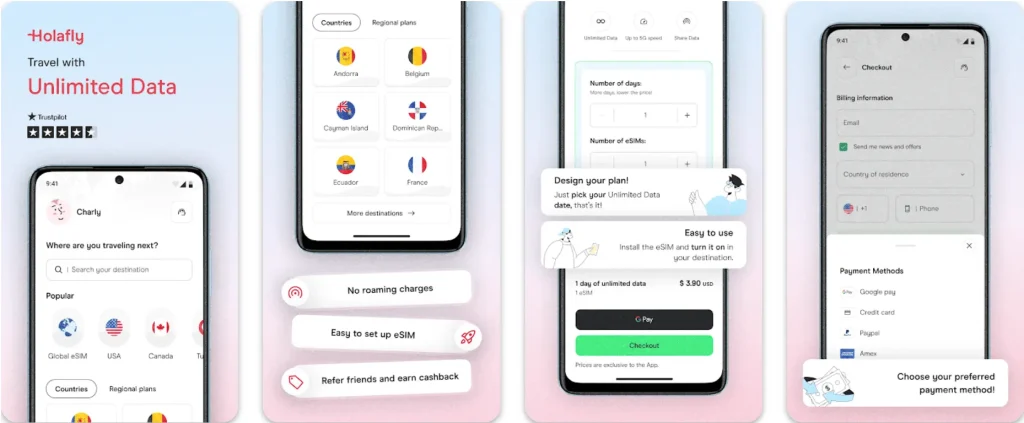
I get why people like it. The purchase flow is polished, the app looks modern, and the installation guidance was less intimidating than the older telecom-style apps. But I am not fully relaxed around unlimited labels. On Android especially, I still read the destination rules because hotspot limits and fair use policies change by plan.
The rough edges show up in user questions rather than dramatic failures. Reddit threads on Japan and Samsung devices are full of the same anxious theme: ‘Will this actually work on my Android?’ or ‘Does the A54 version I own support eSIM at all?’ That tells me the onboarding is attractive, but the pre-buy compatibility clarity still leaves room for doubt. I would use Holafly for a short trip where I value convenience more than price precision. I would not buy it blindly for a messy multi-country route.
- Very good first impression and a friendly setup flow.
- A sensible choice when unlimited-style plans matter more than cost per GB.
- You still need to read the destination page carefully, especially for hotspot behavior (can be limited to 1 GB/day) and Android model compatibility.
Roamless
Roamless takes a different approach. Instead of nudging you into a fresh country package every time, it pushes one persistent profile with wallet-style spending or fixed plans. That structure is genuinely useful on Android if you travel often and hate reinstalling profiles.
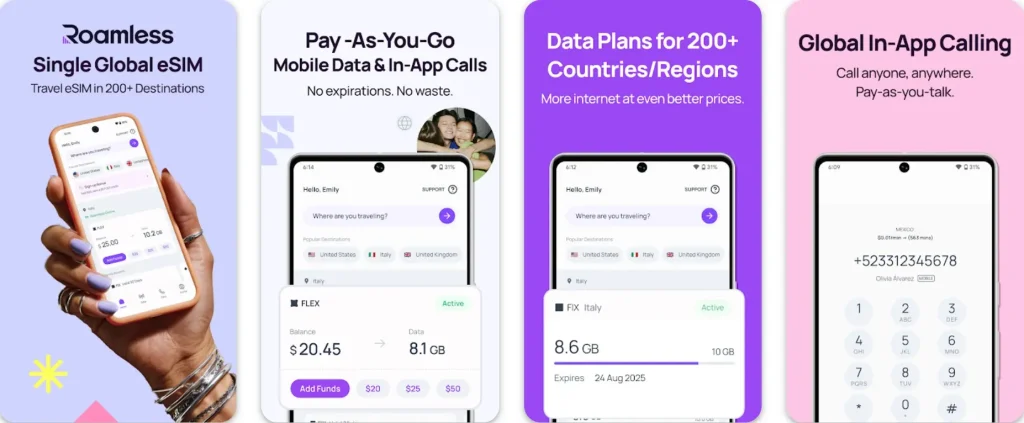
I like the idea a lot more than I expected. Install once, leave it there, top up later. Simple. The company says the single global eSIM works in 200+ countries, and that is the main selling point. You do not spend time shopping again every time you cross a border.
Still, this was the most uneven app in the bunch once I checked user reports. One Reddit post from a Pixel 7a user described getting only about 10 Mbps on Roamless, while a friend on an iPhone, standing in the same place, saw around 200 Mbps. The likely reason was a different eSIM issuance behind the scenes. Then I found a Samsung S24 user in Japan saying it had worked for six weeks with no changes at all. That is a real Android story: clever product idea, but not always the same outcome across devices.
- Great for repeat trips and backup data because the profile can stay on the phone.
- Less shopping, less reinstalling, less clutter in your SIM menu.
- Pricing is not always the cheapest for a long stay in one country, and Android performance seems more variable than the marketing suggests.
Saily
Saily tries to be more than a data app. The Play Store description highlights ad blocking, web protection, and virtual location tools, which are unusual in this category (but make sense, knowing that they are owned by NordVPN). If you like the idea of keeping a few privacy tools in the same place as your travel eSIM, Saily has a stronger personality than most rivals.
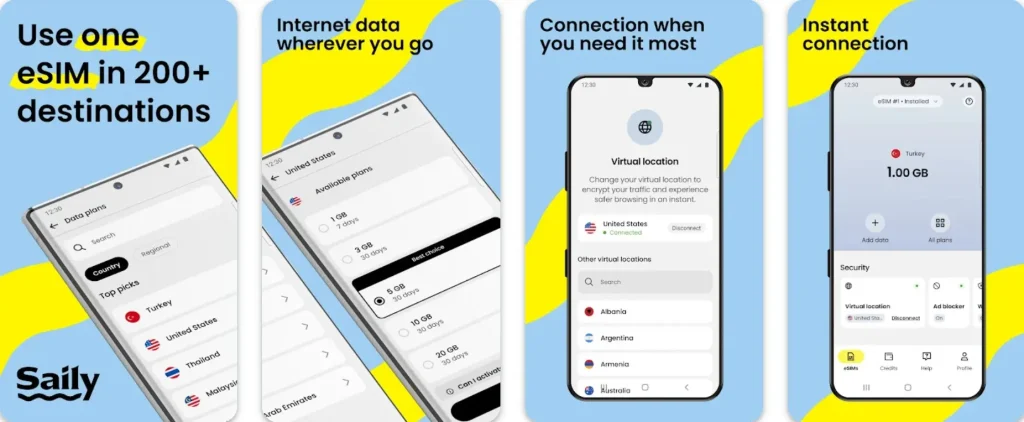
The app itself is clean, and the extra controls are easy enough to understand without turning the review into a security lecture. That said, those features do not change your underlying mobile network. If the network is weak or the Android line settings are wrong, the ad blocker is not going to rescue the trip.
The Reddit feedback felt very Android-specific in an almost boring way, which I actually trust more than polished testimonials. In one thread, a user said Saily worked on three phones, but only the iPhones connected properly, while the Android setup stalled even with the eSIM installed and enabled. The first reply was just: check the APN. That is exactly the point. Saily is good, but it still works better on iPhones and struggles with Android devices (Android users may need to adjust APN, roaming, or line-selection settings during setup). If you need a refresher, this APN guide explains the setting without overcomplicating it.
- The app has a clearer point of view than most competitors.
- Good top-up flow and nice extra tools if you care about browsing controls.
- Android users can still run into plain old line-selection or APN problems, and the fancy extras do not fix that.
Ubigi
Ubigi feels less like a travel startup and more like telecom software that happens to be friendly enough for travelers. That is not a bad thing. In fact, they have a lot of device documentation. The official site says it offers plans in 200+ destinations, and it has a wider-looking catalog than most apps in this list.
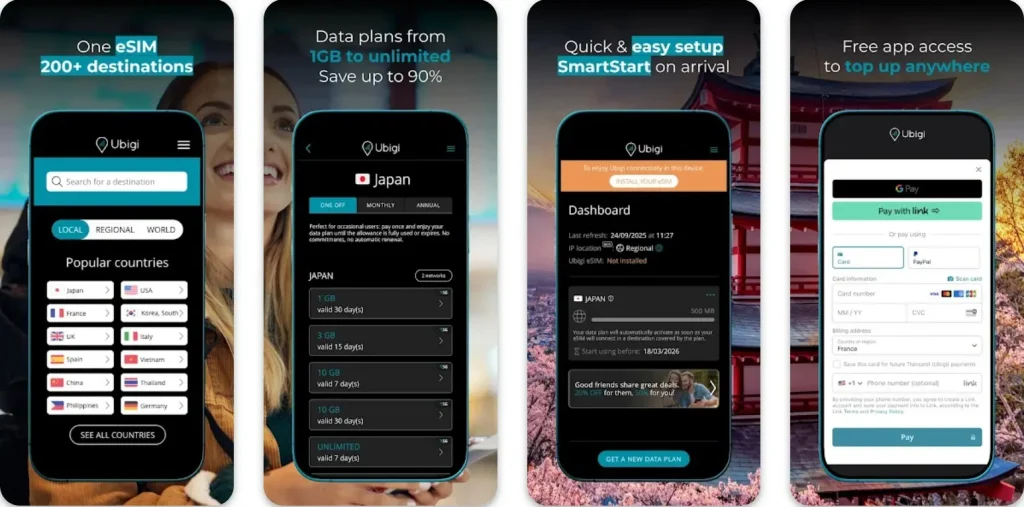
The trade-off is that it sometimes feels heavier than necessary for a simple trip. On Android, I kept noticing little moments where it wanted more patience and extra steps.
The strongest example came from Reddit: a Galaxy S23 FE owner described the Ubigi app becoming non-responsive right after tapping Allow on the eSIM permission prompt, then popping back up over every other app. That is exactly the sort of glitch that makes a travel eSIM feel more technical than it should. In Japan threads, I also found Pixel users complaining about slow data or LTE-only service, while Samsung users in the same discussions were often more positive. I would still consider Ubigi, but mostly when I want better support documentation and do not mind a slightly more old-school setup.
- Useful if you like having more help material and a broad catalog.
- Better suited to patient users than to people who want the lightest possible app.
- Android behavior looks less consistent across devices, especially in mixed Pixel and Samsung reports.
Airhub
Airhub is the one app in this list that made me slow down and read every detail twice. On paper, the marketplace-style catalog can look attractive because it throws a lot of options at you, and some of them look unusually cheap.
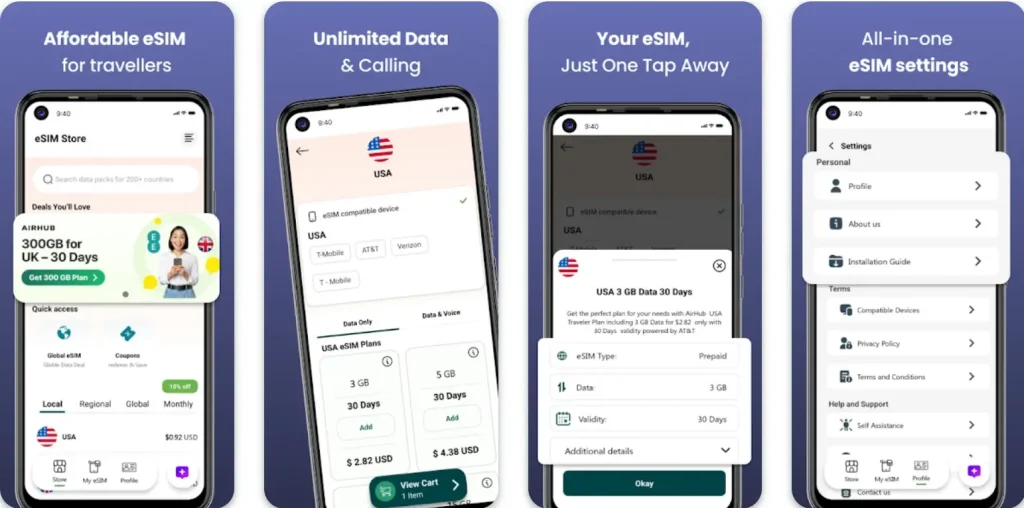
The problem is that a cheap-looking offer is only useful if the install guidance, activation timing, and support response are solid. With Airhub, that confidence was harder to find.
Reddit complaints about Airhub are not subtle. I found one post saying the Android installation guide was wrong, and support tried to replace a 30 GB plan with a 15 GB one after service stopped working. Another user described a 300 GB Europe plan that would not activate even after replacement codes. A third said the plan seemed to start counting from the date of purchase instead of arrival. None of that means every order fails, but it does mean I would treat Airhub as a price-led gamble, not a calm default choice.
- Worth checking only when the pricing is materially better than safer alternatives.
- Catalog breadth can be useful if you want to compare unusual offers in one place.
- Too many reports point to activation confusion and weak support for me to rank it higher.
The table below keeps the comparison short and Android-focused.
| Provider | Installation | Plan model | Best fit |
| Ohayu | In-app, QR, manual | Country plans + global subscription | Travelers who want a clean app and flexible routes |
| Holafly | App + QR | Country and regional plans, mostly unlimited-first | Short trips where convenience matters more than fine pricing |
| Roamless | In-app first | Single global eSIM with wallet and fixed plans | Repeat travel and backup data |
| Saily | App-managed | Local, regional, global | Users who want privacy tools in the same app |
| Ubigi | App + QR/email | Prepaid local, regional, global-style options | Users who want more device help content |
| Airhub | Standard install flow | Marketplace-style catalog | Price hunters only |
Android eSIM basics
This part does not need a telecom dictionary. Three checks matter before you buy anything: is the phone unlocked, does it support eSIM in your exact model and region, and can you still keep your home SIM active for calls or one-time codes.
Android phones that support eSIM
There is no single Android answer because support varies by brand, exact model, region, and carrier. But overall, those are mid- and premium-range models made after 2022. What’s more, now some US versions of the Pixel 10, Pixel 10 Pro, and Pixel 10 Pro XL are eSIM-only. Samsung’s support pages list the Galaxy S20 through S25 families and several Fold and Flip models as eSIM-capable. If you want a faster brand-by-brand check, the simplest internal references are Pixel, Samsung, and Motorola.
How many eSIMs can Android store?
Recent Android phones can store several profiles. It does not mean all of them can be active at the same time. You can usually keep more than one eSIM on the phone and switch when needed. Some newer devices can keep two active eSIMs at the same time, but that still depends on hardware and brand settings.
What to check before buying
First, make sure the phone is unlocked. Second, check whether you can see an EID in settings.
You can also dial *#06#. That is not a call – it is only a safe device request that shows phone information, so you will not be charged. If an EID appears, the phone usually supports eSIM.
If you are unsure, this compatibility guide is a better starting point than guessing from a model name on the box.
- Check when the validity starts. Some plans begin on the first network connection; others begin much earlier.
- Check whether hotspot use is allowed.
- Check whether the provider expects data roaming to be on for the travel line.
How to install an eSIM on Android
There are 3 methods. QR code means scanning the provider code from your phone settings. In-app install means the app starts the setup, and then Android asks for final permission. Manual entry means pasting an activation code yourself. If you want the step-by-step version later, here are guides for installing on Android and for removing an old eSIM from Android when the SIM list gets cluttered after a few trips.
What Android behavior usually looks like on recent phones
| Device group | Stored profiles | Active profiles | Practical note |
| Pixel 10 / 9 / 8 | Multiple | Often 1 or 2 | Best menus and the least confusing labels |
| Galaxy S25 / S24 / S23 | Multiple | Often 1 or 2 | Check the SIM Manager and be ready for one reboot |
| Recent Motorola models | Varies | Usually 1 | Good support on paper, but regional variation is common |
Fast fixes if the data does not work
This is the short list I keep coming back to on Android. It solves most problems without turning the article into a support script.
- Turn airplane mode on for 15 to 20 seconds, then off again.
- Restart the phone after the first install, especially on Samsung.
- Check that the travel eSIM is the active line for data.
- Turn on roaming for the travel line if the provider tells you to.
- If there is a signal but no data, look at the APN – basically your mobile internet settings.
Global and regional eSIMs can be a little trickier than local SIMs because the phone may move between supported networks and keep old settings longer than you expect. That is why a line can look ‘connected’ but still refuse to pass data for a minute or two.
Conclusion
The best eSIM app for Android is not the one with the loudest claim on the store page. It is the one that still feels predictable when you are tired, moving, and short on time. In my Android test, Ohayu was the easiest app to use. Roamless came second because the keep-it-installed model is genuinely useful, even if Android results look less even. Saily is the one I would pick when I want extra privacy tools in the same app. Holafly is easy to recommend to first-time users, but I would still read the plan details more carefully than the onboarding suggests. Ubigi is more technical, sometimes in a good way, sometimes not. Airhub is where I would only go if the price difference is big enough to justify more uncertainty.
If you are still deciding, the quickest way to cut the list down is simple: check compatibility, check activation timing, and check how easy the app makes it to recover from a failed first install. Those three details matter more than any glossy screenshot.
FAQs
How to install eSIM on Android?
Usually by QR code, in-app setup, or manual activation code. Pixel and Samsung both support those routes on compatible models, but the menu names look different.
Can one plan work in different countries?
Yes, if the provider sells a regional or global package. A multi-country plan makes more sense when you travel often and do not want to keep replacing profiles.
What is the main difference between iPhone and Android for eSIM?
Android varies more by brand and region. A Pixel menu is not the same as a Samsung menu, and some Samsung variants that look identical on paper do not behave the same way.
Why is there a signal but no data on Android?
Most often, the wrong line is selected for data, roaming is off, or the APN settings have not refreshed yet.
Can a physical SIM and an eSIM work together on Android?
Yes. Many Android phones let you keep your home SIM for calls and codes while the travel eSIM handles data and connects you to the internet.
Are APK downloads a good way to get a travel eSIM app?
I don’t recommend APK. It’s safer to download from Google Play or the provider’s official website, because updates and permissions are clearer there.