How do I know that my eSIM is activated and working?
To confirm that your eSIM is active and ready, follow these quick steps:
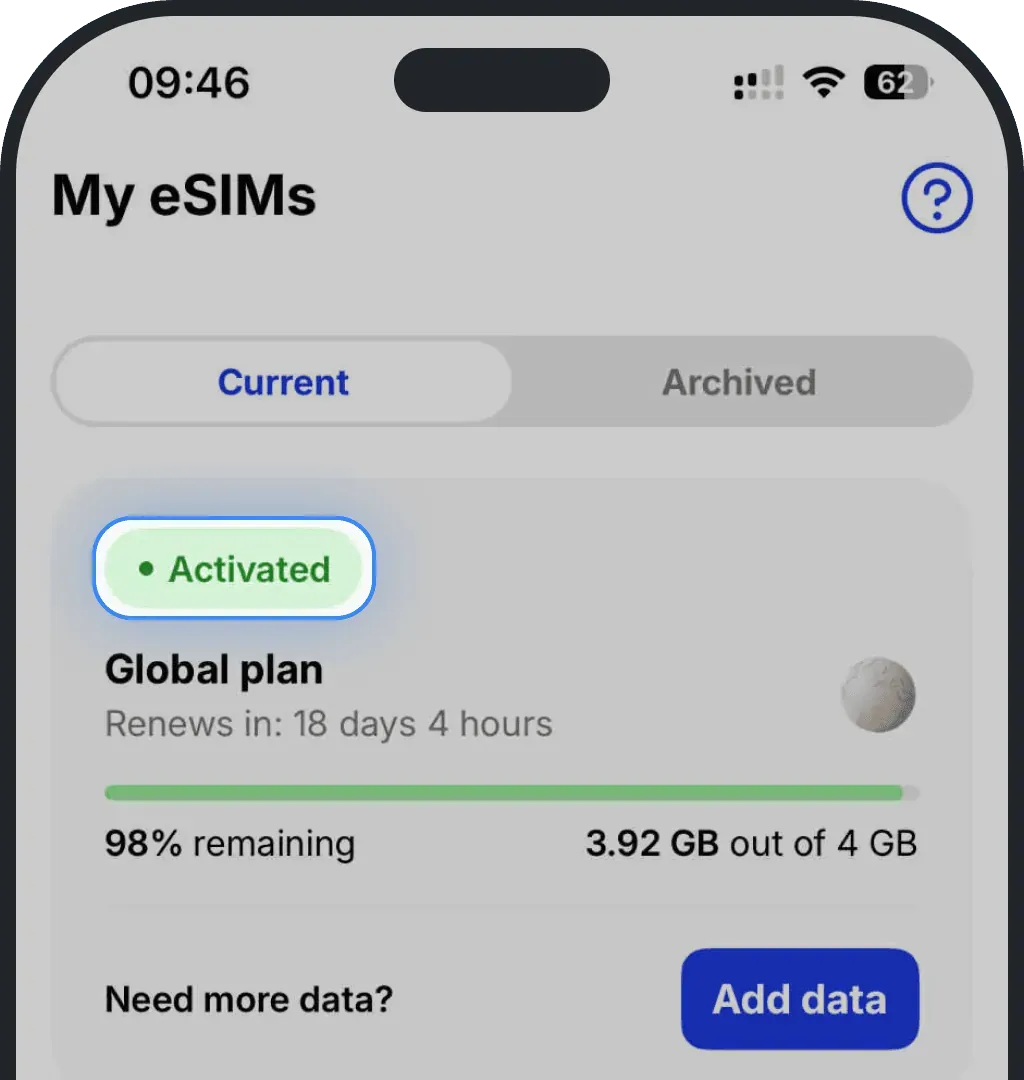
1. Check the status in the “My eSIMs” tab
Open the Ohayu app and go to the My eSIMs section. If your plan shows as Active, your eSIM is activated properly.
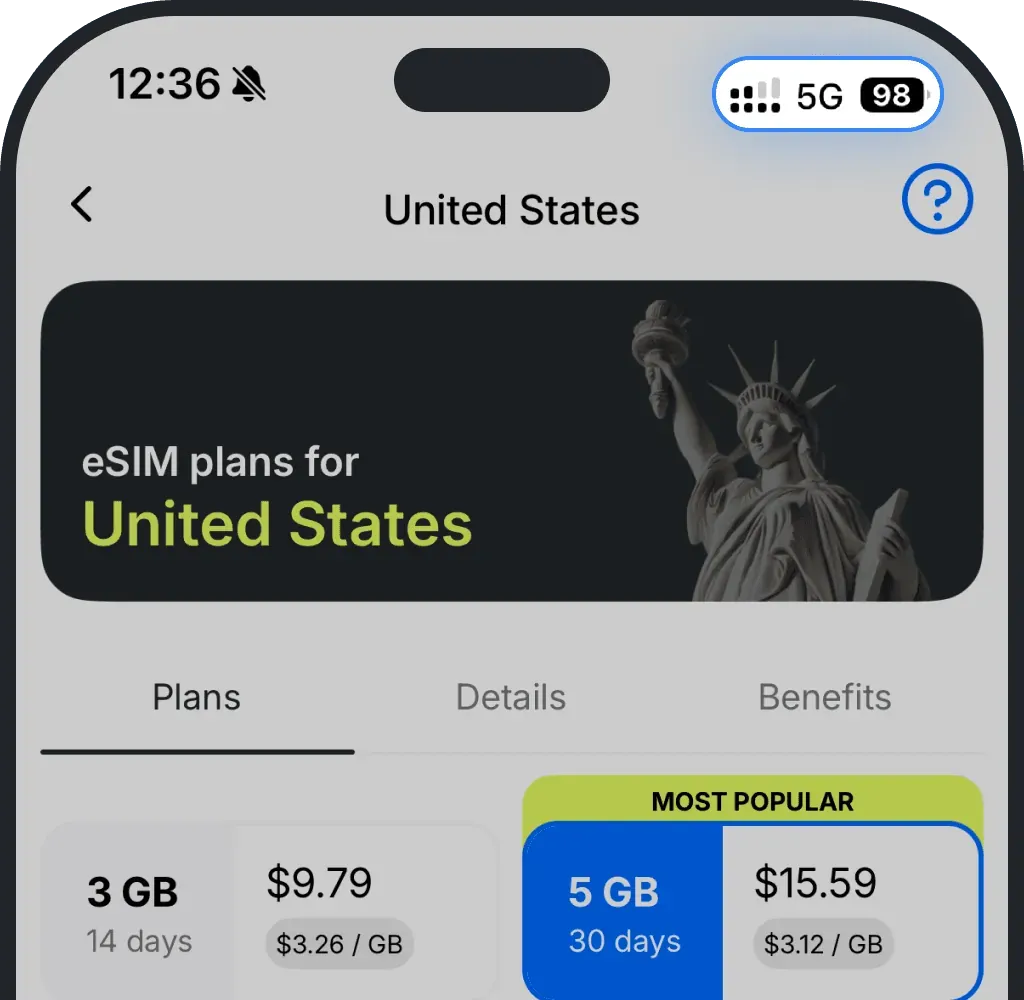
2. Look for the network signal indicator
When your eSIM is active and enabled in your phone’s settings, you’ll see signal bars or icons like 4G, 5G, or LTE in the status bar—just as with a regular SIM.
3. Test mobile data connectivity
- Turn off Wi-Fi and try opening a webpage or an app that requires internet access. If it loads, your eSIM is functioning correctly.
4. Check in phone settings
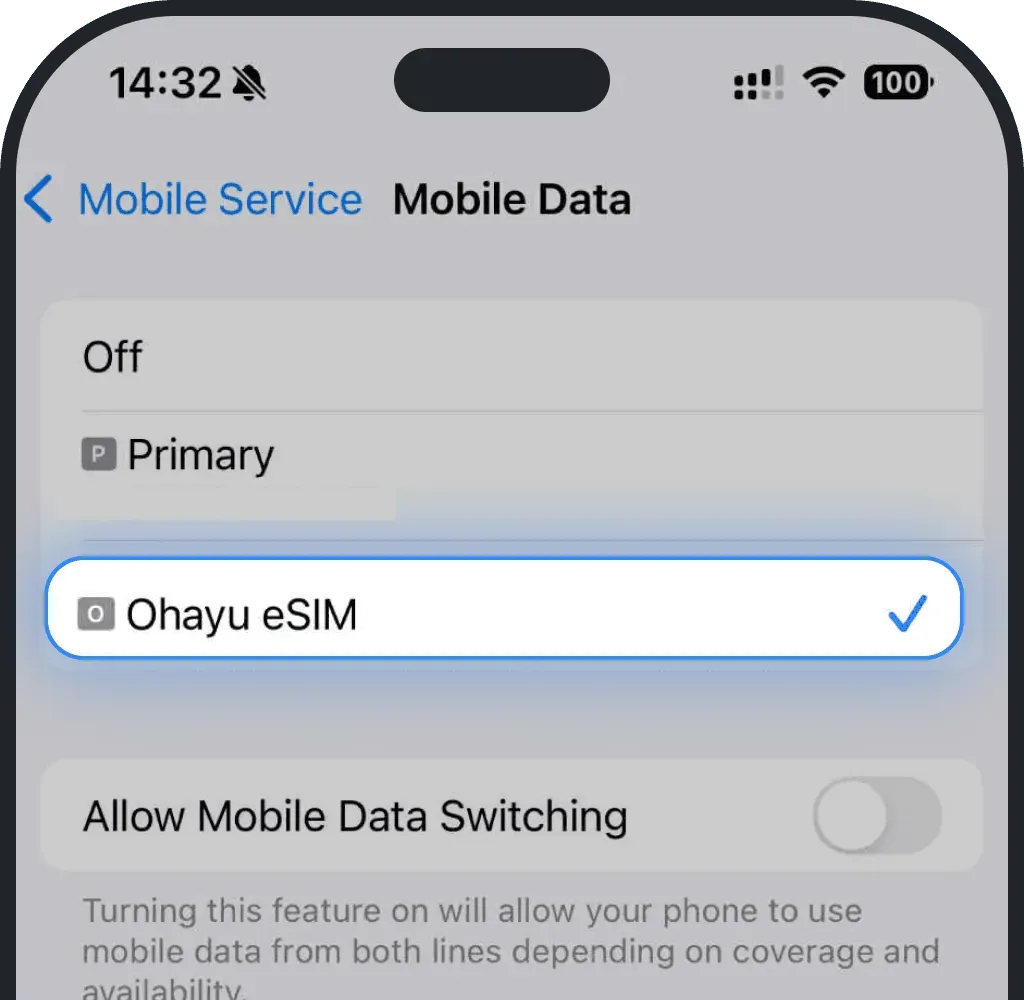
Installation/activation check on iOS (iPhone)
Go to Settings.
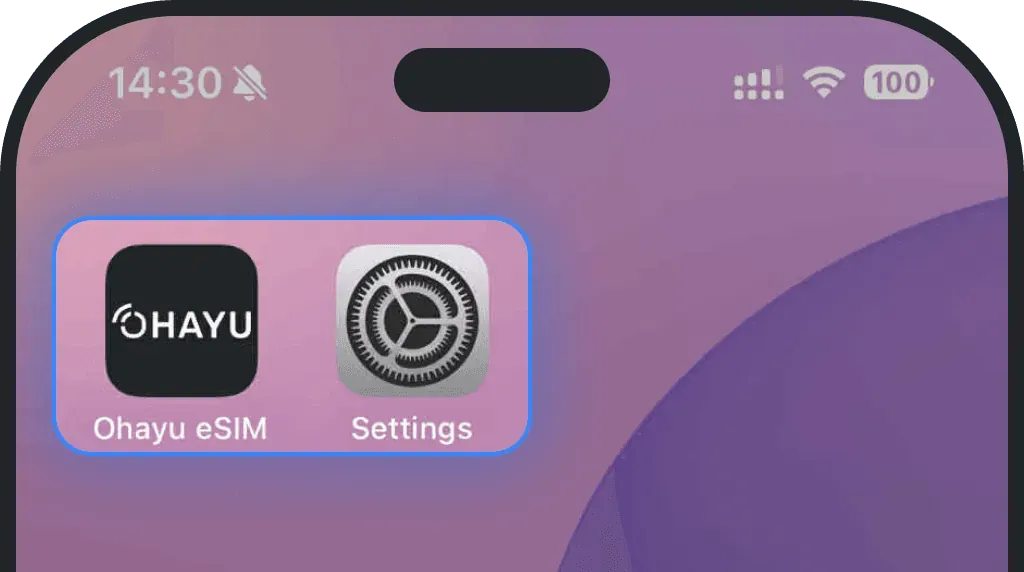
Tap Mobile Service or Cellular.
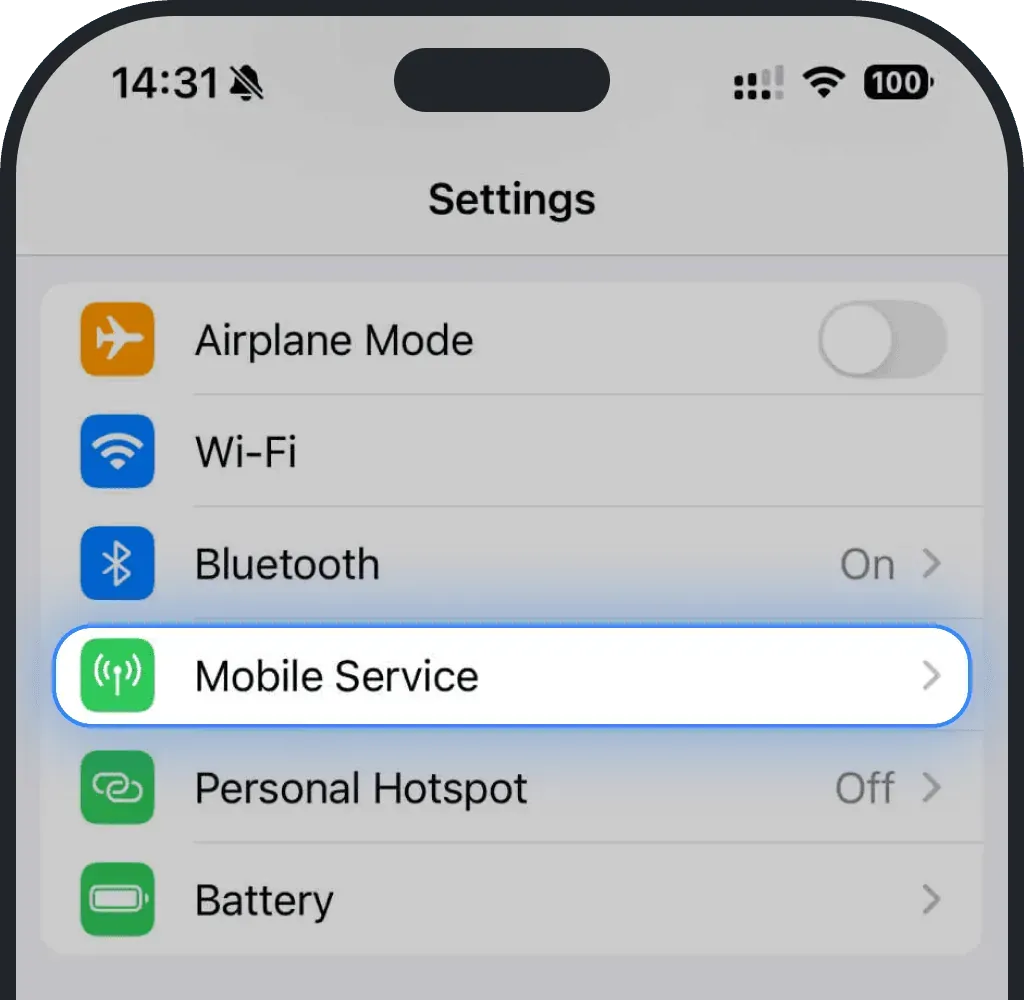
Tap Mobile Data or Cellular.
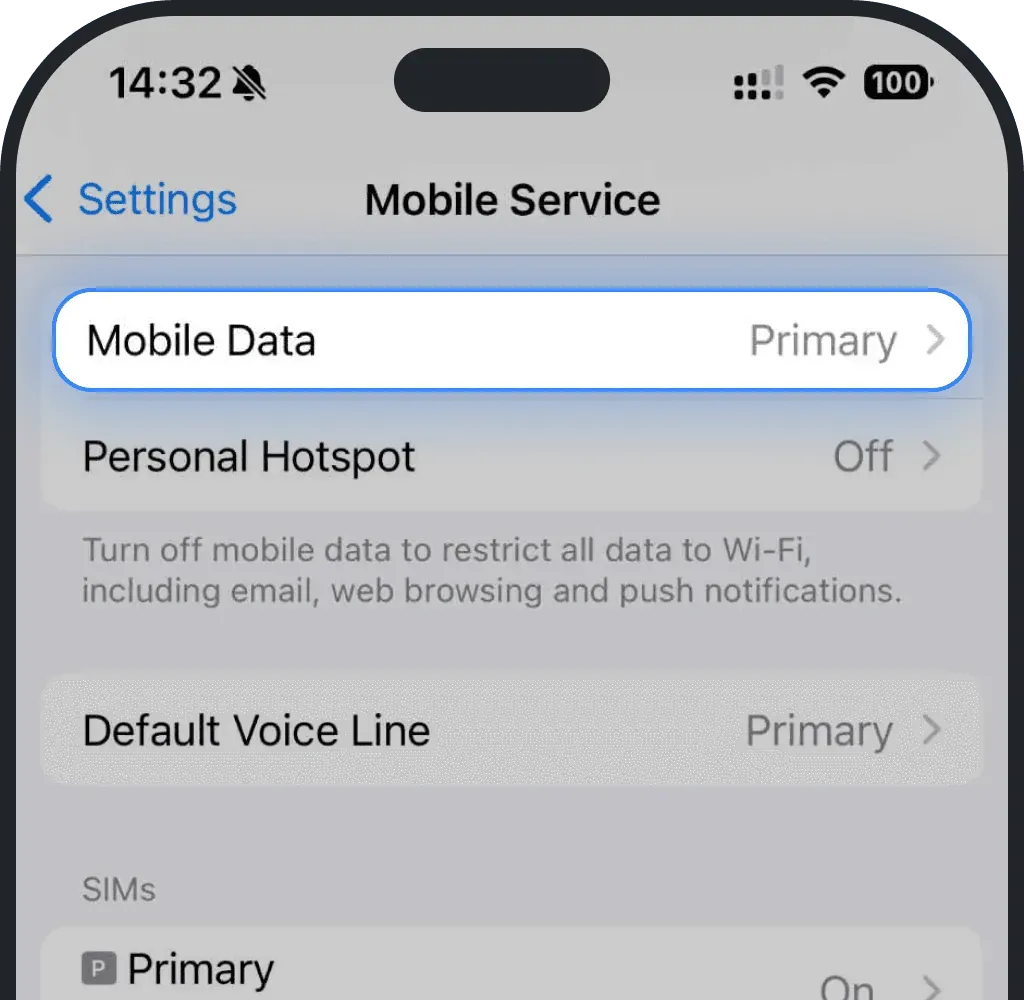
If you don’t see the eSIM on the list, it means your phone hasn’t installed it yet.
Installation/activation check on Android
Go to Settings.
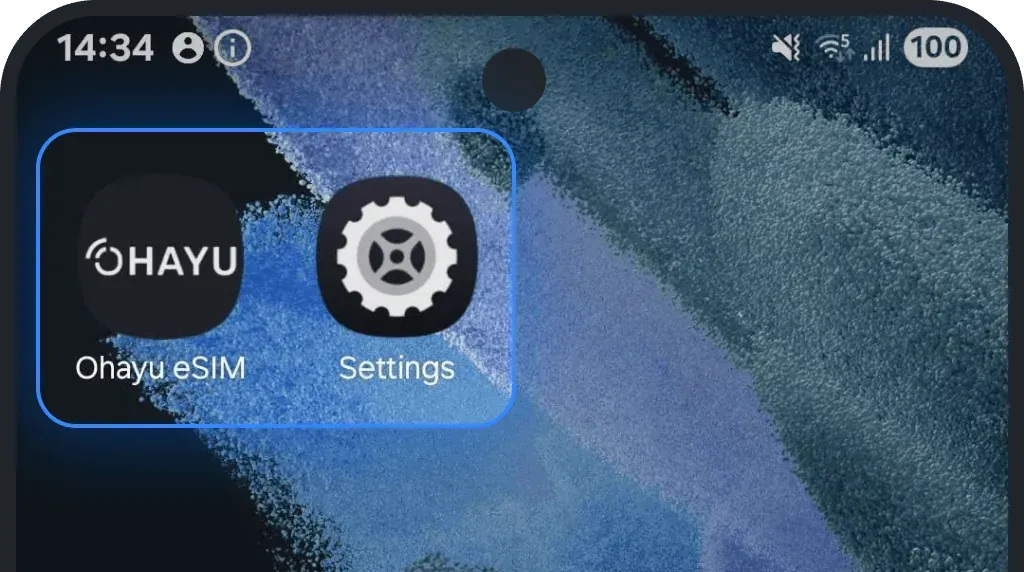
Tap Connections.
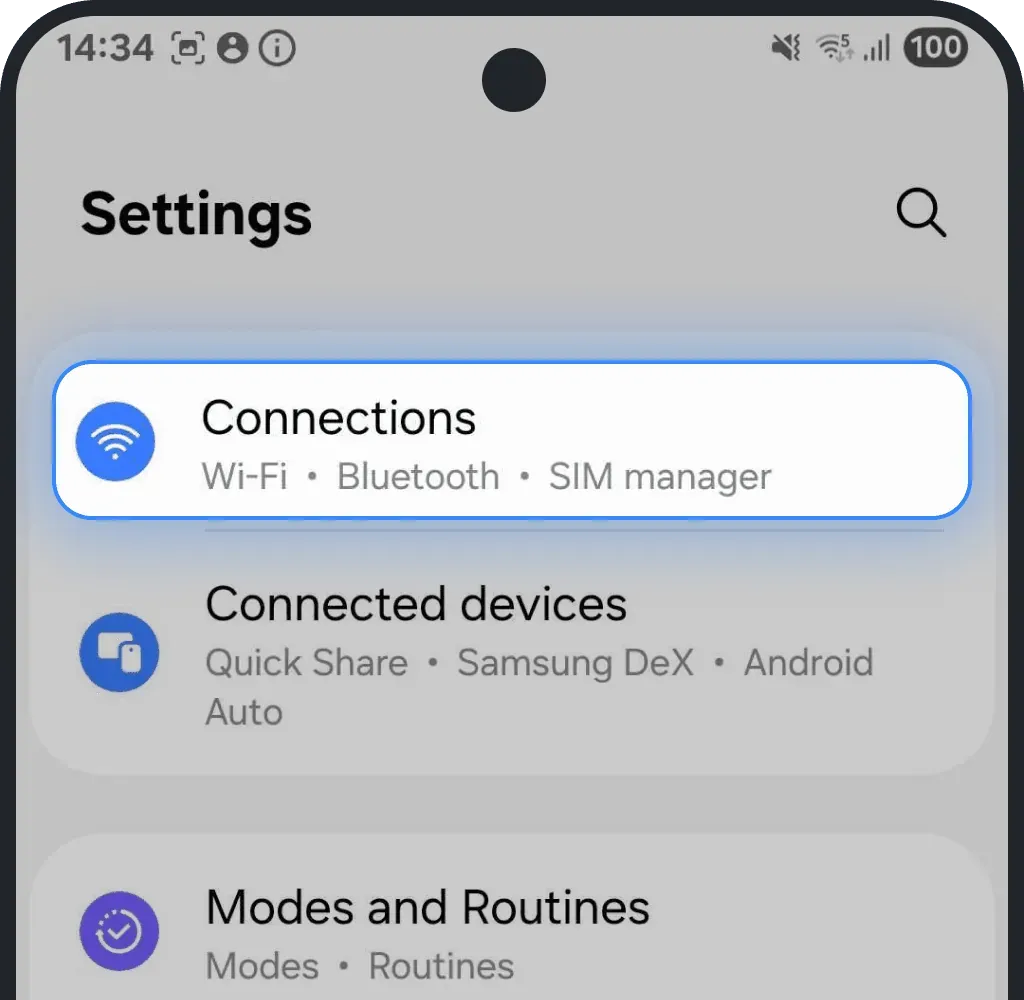
Tap SIM manager.
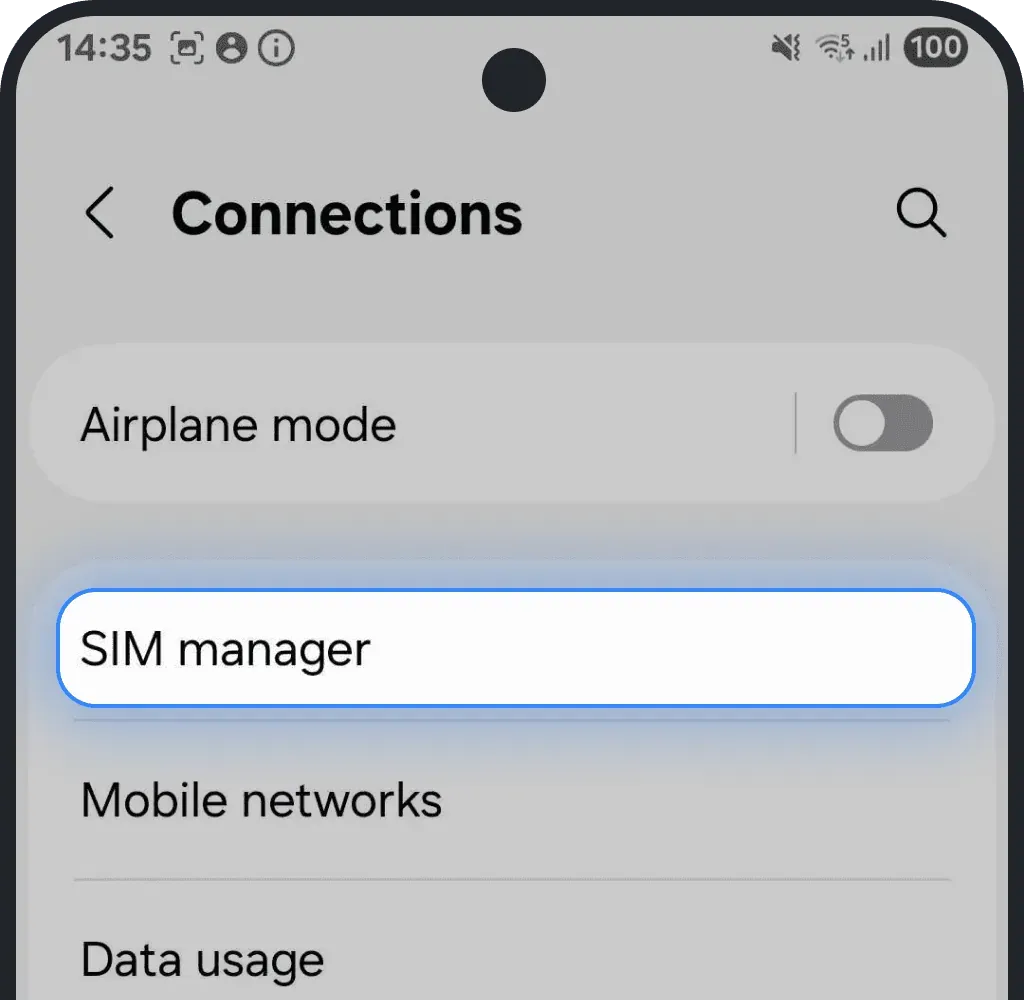
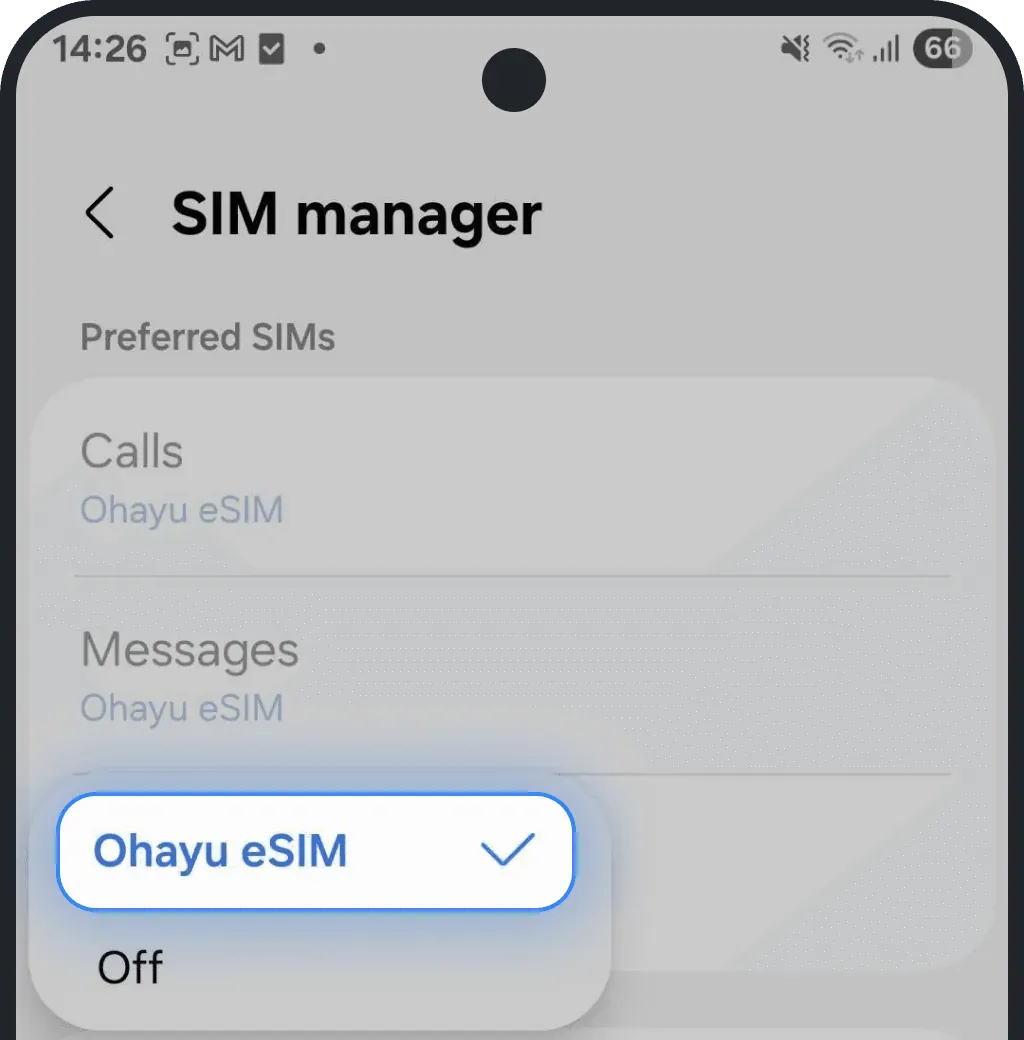
Tap on Mobile Data.
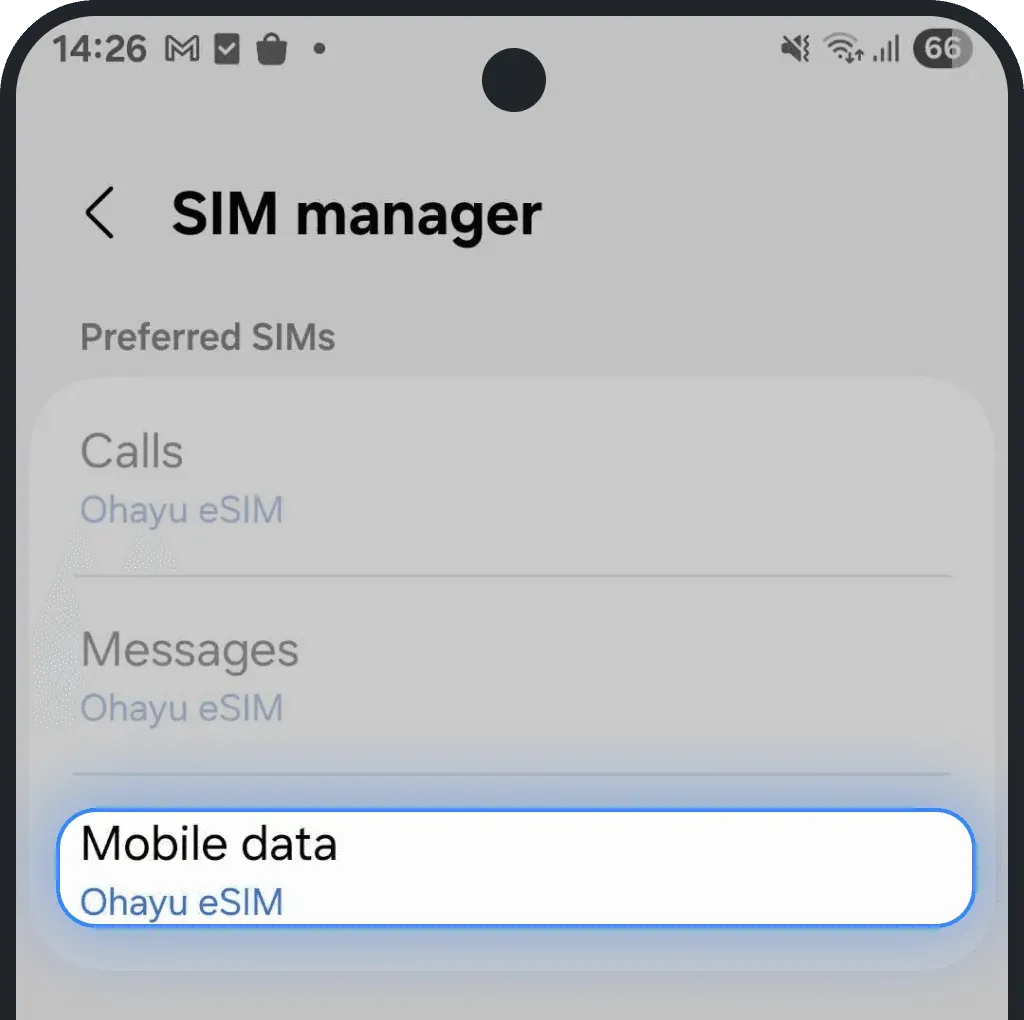
If you don’t see the eSIM on the list, it means your phone hasn’t installed it yet.
5. Having problems with an eSIM?
If your eSIM is not activating, check our Why is my eSIM not activating? guide.
If your eSIM is active but not working, see Why is my eSIM not working?.
You can always contact our 24/7 support team, who will gladly help you resolve any issue.
Was this article helpful?
Your feedback helps us improve our FAQ